Tips for Electronic Music Producers: 10 Hacks That Instantly Speed Up Your Workflow
More Flow in the Studio With Small Moves

 5,0 / 5,0 |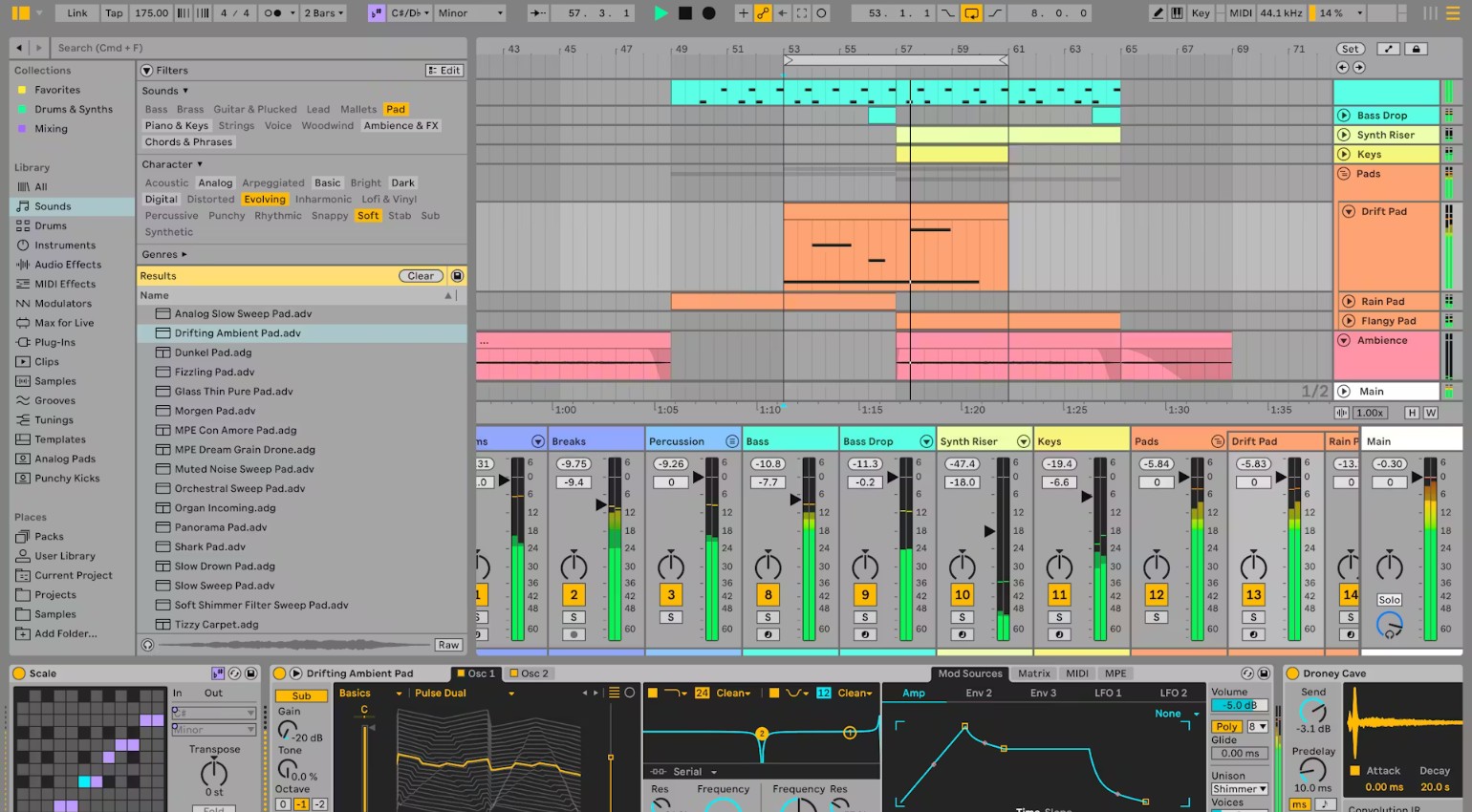
Tips for Electronic Music Producers: 10 Hacks That Instantly Speed Up Your Workflow · Source: Ableton

Do you know that feeling? Many producers search for Tips for Electronic Music Producers because the loop is running and the idea feels right, yet the track still never gets finished. This is exactly where valuable time slips away. Not because creativity is missing, but because small workflow bottlenecks quietly creep into everyday studio routines. The good news is that it often takes only a few focused adjustments to get things moving again. Suddenly, the entire production process feels smoother, faster, and far more efficient.
Key Takeaways – Tips for Electronic Music Producers
- Structured templates save time and reduce creative starting blocks
- Visual color coding improves clarity and speeds up arrangement decisions
- Early low-end separation between kick and bass prevents mix issues later
- Using reference tracks leads to more objective mix decisions
- Return reverbs create more transparency than insert reverb
- Saved plugin chains streamline recurring production steps
- Early automation adds movement and prevents static tracks
- Quick bounce checks reveal weaknesses faster than DAW monitoring
- Limiting your sound selection increases focus and decision speed
- Clear production phases prevent chaos between sound design, arrangement, and mixing
Table of Contents
A Better Workflow Gets You to a Finished Track Faster
In this edition of Producer Hacks, we focus on ten practical steps you can apply in your studio today. These Tips for Electronic Music Producers are not abstract theory. They come directly from real production sessions between kick programming, arrangement decisions, and final automation passes. Each method is designed to reduce common workflow friction without interrupting your creative momentum.
If you want to make confident mix decisions faster and stop getting stuck in endless loop mode, these Tips for Electronic Music Producers offer a clear framework. The goal is simple: practical adjustments that deliver immediate impact and help you turn ideas into finished tracks more consistently.
1. Build a Thoughtful Standard Template
A well-designed template ensures that every new session starts with music rather than setup work. Instead of creating tracks, configuring buses, and adjusting gain staging from scratch, you begin directly in creative mode. When inspiration hits, that preparation often makes the difference between developing a full track and adding another unfinished project to your folder.
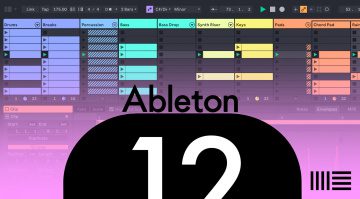
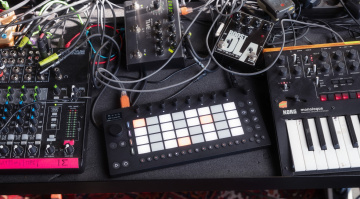
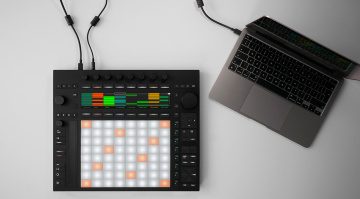
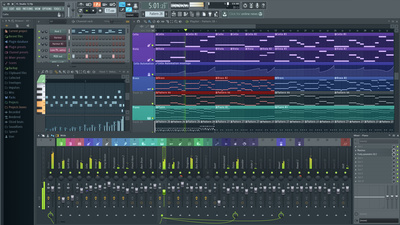
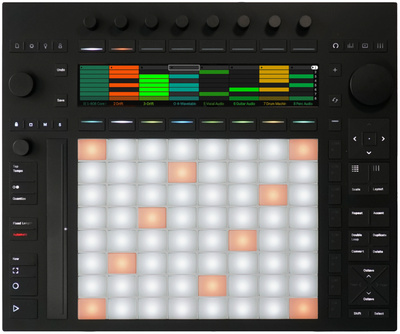
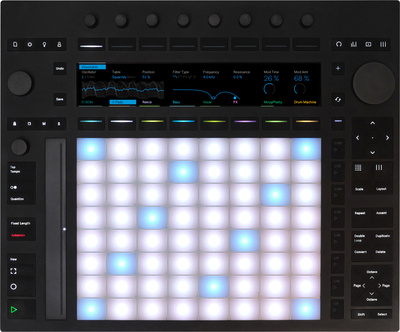
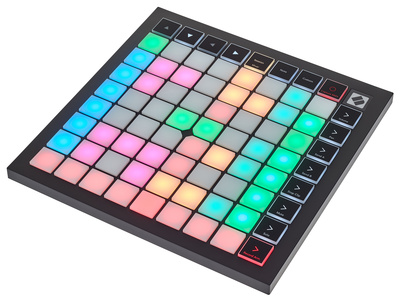
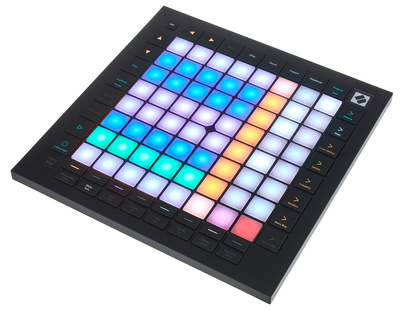
In Ableton Live 12 or Bitwig Studio, it makes sense to create a template with pre-structured drum groups, prepared return tracks, and a dedicated reference slot. The same approach works just as well in Logic Pro or FL Studio. Controller-based setups with Ableton Push or a Novation Launchpad can further speed up your workflow, since clips and tracks stay instantly accessible.
Clear structures like these rank among the most effective Tips for Electronic Music Producers when the goal is to stay productive from the very first bar.




2. Use Consistent Color Coding in Your Arrangement
As your arrangement becomes more complex, it is easy to lose track without clear visual organization. Assigning fixed colors to elements such as kick, bass, drums, or synth tracks creates immediate clarity. You can quickly identify overlaps or problem areas and jump straight to the right section of the project. In layered arrangements especially, this structure saves valuable time and keeps navigation fast and focused.
In Ableton Live and Logic Pro, setting up a consistent color scheme takes only a few minutes. If you use controllers as well, the advantage becomes even more apparent, since many pads automatically mirror the assigned clip colors. In performance setups with Ableton Push, a Novation Launchpad, or similar grid controllers, this creates a direct visual connection between the screen and your hardware. Clear systems like this are among the most underestimated Tips for Electronic Music Producers, especially when the goal is to maintain a smooth and efficient workflow.

3. Separate Kick and Bass Early in the Process
In electronic music, the low end often determines whether a track feels powerful or falls apart. When kick and bass compete for the same frequency space, the mix quickly loses clarity and impact. Decide early which element controls the sub range and where the other one should sit. This clear role assignment strengthens the foundation of your track and saves you from unnecessary corrective moves later in the mix.
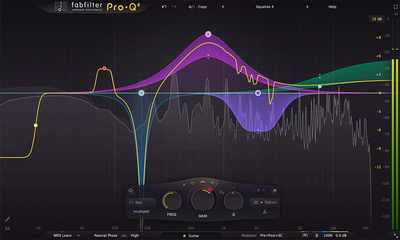
For this separation, a transparent equalizer such as FabFilter Pro-Q 4 or your DAW’s built-in Channel EQ is often all you need. In addition, a sidechain setup using the Ableton Compressor or specialized tools like Wavesfactory Trackspacer* can create even clearer separation between kick and bass. It is also crucial to monitor resonances, particularly in the 40 to 120 Hz range, where low-end energy can build up quickly.
If you work with hardware, pay attention to matching fundamental notes right at the source, whether you are programming drum machines or shaping synth bass lines. This kind of intentional low-end organization ranks among the most important Tips for Electronic Music Producers when the goal is a mix that feels tight, controlled, and powerful.

4. Work With Reference Tracks at the Push of a Button
Your ears adapt faster than you realize. After looping the same section for an hour, even an uneven mix can begin to sound convincing. A carefully chosen reference track brings perspective back immediately and shows where your loudness, balance, or depth do not hold up. What matters most is instant access, without menu diving or breaking your creative momentum.
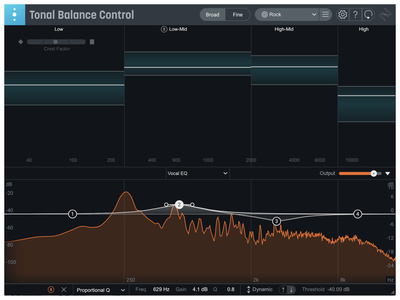
With tools like ADPTR Metric AB, iZotope Tonal Balance Control 2, Mastering The Mix Reference 2*, or a dedicated reference track in your DAW, comparing mixes becomes seamless. A single keystroke allows you to switch instantly between your mix and the reference. When listening through studio monitors or high-quality headphones, differences in the low end, transients, or stereo width become immediately apparent.
Objective comparison methods like these rank among the most valuable Tips for Electronic Music Producers when you want your mix decisions to come from clarity instead of habit.

5. Use Return Reverbs Instead of Insert Reverb
Placing reverb directly on individual tracks can quickly blur an arrangement. A central reverb return adds structure instead, connecting elements without washing them out. You control the overall space from a single point and intentionally decide which signals remain upfront. This approach creates depth while maintaining clarity.
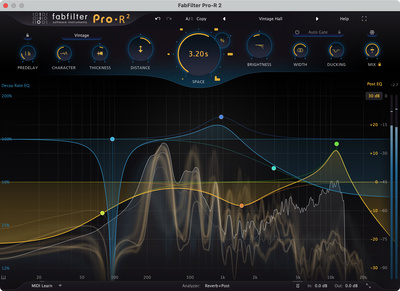
Plugins such as Valhalla VintageVerb or FabFilter Pro-R 2 are especially well suited for this method because they offer precise control. Using a send, you can dial in exactly how much of each signal feeds into the reverb. External hardware reverbs can also be integrated cleanly through send and return, keeping the mix organized and easy to navigate. A clearly defined reverb workflow ranks among the most effective Tips for Electronic Music Producers when the goal is a spacious mix that still feels focused and controlled.
6. Save Effective Plugin Chains Immediately
If you create a vocal chain that delivers exactly the sound you want or a well-balanced drum effects group, save it immediately. Many producers rebuild the same effect chains again and again, losing valuable time that should be spent on arrangement or sound design. A saved signal chain allows you to start your next project with a trusted foundation instead of repeating setup tasks.
In Ableton Live, Audio Effect Racks are perfect for this workflow, while in Logic Pro, Channel Strip Settings serve the same purpose. Efficiency increases even further when you use channel strip plugins modeled after classic consoles such as Solid State Logic or API. Over time, you will develop a personal preset library that keeps your sound consistent and stands out as one of the most effective Tips for Electronic Music Producers.
7. Use Automation and LFOs Earlier and More Boldly
Many productions feel static because automation is treated as a finishing touch instead of an integral part of the arrangement. In reality, subtle movements in a filter, small adjustments to send levels, or slight changes in volume can immediately energize a track. These moves should not be reserved for the final stage but built into the process from the beginning.
In Ableton Live, you can record automation directly using Ableton Push, while in Logic Pro, Smart Controls offer quick, hands-on access to key parameters. Many modern synths and modulation-focused plugins also feature built-in LFO modules, making it easy to introduce movement directly into the sound without adding extra tracks.
A slowly evolving LFO can bring subtle yet powerful motion to a signal. Gentle modulation of filter frequency, panning, or effect sends adds an organic feel and prevents loops from becoming stale. This intentional use of movement ranks among the more creative Tips for Electronic Music Producers when the aim is a track that feels dynamic rather than static.
8. Run Short Bounce Checks Regularly
Inside your DAW, almost everything can start to sound convincing. Step outside the studio, and weaknesses often reveal themselves immediately. A quick rough bounce creates distance and refocuses your attention on what listeners will actually hear. In the car or on small Bluetooth speakers, problems in the low end, vocal clarity, or overall balance become much more apparent.
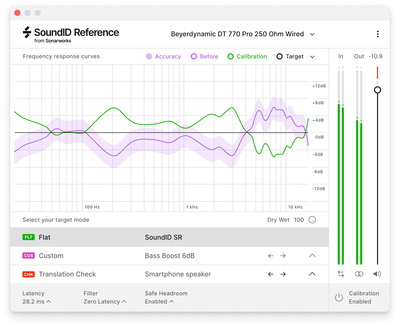
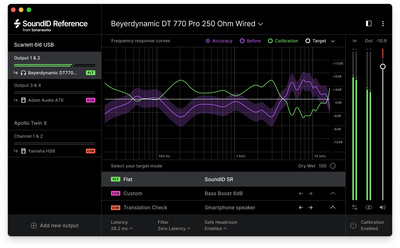
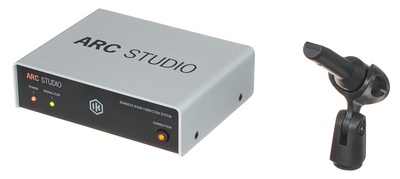
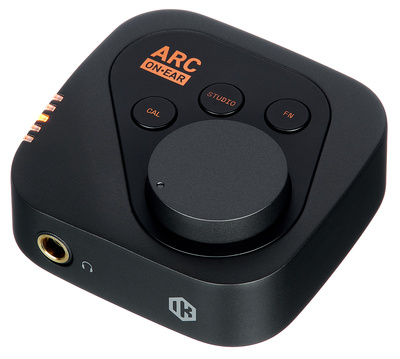
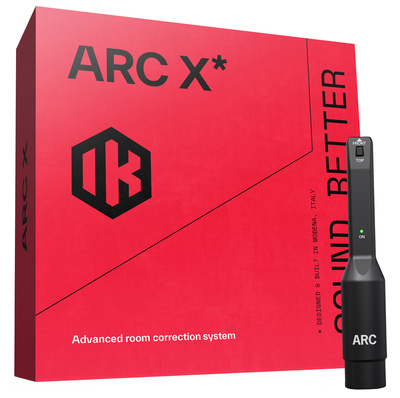
Export quickly and resist the urge to perfect every detail. This is not about the final master. It is about an honest reality check. If you want to go deeper, tools such as Sonarworks SoundID Reference, IK Multimedia ARC X, or other reference plugins can simulate different listening environments. These fast comparison checks rank among the most practical Tips for Electronic Music Producers when you want your mix decisions to translate reliably beyond your studio monitors.


9. Limit Your Sound Selection Intentionally
A massive preset library can feel inspiring at first, but it often slows down your decisions. When you commit early to a clearly defined sound palette, your arrangement naturally becomes more focused. Fewer choices lead to quicker decisions and a more cohesive sonic identity. In electronic music, consistency and recognizability usually matter more than unlimited options.
Relying on a fixed set of favorite synths, whether wavetable-based software instruments or distinctive hardware, brings stability to your workflow. You can also organize and curate your sample packs ahead of time so you are not starting from scratch with every new project. This deliberate reduction ranks among the most powerful Tips for Electronic Music Producers when the aim is to finish tracks faster while maintaining a consistent sound signature.
10. Work in Clearly Separated Production Phases
Trying to do everything at once may seem efficient, but it usually slows you down. When sound design, arrangement, and mixing happen at the same time, your attention constantly shifts between detail and overview. That constant switching weakens decision-making and disrupts creative momentum. Clearly defined production phases bring structure and move you faster toward a finished track.
Organize your sessions by task. Start with the sound, then focus on the arrangement, and only afterward move into the mix stage. In Ableton Live, the distinction between Session View and Arrangement View naturally supports this workflow. Controllers can further strengthen this structure because your interaction changes depending on the phase. Structured work blocks remain one of the most reliable Tips for Electronic Music Producers when clarity and efficiency matter in the studio.
Conclusion: Small Changes, Big Impact in the Studio
Many producers keep chasing the next big plugin or another synthesizer, hoping it will unlock a breakthrough. In reality, the biggest progress rarely comes from new gear. It comes from a smarter workflow. That is exactly where these Tips for Electronic Music Producers come in. This is not about hype or hidden tricks. It is about intentional structure that makes your production process faster and more focused.
Apply even a handful of these Tips for Electronic Music Producers consistently, and you will notice a real shift in clarity and momentum. Tracks stop circling in endless loops and start crossing the finish line. In today’s studio environment, the formula is straightforward: less friction, more flow, and a mix that feels structured from the very first bar.
FAQ: Producer Hacks, Workflow Optimization & Tips for Electronic Music Producers
Why Do So Many Electronic Tracks Never Get Finished?
In most cases, it is not a lack of creativity. The real issue is an inefficient workflow and unclear production phases that slow down decisions and drain momentum.
What Does a Standard Template Actually Improve?
A template removes repetitive technical setup and allows you to start creating immediately. That is why it remains one of the most practical Tips for Electronic Music Producers when speed and focus matter.
Why Is Making Early Low-End Decisions So Important?
Kick and bass often compete in the sub range. Defining their roles early prevents time-consuming mix corrections and keeps the foundation controlled from the start.
How Do Reference Tracks Help in Practice?
They reset your ears and provide an objective perspective on balance, loudness, and depth. This ensures your decisions are based on clarity rather than habit.
Why Are Return Reverbs More Effective Than Insert Reverb?
A central send reverb creates better mix cohesion and allows tighter control over spatial depth without washing out the arrangement.
How Does Saving Plugin Chains Speed Up Your Workflow?
You avoid rebuilding identical processing chains repeatedly. Your trusted setups remain instantly accessible, saving time and maintaining consistency.
Why Should You Intentionally Limit Your Sound Selection?
Fewer choices reduce hesitation and sharpen focus. This leads to faster decisions and a more recognizable sonic identity.
What Is the Benefit of Clearly Separated Production Phases?
They eliminate multitasking chaos and support cleaner, faster decisions at every stage of the production process.
Efficient music production depends far less on additional equipment and far more on structured processes. These Tips for Electronic Music Producers optimize template usage, visual organization, low-end control, reference comparison, effect routing, automation strategy, and decision management. Clear production phases, a curated sound palette, and regular reality checks create a faster workflow with more consistent outcomes. Small structural adjustments in your daily studio routine can significantly increase productivity and improve your ability to finish tracks with confidence.
More Information & Tips for Electronic Music Producers
- Laptop Producer: This Gear is a Perfect Match – Tips for Electronic Music Producers
- 6 Cheap Tape Emulators That Deliver Big Sound – Hard- & Software
- The Best Hardware Sequencers for Electronic Music Production and Performance
- The Best Plugins of 2025: Innovative Audio Processing – Tips for Electronic Music Producers
*Note: This article, “Producer Hacks – Tips for Electronic Music Producers,” contains affiliate links that help us fund our site. Don’t worry – the price remains the same for you. If you make a purchase through these links, we receive a small commission. Thank you for your support.

This might also interest you