The Best Plugins For Getting Punchy Drums
Create the ultimate drum sound in any style of music.

 5,0 / 5,0 |

We explore some of the best plugins for getting punchy drums in the music production and mixing processes for any style of music under the sun.
In this Article:
As an artist, producer, or engineer, drum production is one of the key aspects of your craft. While drums don’t necessarily need to dominate the mix of every record from a loudness perspective, they do need to have a distinctive sonic identity. This comes from recording your drums well or selecting the right samples, for starters, and then there are tools you can use to enhance the drum sound and help it to contrast with other instruments in the mix.
Drum processors use compression, limiting, saturation, distortion, clipping, and transient shaping to mold the sounds in a way that best suits the context of the song. While some plugins provide only one or two controls to work with, others have a comprehensive system that may take a while to explore. Let’s take a look at what’s out there.
Getting Punchy Drums: Xfer Records OTT
From the developer of Serum, OTT is a completely free multiband compressor plugin with a hyped sound that suits modern pop and EDM genres. This aggressive dynamics processor uses upward and downward compression with a straightforward user interface across low, mid, and high frequency bands.
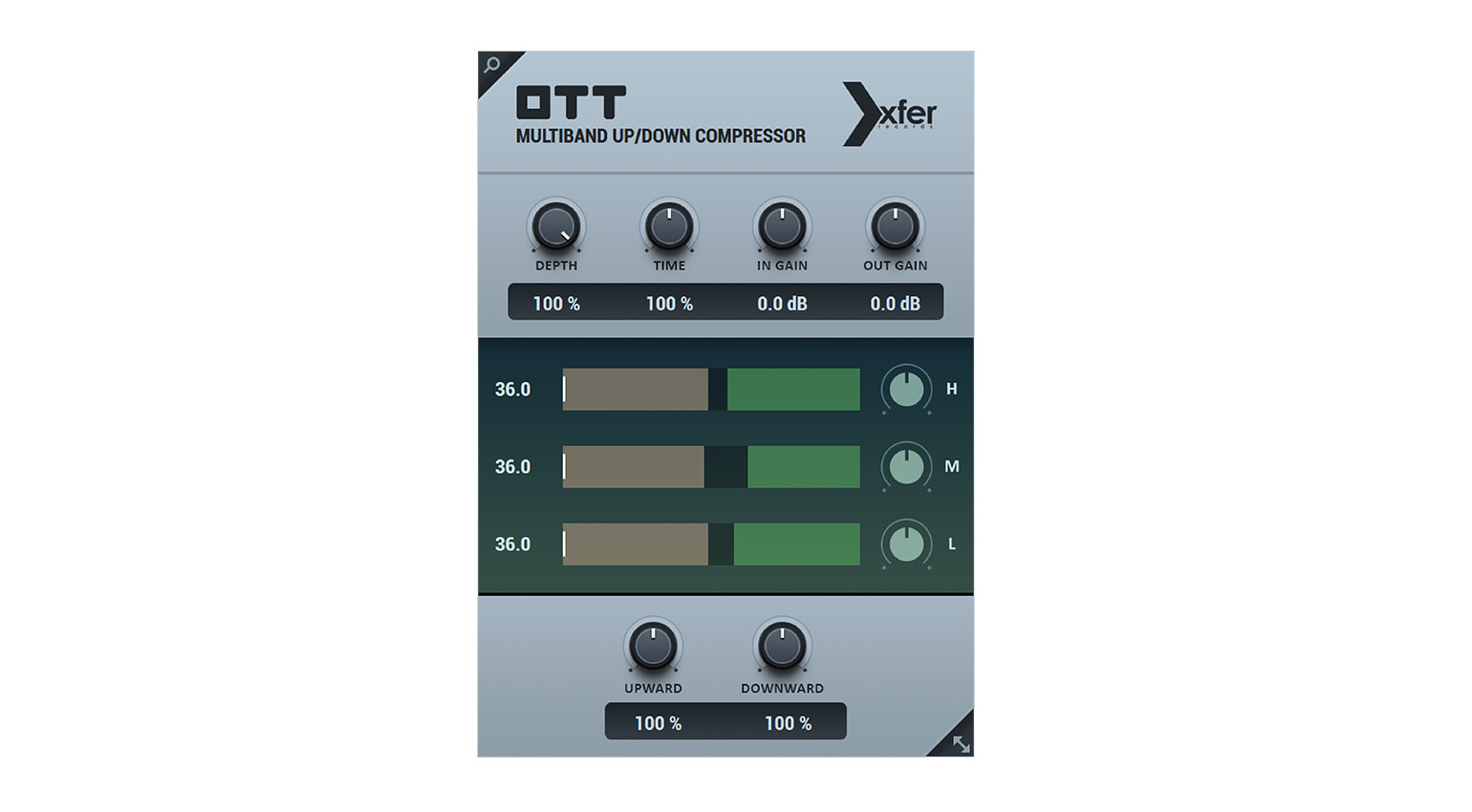
While the traditional (downward) compression shapes transients, the upward compression brings up the subtle details, which drastically squashes the dynamics and pushes the textures and nuances right to the front of the mix. With the Depth control, you can set the wet/dry mix, which can even be set as low as 5% because of how severe the processing is.
For changing the time constants of the compressor across the three bands, you can adjust the global Time control for different styles of drum material. What’s more, there is a Clean Crossover function that negates any phase coloration that occurs from the crossover filters; this gives you a more transparent overall sound.
Getting Punchy Drums: Soundtoys Devil-Loc Deluxe
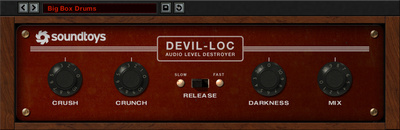
The Devil-Loc Deluxe is a particularly aggressive limiter plugin modeled on the Shure Level-Loc announcer mic limiter from the 1960s. The Devil-Loc recreates the severe pumping artifacts that the vintage hardware was capable of producing with its explosive FET-based limiting circuitry.

One thing the Devil-Loc is really good at is melding the surrounding ambience to the drum hits to create a beautifully cohesive sound. This unnaturally natural character really suits that simple garage rock style drumming you find on Black Keys and Eagles Of Death Metal records. With the Crush control, you can adjust the amount of brick-wall limited signal being sent into the signal path.
Meanwhile, the Crunch control pushes the output circuit after the limiter. This introduces a fair bit of grit and harmonic distortion, perfect for giving drums color and texture. To keep a lid on this distortion, there is a Darkness control that gives you a low-pass filter for reducing any unwanted harshness that may crop up in the upper midrange and above.


Getting Punchy Drums: XLN Audio DB-30 Drum Butter
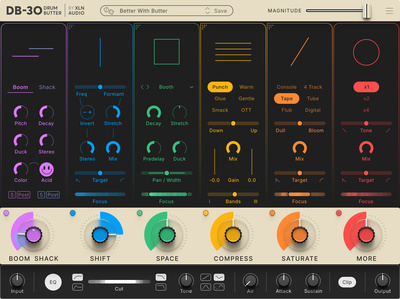
The DB-30 Drum Butter plugin is a versatile multi-effect designed specifically for shaping and coloring drums. Within the main processing chain, you have a choice of six different modules that can be placed in any order and rearranged at any stage with a drag-and-drop interface.
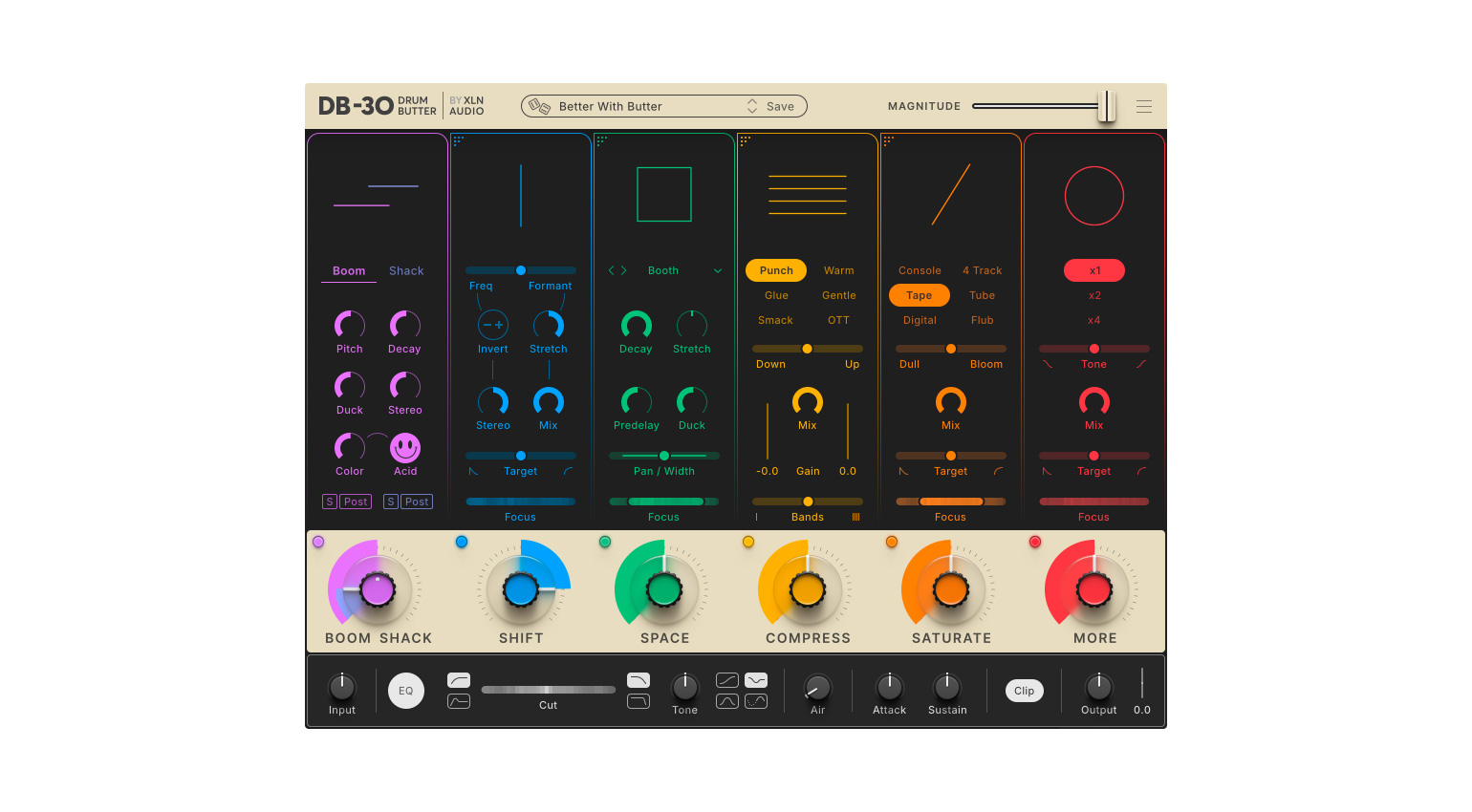
With the Boom Shack module, you can introduce a considerable amount of oomph, as well as high-frequency sizzle, and there’s also an exciting Acid mode that produces some unexpected results. With the Shift module, you can alter the pitch and formants of the drums and even recreate a vintage-style varispeed tape machine effect.
While the Space module controls the ambience and stereo width, the Compress module can increase the power and density. In addition, the Saturate module boosts harmonic distortion in different ways, and the More module adds that final push for overall impact. There is also a range of master effects, with a Pultec-style EQ, loudness matching, and more, making this a really comprehensive drum production platform.

Getting Punchy Drums: Arturia Mix DRUMS
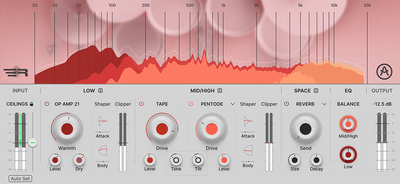
Developed in collaboration with mix engineer and producer Emre Ramazanoglu, Arturia’s Mix DRUMS plugin takes a slightly different approach to drum shaping with a dual-band processing engine. This splits the input signal into low-end and midrange/high frequency components with a crossover that can be adjusted to suit the sound of your drums.
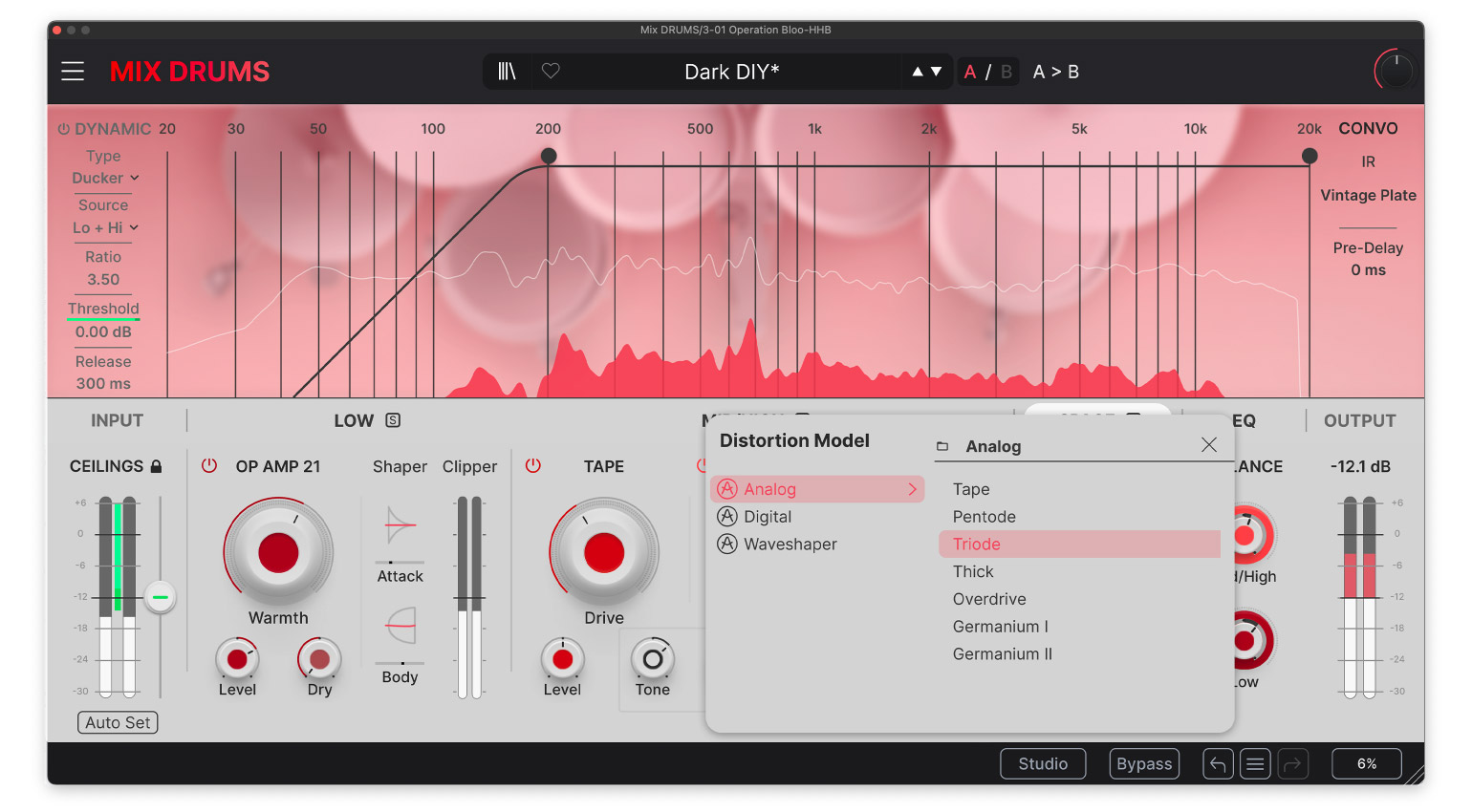
Mix DRUMS also has an intelligent calibration function that takes a reading of the input signal and automatically sets the ceiling for digital clipping. This means that no matter how far you push the sound, you always remain within safe operating levels for your speakers (and ears). Inspired by SansAmp-style circuitry, Mix DRUMS also features an Op Amp 21 model on the low band.
This allows you to add low-end weight, while the midrange/high band provides a selection of 15 different types of distortion, ranging from wavefolding and bitcrushing to germanium circuitry and tape emulation. The plugin also includes phase-coherent transient shaping, spatial effects (delay + reverb), and a 3-band EQ with a unique Thumping control for extra impact.

Getting Punchy Drums: Kazrog K-Clip 3
One of the most effective ways to maximize the loudness of your drums is actually with clipping rather than compression. This is because clipping only focuses on shaping the loudest peaks of the waveform rather than bringing up the softer parts with makeup gain. Kazrog’s K-Clip 3 is the industry standard clipper plugin, particularly in electronic dance music, helping producers and engineers to get the most from a mix (and then some).
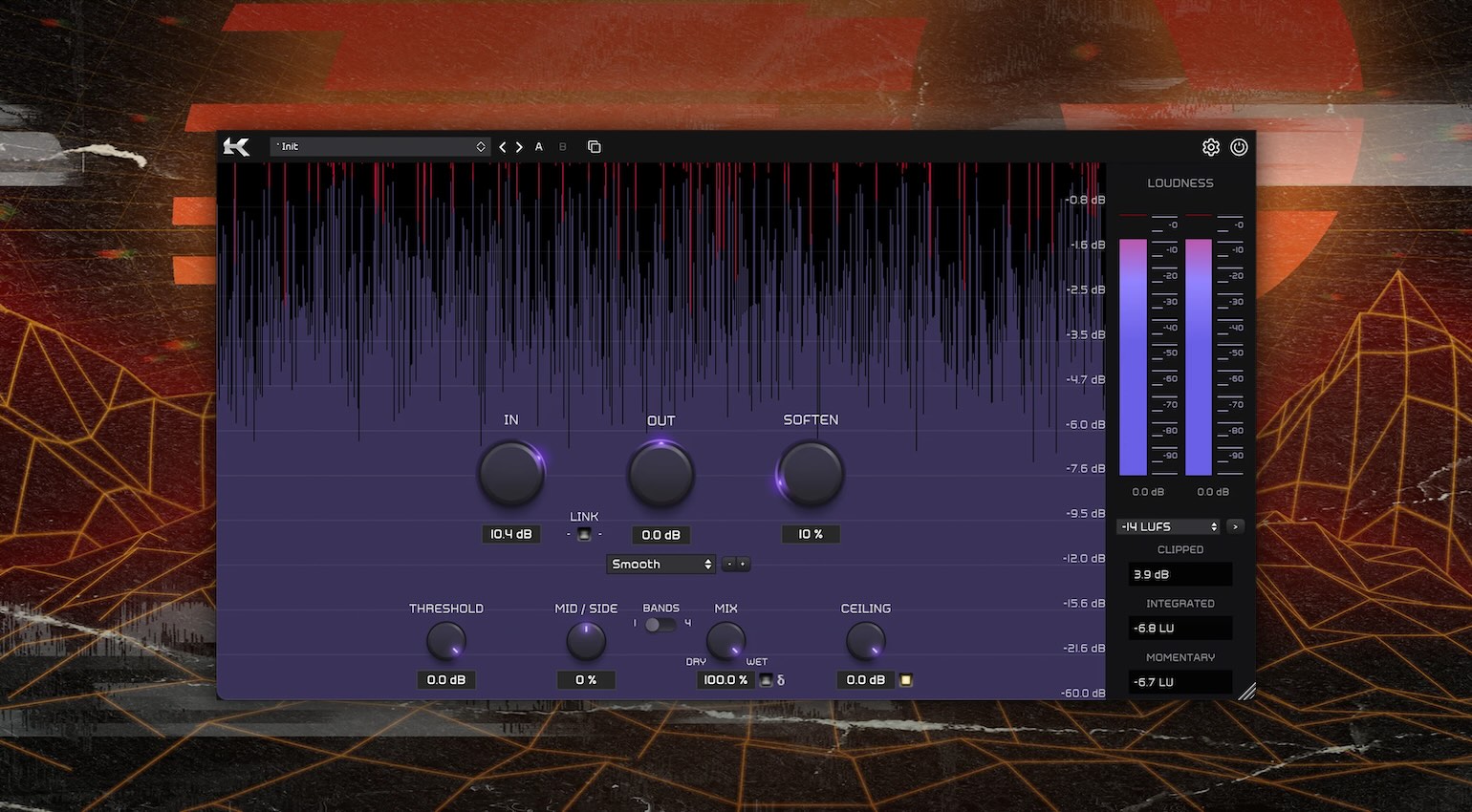
Clipping can be applied to your drums in different ways, from individual drum hits to the entire drum bus, and K-Clip 3 gives you eight different processing modes for different applications. These include Smooth, Crisp, Tube, Tape, Germanium, Silicon, Broken Speaker, and Guitar Amp, so you have a wide range of sounds you can access.
One of K-Clip’s strengths is its versatility, because you can use it simply as a broadband processor or as a multiband clipper with four adjustable bands. Meanwhile, the mid-side controls allow you to process the center channel and stereo image independently. Overall, with its extensive metering, oversampling, and straightforward workflow, it’s no wonder K-Clip 3 and the free K-Clip Zero are loved by hobbyists and professionals alike.
More about Getting Punchy Drums:
*Note: This “How to Get a Punchy Drum Sound” article contains promotional links that help us fund our site. Don’t worry: the price for you always stays the same! We will receive a small commission if you buy something through these links. We appreciate your support!


This might also interest you