Making Sound Machines Plinky 12: Three Synths in One, the Perfect Controller, or a Clever Concept with Some Catches? – Review
Toadstep and Chords, one flat base unit, endless ideas: my first impressions straight from the studio

 5,0 / 5,0 |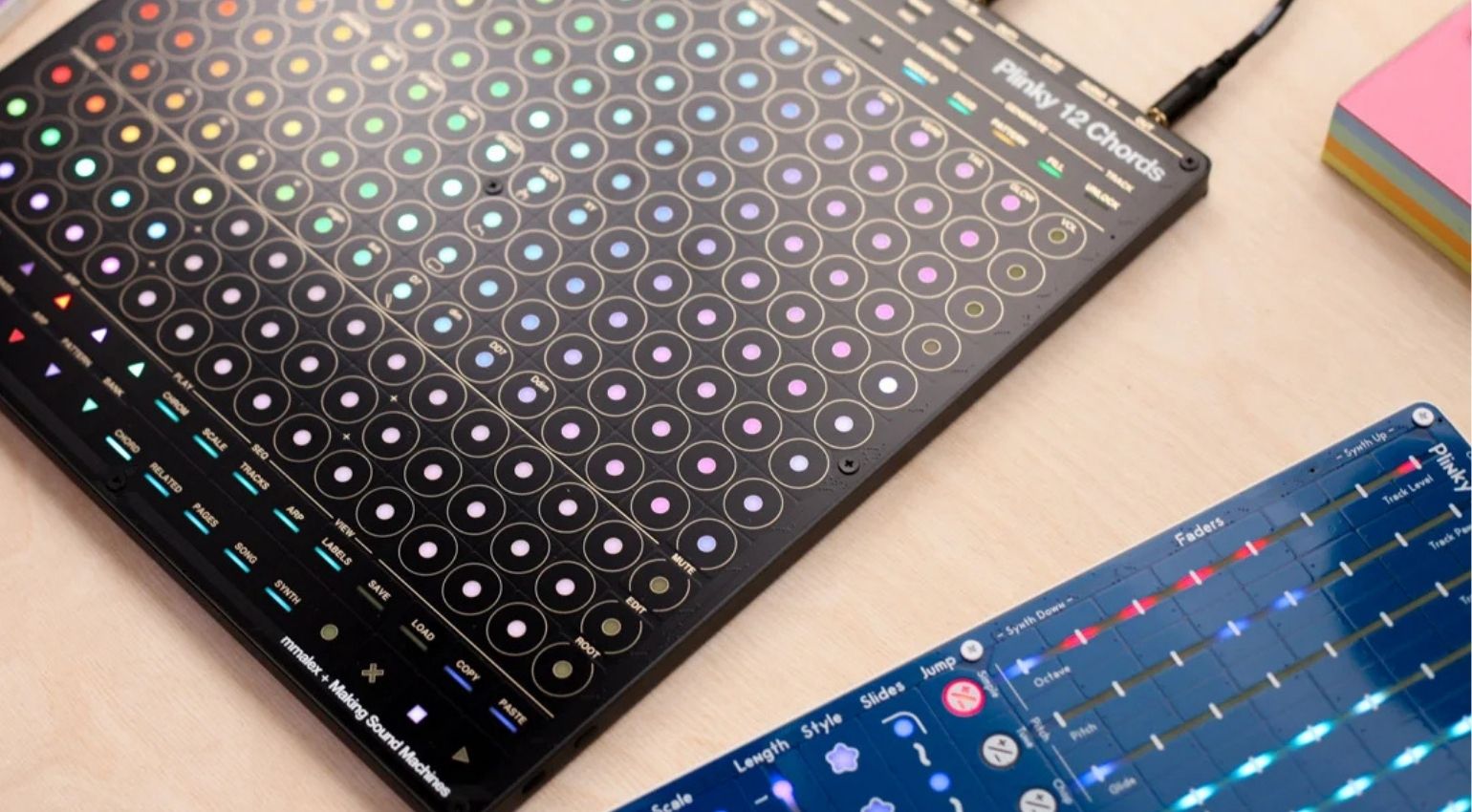
Making Sound Machines Plinky 12: Three Synths in One, the Perfect Controller, or a Clever Concept with Some Catches? – Review · Source: Making Sound Machines

Toadstep landed on my desk two weeks ago, with a Chords panel right next to it. Making Sound Machines calls the whole concept Plinky 12: three instruments built around the same hardware base, with panels you can swap using little more than a screwdriver and a ribbon cable underneath. I already found the idea exciting at Superbooth, but I wanted some proper hands-on time before forming an opinion. Now it’s sitting flat on my studio desk, and I’ll be honest: I can barely put it down. So here’s my review of what Plinky 12 does, where it came from, and why both Toadstep and Chords clicked with me almost instantly.
Making Sound Machines Plinky 12 at a Glance
- One hardware platform, three swappable panels: Toadstep, Chords, Blocks
- Shared polyphonic synth engine, 8 voices, wavetable and sampling
- 16×16 RGB pressure-sensitive touch matrix under every panel
- RP2350 microcontroller, stereo mic, accelerometer, 4 tactile side buttons
- MIDI, CV, stereo audio in/out, USB-C, all packed into mini jack and USB-C connections
- Panel swap with no firmware upload, just 9 screws
- Price: €530 per unit, €49 per additional panel, sold directly through Exploding Shed
Making Sound Machines Plinky 12 Review: Toadstep, Chords, and the Story Behind the Three-in-One Touch Synth
From Open Source to Finished Instrument: the Story of Plinky 12
The original Plinky started out as an open-source project by Alex Evans, better known as mmalex. It was a touch synth with an unconventional interface, but supply chain problems hit the project back in 2021. The community stayed with it, and Plinky gradually became a genuine cult favorite among musicians looking for something expressive and far away from the usual synth concepts. Eventually, Düsseldorf-based Making Sound Machines took over production and brought the larger Plinky+ to Superbooth 2025. It featured a bigger touch surface, a larger OLED display, and a solid metal enclosure.
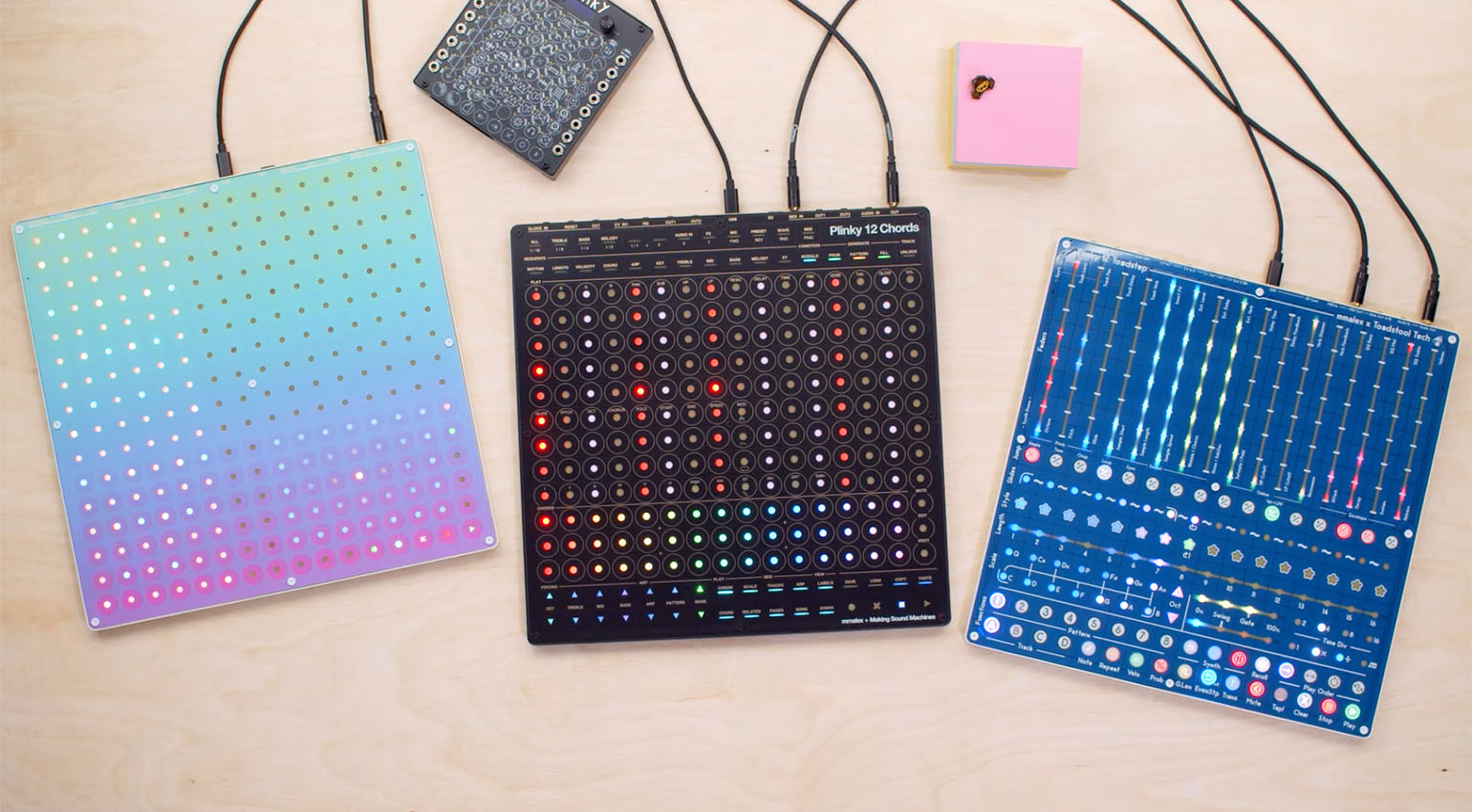
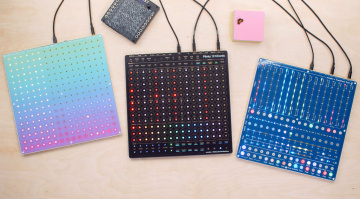
At Superbooth 2026, the project took a much bigger step forward with Plinky 12. This time, it wasn’t just one instrument anymore, but an entire family. mmalex teamed up with Making Sound Machines and Toadstool Tech, the crew behind the Ectocore Eurorack module, to develop three very different panels for the same hardware base: Toadstep for sequencing, Chords for harmonic composition, and Blocks as an open playground for experimentation. A shared synth engine keeps presets, settings, and modulation concepts consistent across all three. That sounded interesting enough that I had to try it myself.
Big thanks to Exploding Shed for the fast shipping, by the way.
Unboxed: What’s in the Box
Toadstep arrived in a genuinely nice felt pouch that protects the panel well in transit. Inside you’ll find the panel itself, mounting screws, an 8GB SD card, a USB-A to USB-C cable, a ground loop noise eliminator for the mini jack, and an adapter that splits a stereo mini jack into two mono mini jacks for MIDI. Don’t go looking for a printed manual. Everything lives on plinky12.com. That’s where you’ll find the full documentation, while firmware updates install directly through Chrome. There are also some genuinely useful web tools, which I’ll get into shortly.
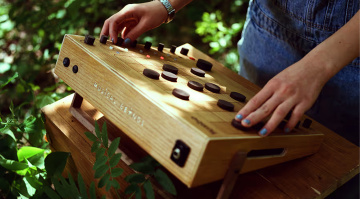
My first impression once I picked it up: built like a tank. The unit is surprisingly thin, but there’s still enough weight to make it feel premium rather than toy-like. Both panels, Toadstep and Chords, feel excellent under your fingers when you’re actually playing them. The touch surface responds precisely and never feels sluggish.
The Concept: One Piece of Hardware, Three Instruments
At the heart of Plinky 12 is a 16×16 RGB pressure-sensitive touch matrix driven by an RP2350 microcontroller. There’s also a stereo microphone, an accelerometer, and four tactile buttons on the sides. The hardware itself stays the same across all three versions. What changes is the panel on top, and that completely reshapes how the instrument feels and plays.
Swapping panels really is simple. Loosen nine screws from the top, lift off the panel, put the new one in place, tighten everything again, and you’re done. There’s no firmware upload involved because the synth engine recognizes the attached panel automatically. The only part I’d treat with a little extra care is the ribbon cable between the panel and the main board. That’s easily the most delicate part of the process. Watch the panel-swap video once, though, and you’ll see that pretty much anyone can do it.
Connections: Compact but Complete
For something that lies flat on a desk, Plinky 12 offers an impressive amount of connectivity. MIDI for external synths and drum machines? Check. CV for my modular rig? Check. There’s audio out for the internal synth, plus audio in if you want to send external signals through the Plinky engine. In my setup, USB-C mainly handles power and lets me control devices and VSTs in Ableton Live.
That’s pretty much exactly what I wanted. Making Sound Machines keeps everything compact with mini jack and USB-C connections instead of larger sockets. There’s nothing to install either. Plug it in and start playing. And if you’re traveling, you can even run the whole thing from a power bank and plug in headphones.
More specifically, Plinky 12 gives you Clock In and Clock Reset In for Eurorack sync, Clock Out, two CV inputs feeding the modulation matrix, and two CV outputs that follow the XY pad position. You also get MIDI TRS In, two MIDI TRS Outs with freely assignable channels, plus stereo audio in and out.
Toadstep: Fast Ideas, Real Depth Underneath
Toadstep is the four-track step sequencer in the Plinky 12 lineup, developed together with Toadstool Tech. Every step gives you slide, probability, velocity, and gate length, along with step repeat, ratcheting, and a septuplet feature for patterns that deliberately step outside the usual grid.
My take? Toadstep is pretty self-explanatory. Within minutes of powering it up, you’re already building cool sequences. But there’s much more going on underneath than that first impression suggests. Spend some time with the web manual and you’ll run into algorithmic pattern generation, Euclidean rhythms, and detailed per-track control that goes far beyond basic step programming. That’s exactly what I want in my own studio workflow. Whenever I’m developing ideas or trying to get out of a rut, a sequencer or chord generator is always welcome. And the results can sound so human and organic that you wouldn’t necessarily guess a machine is driving them.
Chords: the Feature Monster I’ve Never Had Anything Like Before
If Toadstep is the easy way in, Chords sits at the other end of the spectrum. It’s a genuine feature monster, but a very welcome one. The chord surface is split into three rows with 15 chords each, laid out as palettes for the A, B, and C sections of a song. The pads are pressure-sensitive, too. Push harder and the lowpass filter opens up, making the sound brighter. That kind of direct physical feedback feels musical from the moment you touch it.
Things get much more interesting once you start exploring the transformation tools. Key transposes the entire chord palette around the circle of fifths instead of moving everything chromatically. Musically, that approach makes a lot more sense, and the result sounds noticeably more natural. Treble inverts the upper voices of a chord, while Mid and Bass move the middle and lower voices along the scale. The idea connects to techniques such as suspension in classical songwriting, something Bach used extensively in his chorales. Guitar players will probably recognize the bass-walking concept immediately: keep the upper part of a chord steady while the bass moves diatonically underneath. Chords lets you recreate that technique note for note.
Then there’s a polyphonic arpeggiator with selectable patterns, a full sequencer that can automate literally every chord parameter, and a chromatic play surface with proper glissando behavior. Slide your finger across neighboring pads and the engine interpolates between the notes. For a grid-based instrument, it feels remarkably organic.
Another detail I really like is the option to display the currently playing chords and notes graphically on the panel itself. It can be a little difficult to read at times, honestly. One small workaround I’ve found is to squint slightly, which somehow makes the label pop out much more clearly. If you’d rather use a computer, connecting through Chrome with WebMIDI opens the Second Screen. There, chords and scales appear as proper notation and chord symbols.
Building your own chords isn’t exactly beginner-friendly. I’ll say that plainly. But it’s worth going deeper, because the payoff for me is huge. I’ve never had an idea generator quite like this sitting on my desk, and I’ve tested a lot of gear over the years.
A Few Things That Go Even Deeper
Spend some time digging through the Chords web manual and you’ll find more depth than a few sessions with the hardware might suggest. Take the Root function, for example. It lets you re-analyze the underlying scale for any chord. Change the root note and the suggested scale on the chromatic play surface moves along with it. That also changes which notes are available on the Scale surface and affects how Mid and Bass behave when you transform a chord. It’s a powerful way to explore harmony without getting completely buried in music theory.
Quick Transpose is another function worth knowing, both in the studio and on stage. Hold Root, tap a note next to the current bass note, and the whole progression shifts by that interval. In other words, you can take an existing chord pattern and move it into a completely different song context within seconds, without having to think your way around the circle of fifths first.
Who Is Plinky 12 For? Genres and Use Cases
If you’re looking for new harmonic ideas, unusual chord progressions, or seriously flexible arpeggio lines, Plinky 12 deserves a closer look. Chords is immediately useful for ambient music and film scoring, where those emotionally rich progressions fit naturally. For techno and electronic music in general, which for me usually means Progressive House or Melodic Techno, Toadstep works really well as a groovebox substitute or companion. The probability and ratcheting functions help a lot here.
Songwriters get something slightly different from Chords. It comes surprisingly close to the traditional process of sitting at a piano or guitar and working through harmony, except there’s a modern synth engine sitting behind it. Even wildly random triggering across different fields can produce genuinely interesting progressions. Strong stuff!
Plinky 12 in My Studio Setup
In my studio, Plinky 12 sits alongside Ableton Live 12 Suite and my connected hardware synths. Toadstep takes over sequencing and idea-generation duties whenever I need a fresh rhythmic direction or want to break through a creative block. Chords feels more like a harmonic compass. I find a progression, send it over MIDI to one of my hardware synths, and quite often a whole track starts growing from that point. Both panels also work as full-featured controllers for external instruments. That opens up even more possibilities, because practically any synth can benefit from what the Plinky 12 sequencer and chord engine bring to the table.
Honestly, I was already seriously considering buying a second base unit just so I wouldn’t need to keep swapping Toadstep and Chords back and forth. Having both ready at the same time would be ideal. That probably says it all, doesn’t it?
The Learning Curve: Steep, But in the Best Way
Gotta be honest here: the learning curve across the Plinky panels is pretty steep simply because there’s so much packed into them. Still, you can jump in immediately and get interesting, sometimes surprisingly great results on the first try. That’s a big part of what makes the system so addictive. You get something useful straight away, then start wondering what else is hiding underneath. The well-structured web manual explains every function in detail and lets you try things directly on the instrument as you go. For something this deep, that’s a really good way to learn it piece by piece.
Blocks: A Quick Rundown
I haven’t gotten my hands on Blocks, the third panel in the family, yet, but it still deserves a quick mention. Designed by mmalex himself, Blocks is the panel that comes closest to the original Plinky idea: open, experimental, and compatible with the Monome grid. If coding your own tools sounds appealing, plinky12.com includes a browser-based C++ environment where you can develop synths, controllers, or instruments directly for the hardware. No local software installation is required.
With up to ten multitimbral tracks, clip launching, live editing, and piano-roll control, Blocks can basically turn Plinky 12 into a miniature groovebox. For coders, modular thinkers, and anyone who’d rather build an instrument from scratch than accept someone else’s workflow, this is probably the most exciting panel of the three. At just €49, I’ll almost certainly pick one up myself.
Pros and Cons
Pros
- One piece of hardware, three completely different musical approaches
- Toadstep is immediately accessible, with plenty of depth underneath
- Chords delivers harmonic ideas at a level I’ve genuinely never experienced before
- Connectivity is compact and complete: MIDI, CV, audio in/out, USB
- Panel swapping is straightforward, with no firmware update required
- Build quality feels premium, despite the slim form factor
- Web ecosystem includes a sound designer, Second Screen, and coding environment
- Felt carrying pouch included
Cons
- Chords comes with a genuinely steep learning curve, especially for beginners
- The graphical chord display on the panel can be difficult to read
- Using both panels simultaneously requires two base units
Verdict
I’m seriously impressed. Plinky 12 is one of the most exciting instruments or controllers to land on my studio desk in a long time. Considering how much gear I’ve been able to put through its paces, that’s saying something. Toadstep and Chords cover two completely different creative needs, but both sit on the same thoughtfully designed hardware and share the same strong synth engine.
If you’re looking for a genuine idea generator that moves beyond the usual synthesizer concepts, Plinky 12 deserves a serious look. The learning curve is real, no question. But the reward is an instrument that can actually push you toward new musical territory instead of simply repackaging ideas you’ve seen before. One more thing: this review only scratches the surface of what Plinky 12 can do. Definitely check out the extremely comprehensive online manual, and if possible, try the hardware in your own setup. I’m giving this one my full recommendation.
FAQ: Common Questions About the Making Sound Machines Plinky 12
What’s the difference between Plinky 12, Toadstep, Chords, and Blocks?
Plinky 12 is the shared hardware base. Toadstep, Chords, and Blocks are interchangeable panels that turn the same hardware into three different instruments: Toadstep is a step sequencer, Chords is a harmonic composition tool, and Blocks is an open experimental playground.
Do I need a separate base unit for every panel?
No. One base unit is enough, and swapping panels only takes a few minutes with nine screws. If you want two or all three instruments available at the same time without constantly changing panels, you’ll need two or three base units.
Is Plinky 12 beginner-friendly?
Somewhat. Toadstep is easy to pick up, while Chords comes with a noticeably steeper learning curve because of how much it packs in. The well-structured web manual helps a lot and is basically a must-read.
Can Plinky 12 control external synths and modular gear?
Yes. Using MIDI and CV, you can extend pretty much any external synth or modular system with the Plinky 12 sequencer and chord engine.
How does the panel swap actually work?
Loosen nine screws from the top, lift off the panel, place the new one on the base, and tighten the screws again. There’s no firmware upload involved. Just handle the internal ribbon cable carefully.
Do I need a computer to set up Plinky 12?
No. The device works right out of the box. A WebMIDI-capable Chrome connection is only recommended for firmware updates, the sound designer, and the Second Screen.
Price and Availability
Making Sound Machines Plinky 12 costs €530 per fully assembled unit. An additional panel that you can swap in yourself costs €49. It’s available directly from Exploding Shed and is not currently sold through Thomann.
- Plinky 12 Chords at Exploding Shed
- Plinky 12 Toadstep at Exploding Shed
- Plinky 12 Blocks at Exploding Shed
- Additional panel at Exploding Shed
More Information
- Plinky 12 official website and manual
- Making Sound Machines
- More on Plinky 12 at Gearnews
- Making Sound Machines at Gearnews

This might also interest you