Universal Audio Volt 2 Max Review: UA’s Entry-Level Interface Gets a Major Upgrade

 5,0 / 5,0 |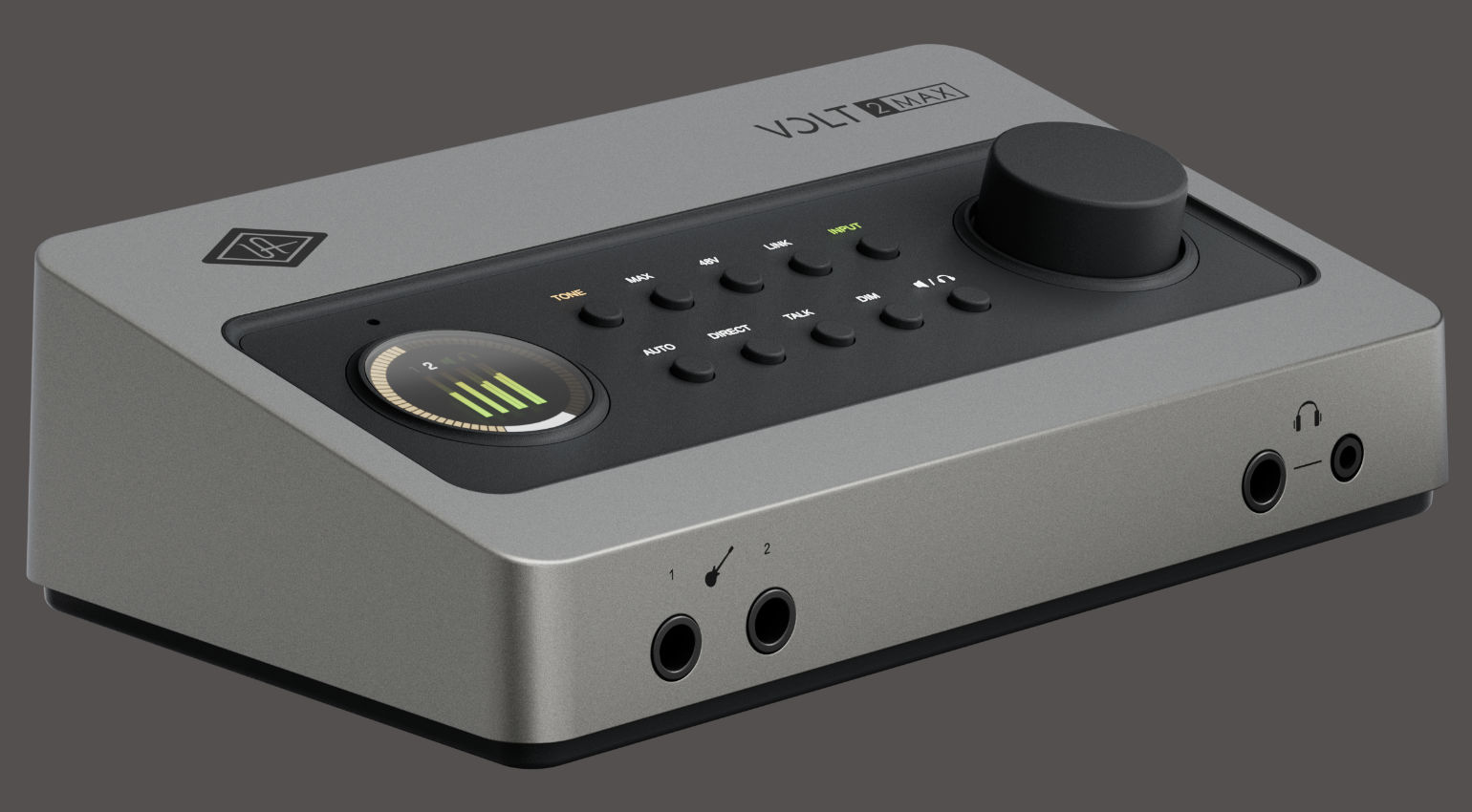

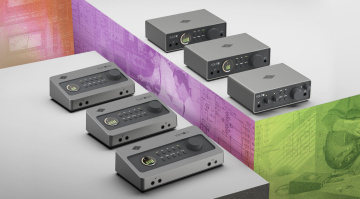
Universal Audio has given the Volt series a major overhaul and released several new models. In addition to four Volt Gen 2 audio interfaces, there are three models in the new ‘Max’ series. In this review, we’ll take a closer look at the Volt 2 Max and compare it to the Volt 2 Gen 2 and Volt 276. Let’s dive right in!
Universal Audio Volt 2 Max Review



My First Impressions of the Universal Audio Volt 2 Max
The new Volt 2 Max represents a major upgrade from the previous Volt 276 audio interface, offering significantly more performance and features for a slightly higher price.
Highlights include the new tone-shaping preamps, Max Processing during recording, features such as Auto-Gain and Clip Protection, and the addition of digital inputs and outputs. Unfortunately, though, UA has replaced the 5-pin MIDI inputs and outputs of the predecessor with mini-jack connectors; I would have preferred to see traditional connectors here.
What are the Differences between the Volt 2 Max, Volt Gen 2, and Volt 276?
If you can do without Max Processing, digital ADAT and S/PDIF connectivity, MIDI ports, a built-in talkback microphone, a second headphone jack, and a built-in USB-C hub, the Volt 2 Gen 2 offers the same new features as the Volt 2 Max.
Compared to its predecessor, the Volt 276, the new interface offers more onboard processing, 32-bit converters, three tone-shaping preamp modes, a smart display, and features such as auto-gain and clip protection. It also includes the extras mentioned above, such as digital I/O, a built-in USB hub, a talkback microphone, and a second headphone jack.
You’ll find more info about the other models in the series in our news.
Volt 2 Max: Key Features at a Glance
- Desktop audio interface
- Successor to the previous Volt 276 model
- Redesigned preamps
- 32-bit / 192 kHz converters
- Real-time DSP (Tone and Max modes) with 36 possible combinations
- Auto-gain and clip protection for effortless recording
- Smart display for visual feedback
- Loopback
- Built-in talkback microphone
- USB bus-powered
- MIDI In/Out via mini-jack (Type A)
- Full integration with the LUNA DAW
Universal Audio Volt 2 Max: A First Look at the Hardware
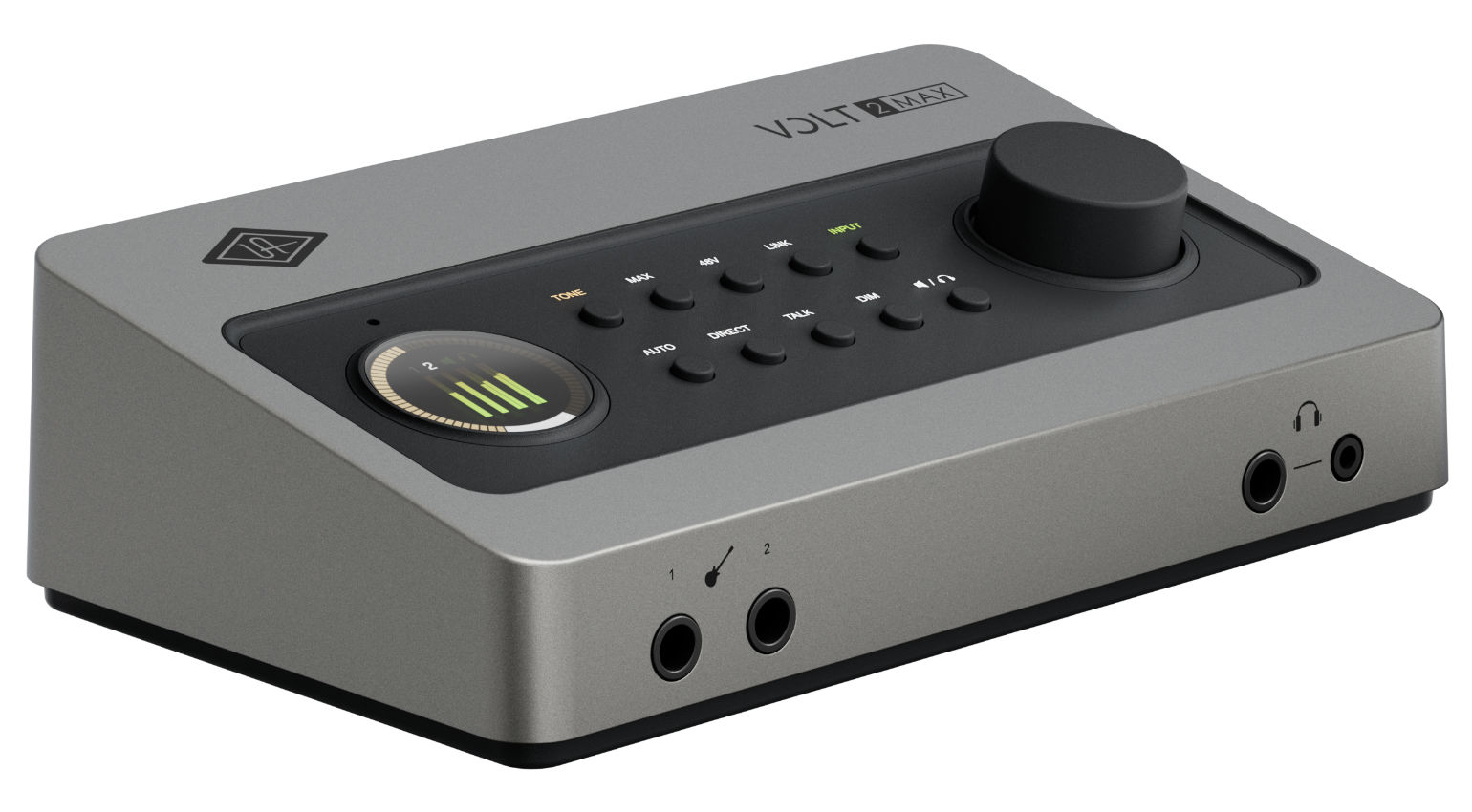
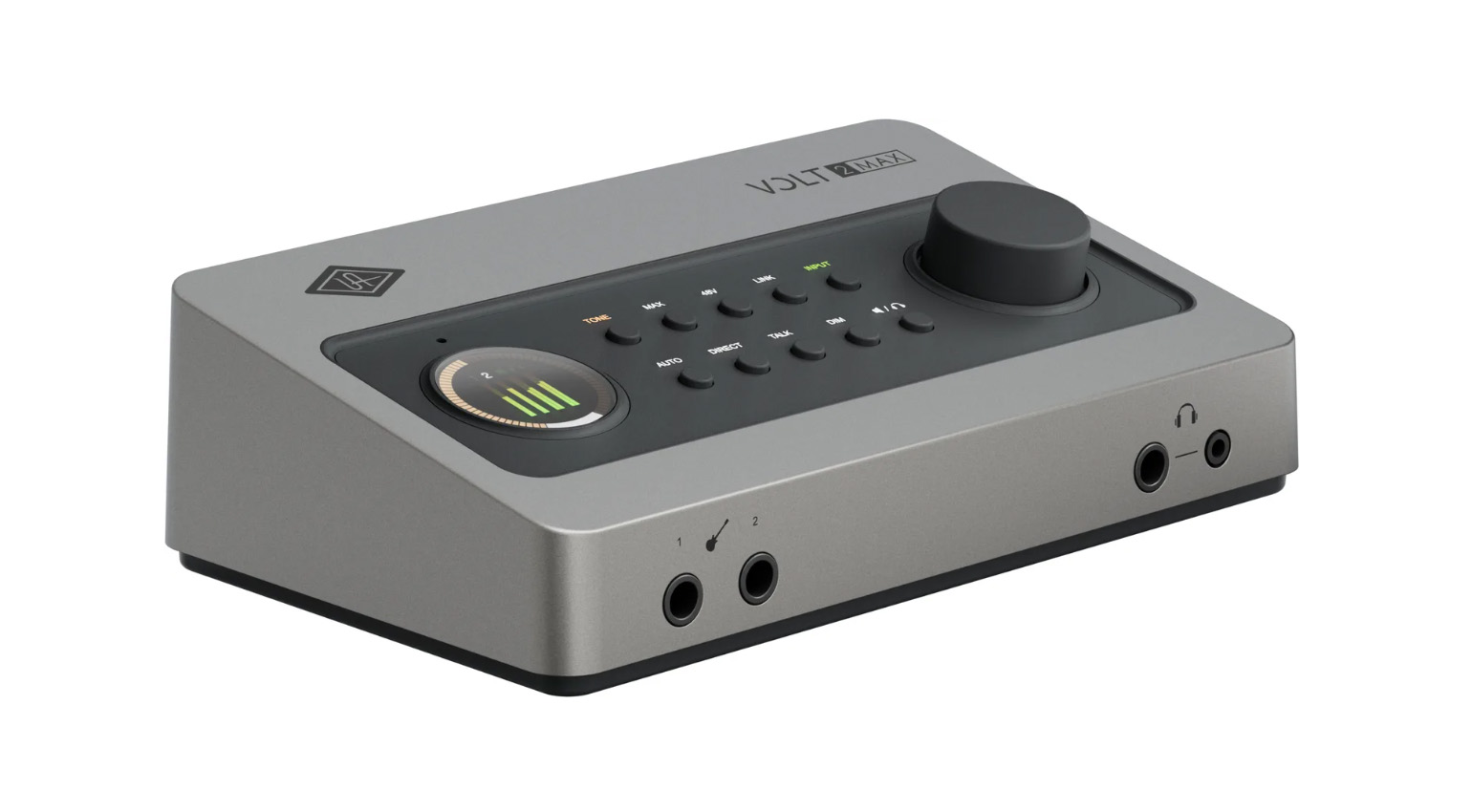
Even at first glance, it’s obvious that the Volt 2 Max is much more than a simple facelift. On the outside, the new series bears hardly any resemblance to the previous Volt models. The look reminds me more of the Apollo series, and I think the shape and color scheme are quite stylish.
The Volt 2 Max is a 10×4 USB-C audio interface. Two inputs are analog; up to eight additional channels are available via the digital input. In addition to the two monitor outputs on the back, there’s a headphone output that represents output channels 3 and 4.
Connectors on the Front and Back
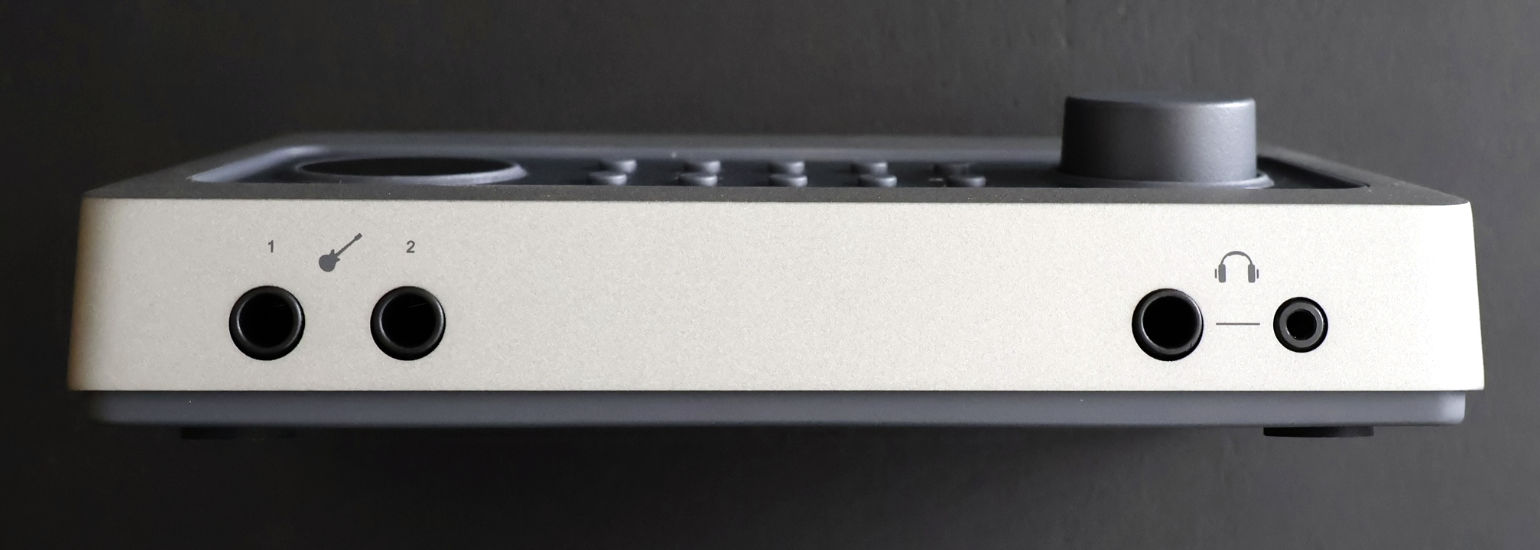
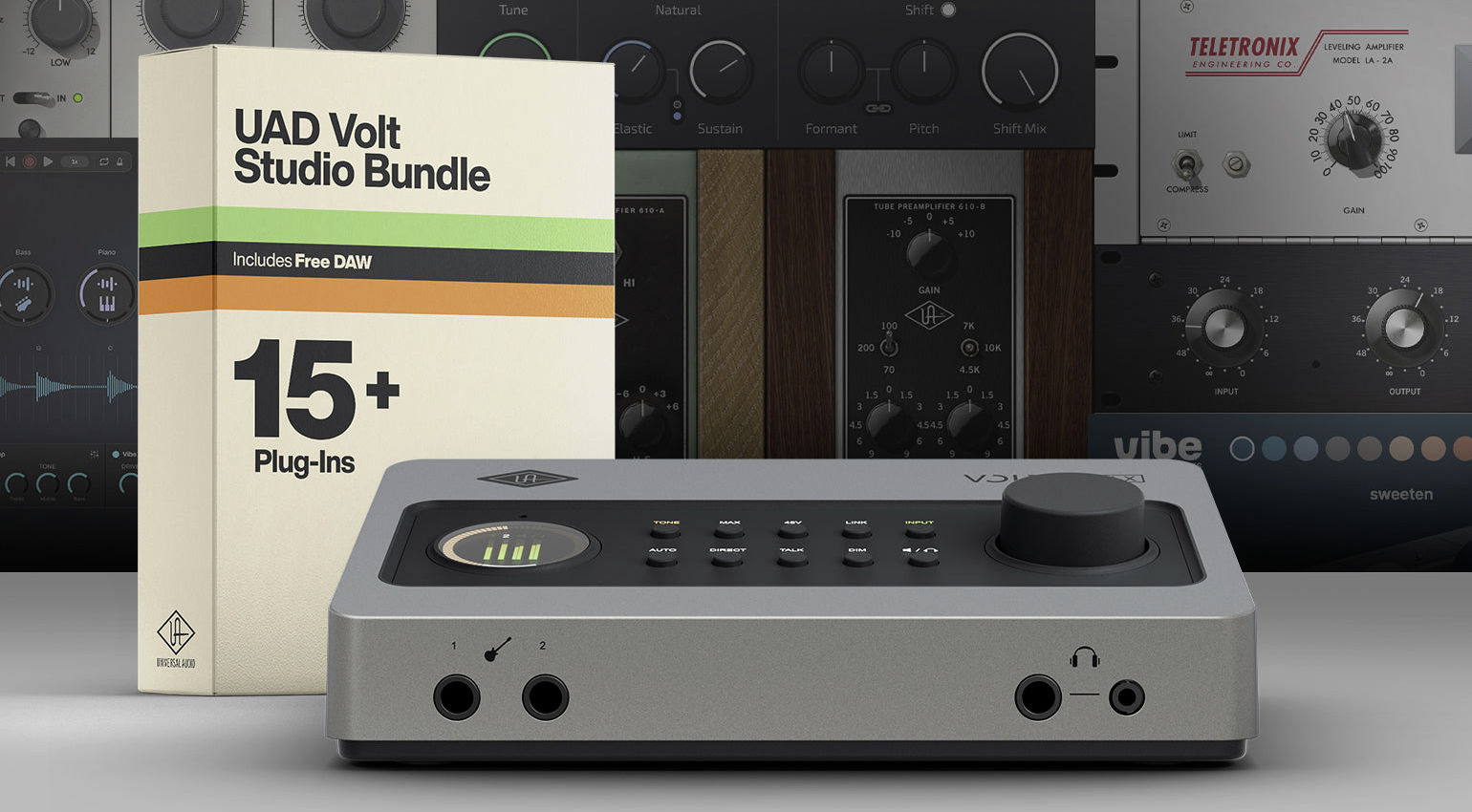
The desktop interface is equipped with two instrument inputs on the front side. If something is plugged in here, the corresponding inputs on the back are disabled. Of course, combinations are also possible—for example, an instrument in input 1 on the front and a microphone or line-level source in input 2 on the back. The headphone output is located on the right side of the front panel; the 1/4” and 1/8” sockets output the same signal.
On the back, there are two XLR-1/4” combo inputs for microphone or line signals. The monitor outputs are on 1/4” jacks. As mentioned above, MIDI In/Out is only available in TRS format (Type A); adapter cables are not included. The optical digital input can be used for ADAT or S/PDIF.
Furthermore, there are three USB-C ports on the back of the Volt 2 Max. The one labeled “Host” connects the interface to the computer (and works with any USB 2.0 cable with a Type-C or Type-A connector on the other end). A USB-C cable is included. The interface also supports iPads and other iOS devices; older devices may require a Lightning adapter.
In case the host doesn’t provide enough power, you can connect a USB power adapter to the USB-C 5VDC port, which replaces the traditional DC connector (and that’s a good thing!).
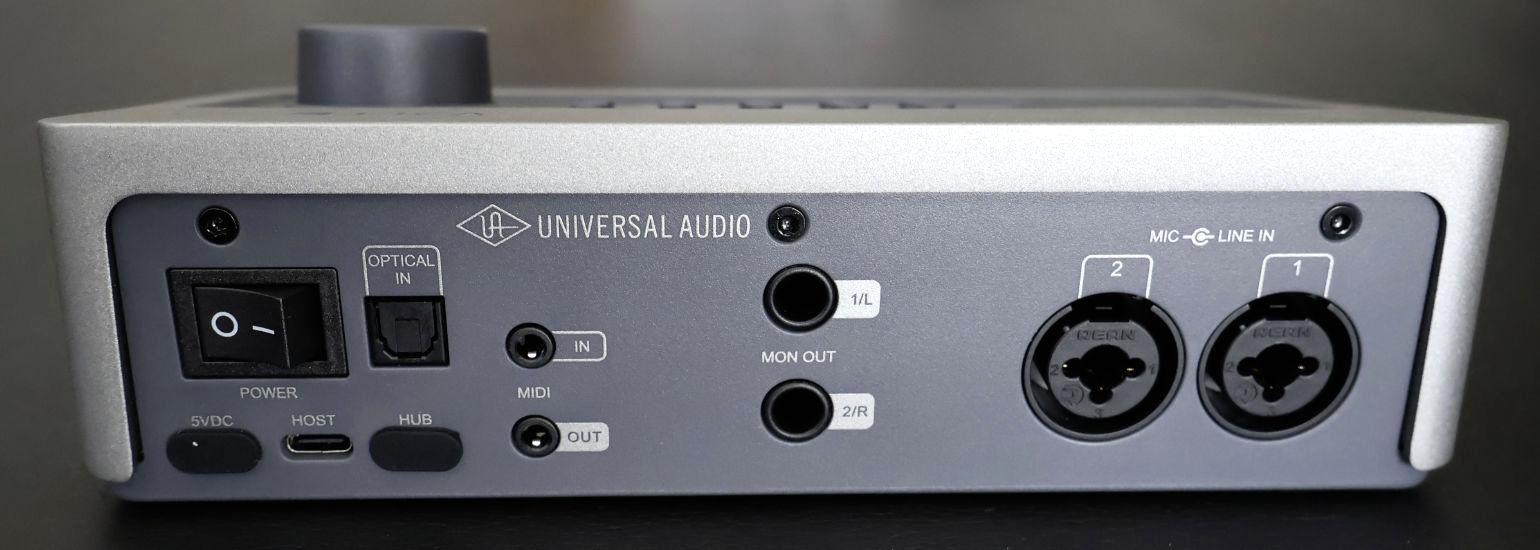
The third USB-C port is a very nice bonus. It serves as a hub, effectively freeing up the port the Volt 2 Max itself is using and allowing you to connect additional hardware. For example, you can connect a controller without taking up another one of your laptop’s USB ports. This port delivers 0.5A, so you may also need to supply additional power to the interface via the aforementioned USB-C 5VDC port to ensure the external device receives enough power. According to Universal Audio, you can even connect a Volt 876 to the hub port for expansion, which is a really nice feature!
A Look at the Controls
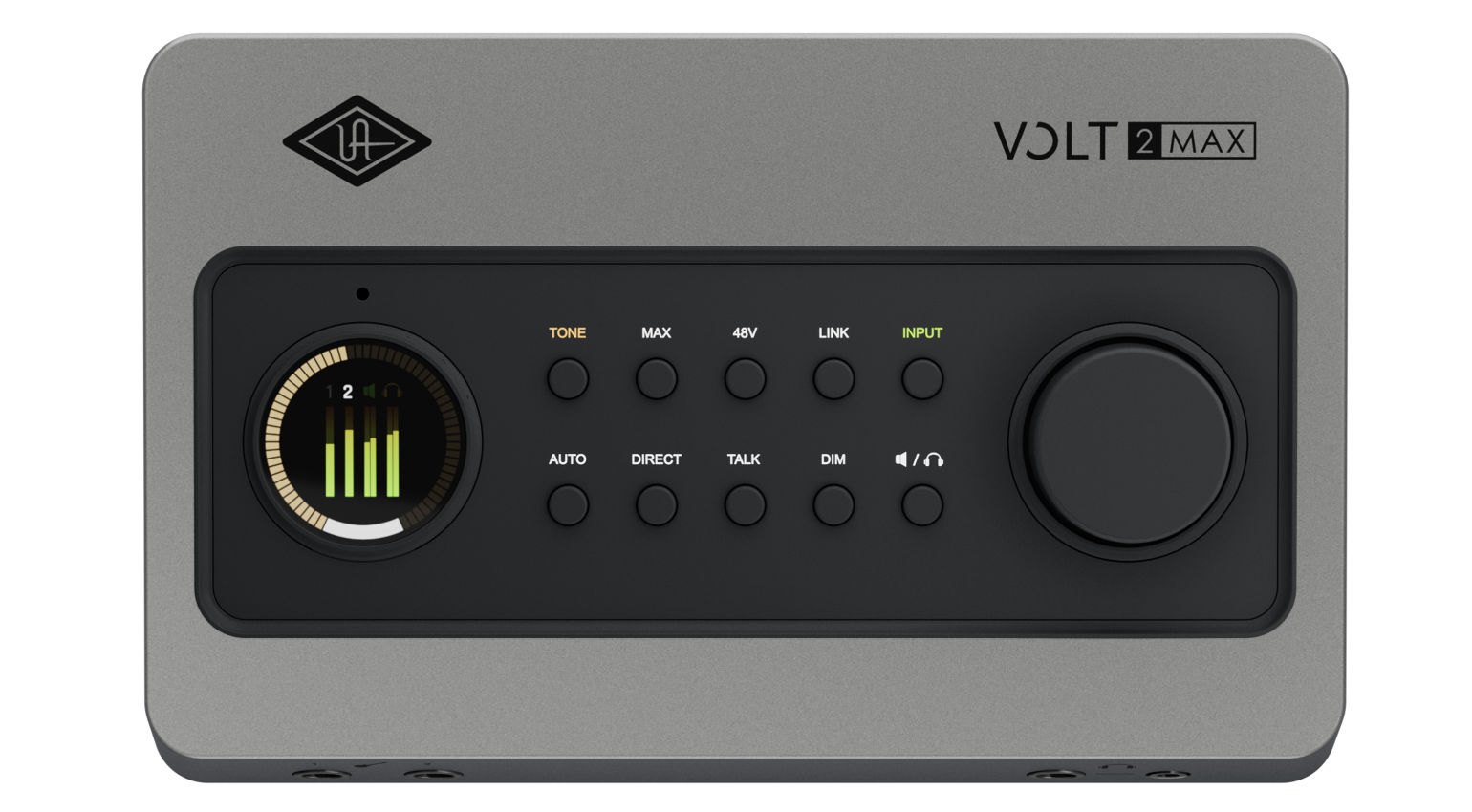
One of the standout features of the new Volt Gen 2 and Volt Max interfaces is the circular Smart Display, which looks really crisp and clear and displays various settings and information depending on the context. The small hole above the display is the built-in talkback mic (available on the 2 Max, 4 Max, and 4P Max models).
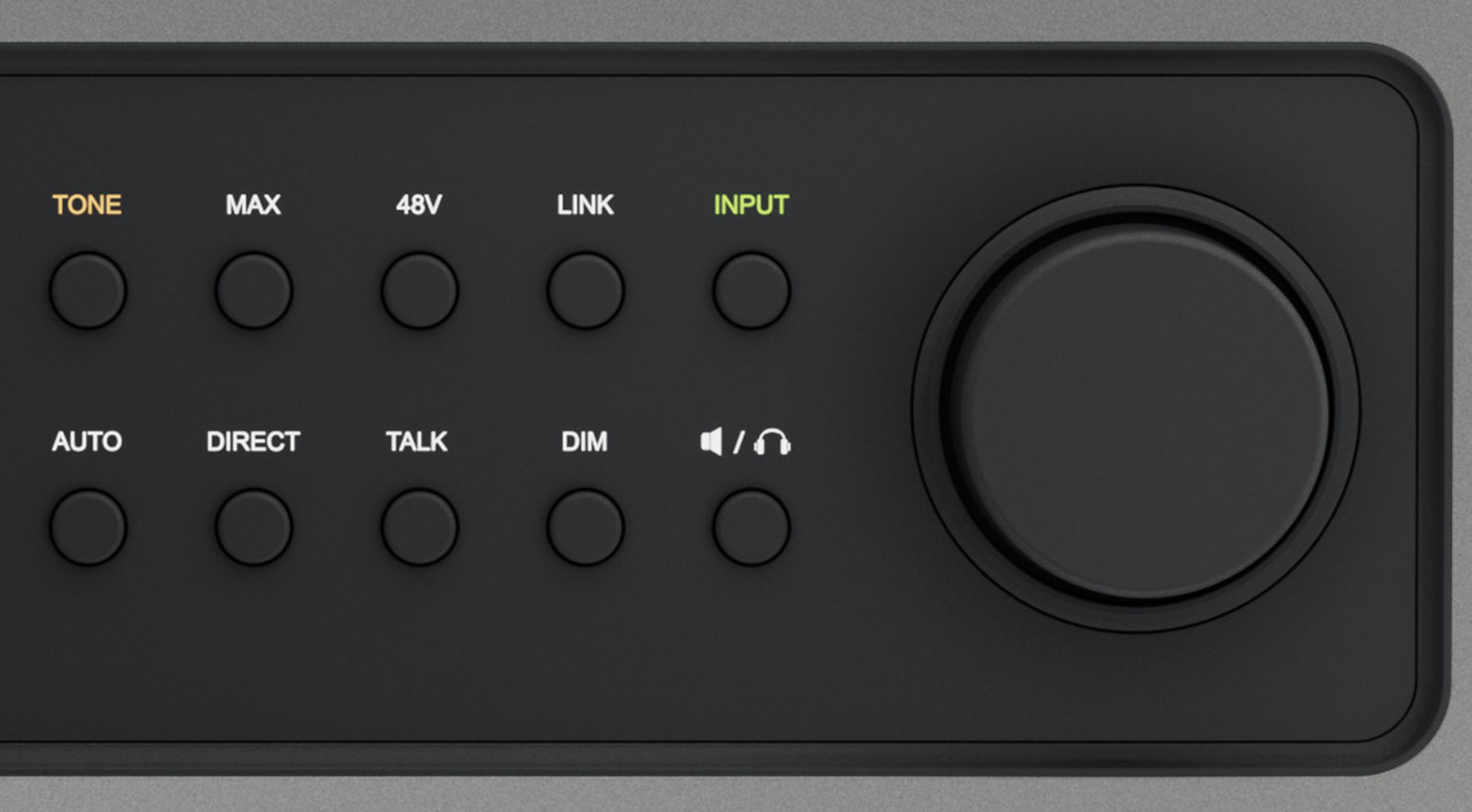
Right next to it are two rows of small buttons for control, many of which are self-explanatory. The Tone button cycles through the tone-shaping presets with each press. The Max button, available only on the Max models, switches between compressor presets. The changes are, of course, shown on the display.
There’s also a button to activate phantom power, another one for linking the two inputs (useful for stereo recordings), and one for switching between the input channels.
The Auto button activates the auto-gain feature for automatic signal leveling. Direct activates direct monitoring, routing the input signal directly to the monitor outputs—note that this includes tone shaping and Max processing.
Talk activates the talkback microphone, while DIM attenuates the output signal by -20 dB. The last button lets you switch between the headphone and monitor outputs to adjust the volume using the large rotary knob.
In addition to the monitor level, the large encoder also lets you adjust the gain for the selected input channel. The previous series had separate controls for this, which I found quite practical—I’m sure some of you will feel the same way. One more thing about the main encoder: Pressing it mutes the selected channel (i.e., monitor or headphones).
What Software is Included with the Volt 2 Max?
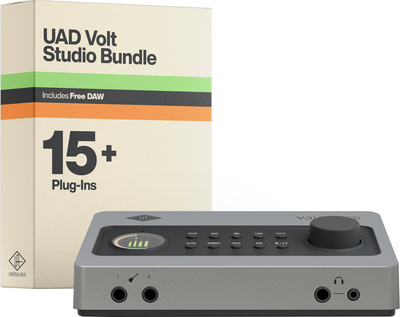
Like the other new Volt models, the Volt 2 Max comes with the UAD Volt Studio Bundle, which includes the LUNA DAW and a selection of native UAD plugins and instruments. Besides the Teletronix LA-2A and UA 1176 compressors (which also served as the inspiration for Max Processing), this includes the UA 610 Tube Preamp & EQ Collection, Pure Plate Reverb, Galaxy Tape Echo, the PolyMAX and Anthem synthesizers, and the UAD Lion ’68 and Showtime ’64 guitar amps. In addition, the package includes other instruments and production tools from partner developers.
All in all, this is a great software package, although Universal Audio already offers a large portion of the included plugins for free through UAD Explorer FREE. For anyone just getting started, this package certainly provides many useful tools for recording and mixing.
Plug and Play
Like the other new models, the Volt 2 Max doesn’t require any additional drivers on macOS. However, a driver must be installed for Windows. As a Mac user, I was able to get started right away.
Since I own a bunch of Universal Audio plugins, I already had the UA Connect software installed on my system. In case you don’t, this is the first piece of software you should install after unboxing.
The software responds promptly after connecting and powering on the interface and begins downloading and installing the LUNA DAW and UAD Console software.
After installing, a wizard launches to help with setup, which certainly makes things easier for anyone who’s never used an audio interface before.

I proceeded to test the Volt 2 Max in Ableton Live, for which I simply needed to select the interface in the DAW’s preferences window. Straightforward and easy!
Recording with Auto-Gain, Tone-Shaping, and Max Processing
The Volt 2 Max and the entire 2nd-generation Volt series are capable of recording at 32-bit resolution and a sample rate of up to 192 kHz. This is a very welcome upgrade compared to the previous series, which still used 24-bit converters.
The built-in preamps deliver up to 60 dB of gain during recording. UA states a dynamic range of 119 dB for microphone and line signals.
Long story short: the recordings sound great—I didn’t really expect anything else.
Auto-Gain is a handy feature that automatically adjusts the recording level. This ensures a decent level and also effectively prevents you from turning the volume up too high. After pressing the Auto button, the interface “listens” to the incoming signal for ten seconds and then adjusts the levels accordingly. Ideally, you should play, sing, or speak at the loudest level you’re going to be using during recording. Clip Protection serves as an additional layer of safety. It’s enabled by default but can also be turned off manually.
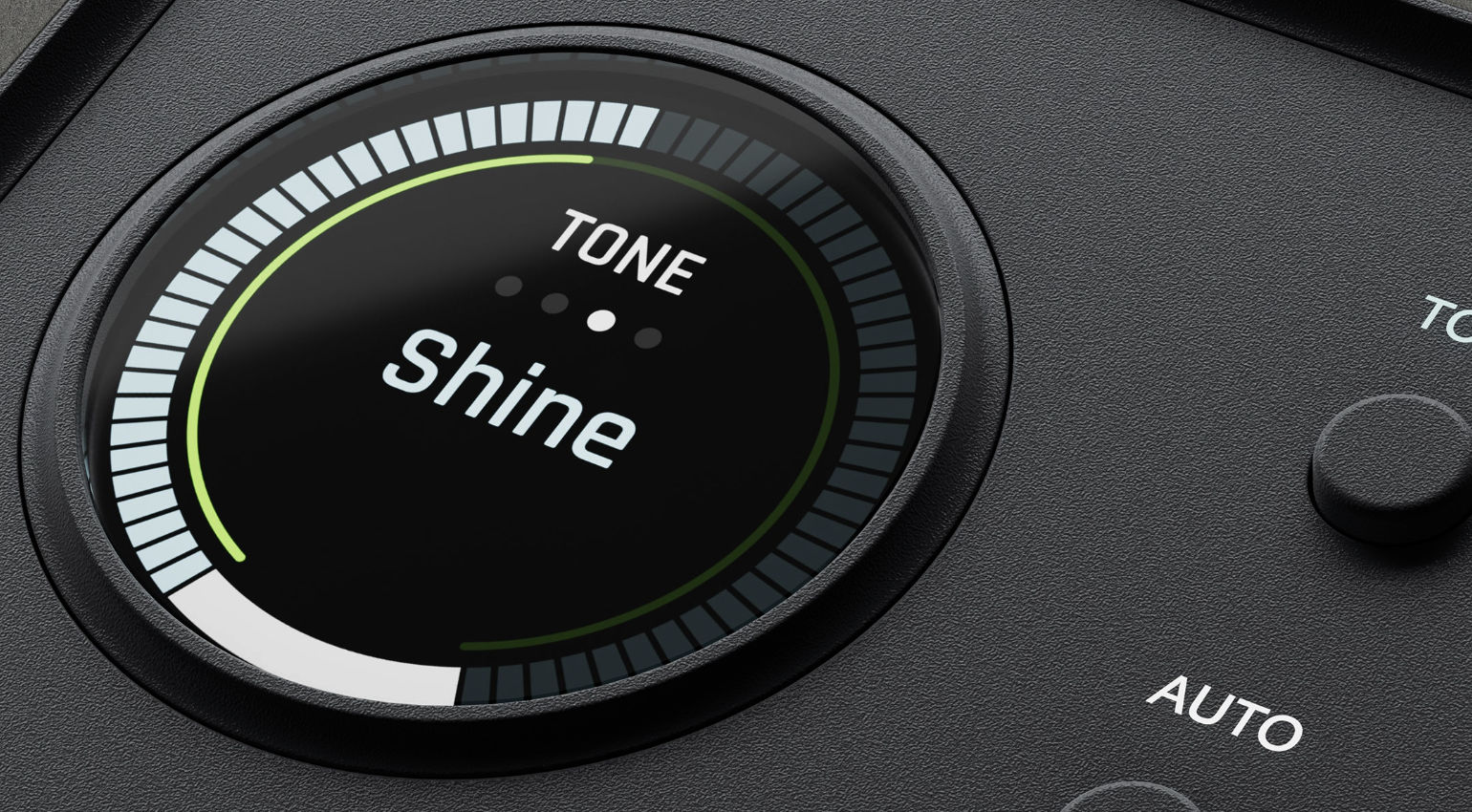
Of course, I was particularly excited to try out the new Tone Shaping and Max Processing features. Tone Shaping lets you choose from three sound profiles to give the sound more character right during recording. A neutral setting (off) is of course also available.
‘Warmth’ is designed to convey the rich warmth of a tube circuit in the style of the UA 610 preamp. This setting also significantly boosts the bass range. ‘Focus’ is modeled after American solid-state consoles and delivers slightly crisper transients. ‘Shine’ draws on British Class-A-style consoles and produces a ‘silky’ high-frequency range. You can cycle through these settings using the dedicated button, so they’re easy to compare. Thankfully, activating the Tone Shaping presets does not induce any additional latency.
Max Processing handles the dynamics, drawing on Universal Audio’s Classic 1176, LA-2A, and VCA compressor emulations. Here, too, processing takes place in real time without any noticeable latency.
The Max Processing presets are primarily designed with specific recording scenarios in mind and have descriptive names such as Great Vocal, Rap Vocal, Album Vocal, Electric Guitar, Jangly Acoustic, and Tight Bass. Here, too, a change in dynamic behavior is immediately noticeable when switching presets. You can adjust the gain using the rotary knob, and the display shows the gain reduction as well as the selected preset with an assigned color.
I think the Max Processing section would be even better with a few additional presets, for example, something along the lines of ‘Punchy Drums’, ‘More Glue’, or simply ‘Fast’ (as on the Volt 876). It would also be nice to have a few more tweaking options; in this regard, the interface stays true to its beginner-friendly and simple design. We’ll see what might be possible with future updates.
Can you Use UAD plugins with the Volt 2 Max?
No. While Universal Audio’s Apollo series interfaces can run UAD plugins on their DSP chips, this option isn’t available with the Volt series. Here, the built-in DSP only handles the integrated Tone Shaping and Max Processing features.
That said, most UAD plugins are now available as native versions that work in any standard DAW without requiring any additional DSP hardware. However, if UAD processing during recording is a priority for you, you’re better off with an Apollo interface.
UAD Console Software
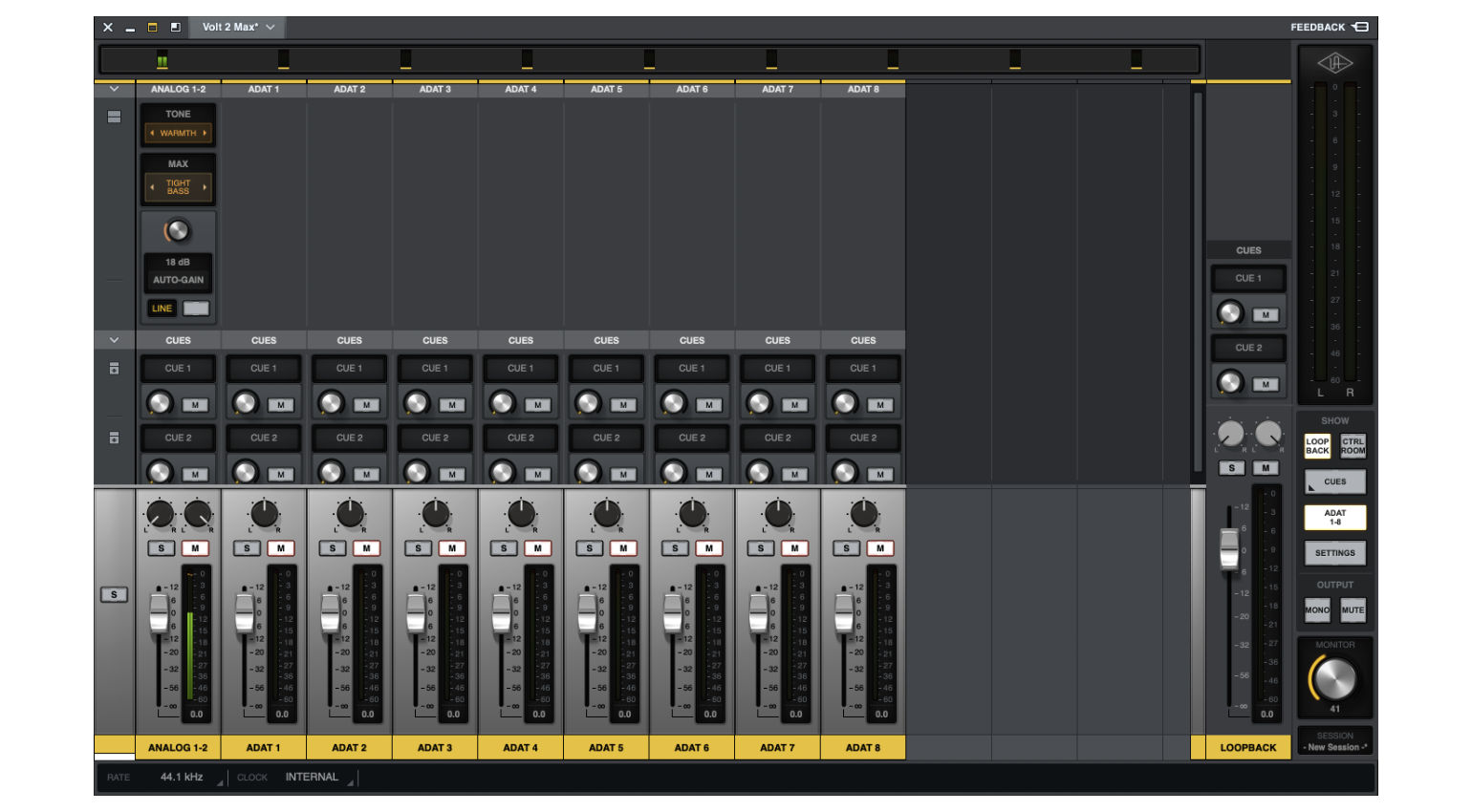
The UAD Console software provides access to all important parameters on the Volt 2 Max interface or the other models in the new series. You can adjust the input gain, activate Auto-Gain, enable Tone Shaping and Max Processing, and make various other settings, most of which are also available via the buttons on the interface.
One feature that is only accessible via UAD Console is Loopback, which allows you to bring in an audio stream from the computer. This is particularly useful for live streaming, but also works great for sampling sounds from YouTube videos or other web and software sources.
Furthermore, UAD Console makes it easy to monitor the levels of all input channels simultaneously, as it also shows the digital channels and provides a much clearer picture than on the small display on the interface.
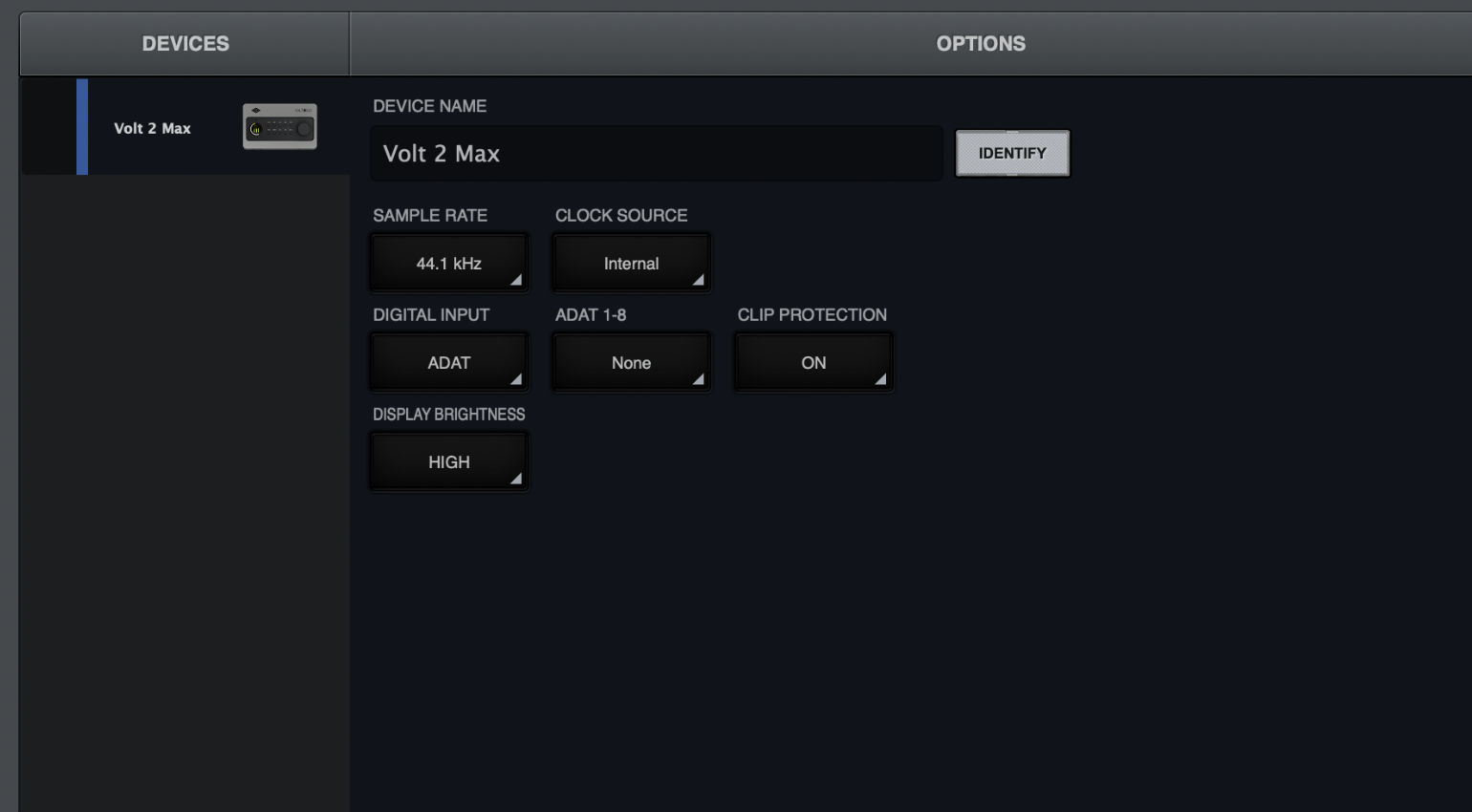
Basic settings such as sample rate or clock source (internal, ADAT, S/PDIF, or Word Clock) can also be adjusted in the software. Unfortunately, though, there’s no deeper access to Max Processing parameters here either, which is a bit of a bummer. I really hope UA will remedy this in a future update.
Conclusion
The Universal Audio Volt 2 Max is a very nice, beginner-friendly audio interface that’s priced right in line with what you’d expect for this category. For just under $300, it offers everything you need for a small recording or streaming setup.
Compared to the Volt 276—its counterpart from the previous generation—the Volt 2 Max clearly offers a lot more. The interface feels more modern, the Smart Display looks great and is easy to read, the dual-format headphone output is a nice touch, and the hands-on controls allow for a fast workflow. The additional USB-C hub port is a great feature, allowing you to connect controllers or other hardware directly to the interface.
The new preamps with integrated tone shaping presets and the new Max Processing feature open up new sonic possibilities for your recordings. Features like Auto-Gain and Clip Protection are also very welcome. Thanks to the new Loopback function, the interface is also well-suited for streaming and content creation.
Another major bonus is the digital input, which provides eight additional inputs in addition to the two analog channels. By connecting an ADAT expander, you can access up to ten inputs (at 48 kHz).
The included UAD Console software makes it easy to access all features from a computer. The included software package contains everything you need to get started.
Sound-wise, there’s absolutely nothing to complain about—and that includes the powerful, great-sounding headphone amplifier.
Compared to the older models, however, Universal Audio has also made a couple of changes not everyone will love. The first thing that comes to mind is MIDI, which is now only available via TRS connectors. Due to its streamlined design, the new series also does away with the separate controls for gain and headphone volume, which are both now controlled by the large main encoder. For some, this will likely be the biggest drawback.
All in all, however, the Volt 2 Max is a very good USB audio interface that’s definitely worth checking out, especially for beginners!
Pros and Cons
Pros
- 32-bit converters
- New tone-shaping preamps for sound coloring directly during recording
- Auto-gain and clip protection
- Integrated Max Processing with six presets
- Digital ADAT or S/PDIF input
- USB bus-powered
- Comprehensive software package
- Dual headphone output with 1/4” and 1/8” jacks
Cons
- MIDI on TRS connectors
- Headphone volume, monitor volume, and recording gain are all adjusted using the main encoder
- Only six Max Processing presets
Availability and Price
The Universal Audio Volt 2 Max is now available from our affiliate partners Thomann* and Sweetwater*.
More Information

This might also interest you