Audio Repair: 3 Tools to Restore Recordings – Perfect Match
Get More Out of Problematic Recordings with These Tools



Audio Repair: Not every recording happens under ideal conditions. Background noise, room reverb, or technical issues can quickly turn a good take into something barely usable. Re recording is not always an option, especially with interviews, podcasts, or one time moments. That is exactly where audio restoration comes in. With the right tools, you can target specific problems and noticeably improve your material. This Perfect Match introduces three specialized tools that, when combined, can feel almost like magic.
Audio Repair – Perfect Match
Audio Repair: Three Tools for Saving Recordings
Before getting into the recommendations, one quick note. You do not necessarily need all the tools featured here, and some are designed to solve very specific problems. There are also solid alternatives, which will be mentioned where relevant. If you want to repair audio, you will need a proper working environment. This can be a DAW or a dedicated audio editor.
iZotope RX: The All Rounder for Audio Repair
When it comes to audio restoration, iZotope RX is hard to ignore. The software offers a wide range of tools that allow you to improve even problematic recordings in a very targeted way.
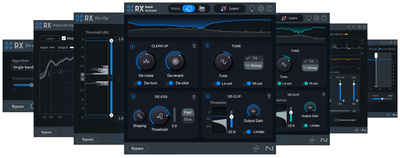
Even the affordable Elements version of iZotope RX, now at version 11, already includes practical tools for handling the most common recording issues. Modules like De click, De clip, De hum, De reverb, and Voice De noise allow you to improve your audio in real time. The Repair Assistant also makes it easy to fix problems quickly without diving too deep into technical details.
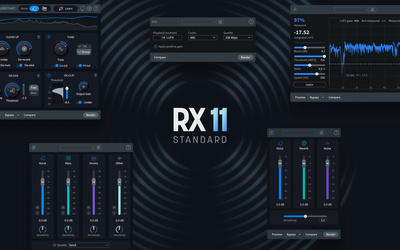
If you need more control, iZotope RX 11 Standard takes things further. With 18 plugins, it offers a comprehensive setup for precise audio restoration. The core tools from the Elements version are expanded with additional modules for noise reduction, including tools to reduce plosives, remove crackle, and control sharp sibilance with a de esser.
What makes RX 11 Standard especially interesting are features like Dialogue Isolate, the Spectral De-noise module, and Music Rebalance. This tool allows you to adjust entire mixes in the stereo sum during post production, opening up options that go far beyond classic repair tasks.
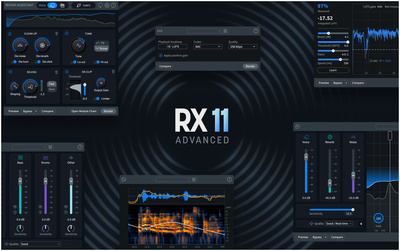
With RX 11 Advanced, iZotope offers a comprehensive package that further expands the feature set and is especially aimed at professional users. Audio repair par excellence.
Even with RX 11, many recording issues can already be handled very effectively. Here at Thomann*, you can find all three versions and compare their features in detail.


Acon Digital DeVerberate 3: Bringing Room Acoustics Under Control
Common recording issues are not always caused by noise, clicks, or hum. Very often, the real problem is the room itself. Reflections, reverb, and poor acoustics can quickly make voices sound distant or unclear.
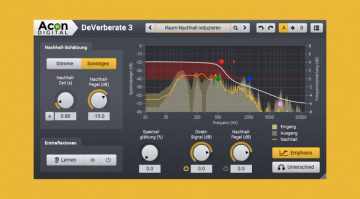
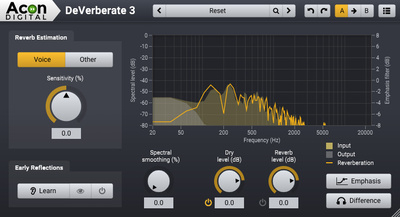
That is exactly where a tool like DeVerberate 3 from Acon Digital comes in. The plugin analyzes how much room sound is present in a recording and reduces it without damaging the original signal. The result is a much drier and more direct sound that sits better in a mix and is easier to process further with additional effects.
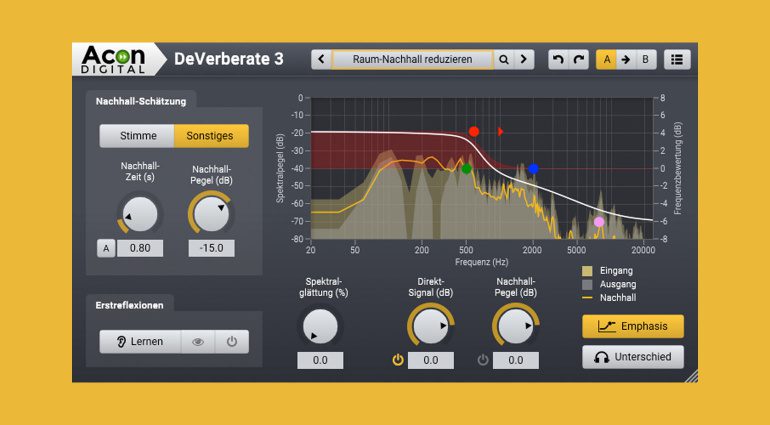
With a tool like Acon Digital DeVerberate 3, you can turn a typical “living room recording” into a much more usable signal in just a few steps. The plugin is specifically designed for speech, making it especially useful for dialogue, podcasts, and interviews.
DeVerberate is known for its very natural sounding results, which makes it a strong option even if you are already working with a tool like iZotope RX. An interesting, though more expensive, alternative is Zynaptiq Unveil*.
By the way, when recording vocals, using a mic screen like this one from the t.bone at Thomann* can effectively reduce room reflections and prevent unwanted ambience from ending up in your recording.
You can get Acon Digital DeVerberate 3 here at Thomann*.

Accentize dxRevive: Restore Quality
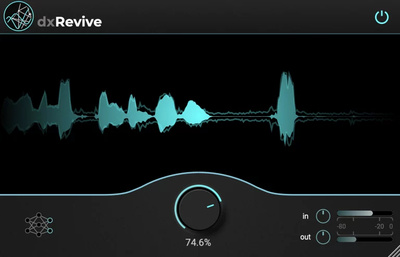
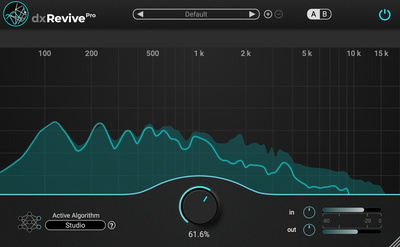
Anyone working with audio repair will recognize this situation. The recording is clean, with no obvious noise or room issues, but it sounds thin or slightly unnatural. That is exactly where a tool like Accentize dxRevive comes in.
The plugin focuses on vocal restoration and uses dedicated algorithms to rebuild missing or damaged frequency content. The result is a voice that sounds fuller, clearer, and more present, even when the original material has already been heavily processed.
Unlike traditional EQs or exciters, dxRevive takes things a step further. It does not simply replace or enhance the original signal, but instead attempts to repair and restore it in a more intelligent way. The plugin can also reduce reverb, remove codec artifacts, and even repair audio that has been damaged by clipping.
dxRevive is available in two versions. The Pro version adds multiband processing and is better suited for restoring heavily degraded material. You can get both here at Thomann*.

Conclusion – Audio Repair: Why This Trio Is a Perfect Match
Repairing audio is no longer a major hurdle with these three specialized tools. You will not need every single one in every situation, but together they cover a wide range of real world use cases. Each tool focuses on a different problem, and that is exactly what makes this combination so effective.
iZotope RX 11 works as a strong all rounder and already offers the most important tools for improving recordings, even in its basic version. When it comes to reducing reverb, Acon Digital DeVerberate 3 stands out with very natural sounding results. And if vocals feel thin or damaged, Accentize dxRevive is designed specifically to rebuild missing frequencies, with the Pro version going even further in more demanding situations.
Together, these tools allow you to repair, refine, and reshape audio in a very targeted way. And that is exactly why this setup works so well as a Perfect Match.
More Information
- Making Your Mix Louder: 3 Steps to a Loud Master – Perfect Match
- Fixing Phase Problems In The Mix: Saving Phase
- Soothe 2 Alternatives: VSTs for Free, Cheaper, and Even Better?
- The Best Free DAWs: Freeware For Music Production
- How To Use Clipping: An Essential Mixing Tool
- More about Perfect Match
*Note: This article about audio repair contains affiliate links that help support our site. The price remains the same for you. If you purchase through these links, we receive a small commission. Thank you for your support.


This might also interest you