NAM A2 Pedals & Software: This Gear Supports Neural Amp Modeler A2 in 2026!
A comprehensive list of most NAM A2-compatible effects!

 4,5 / 5,0 |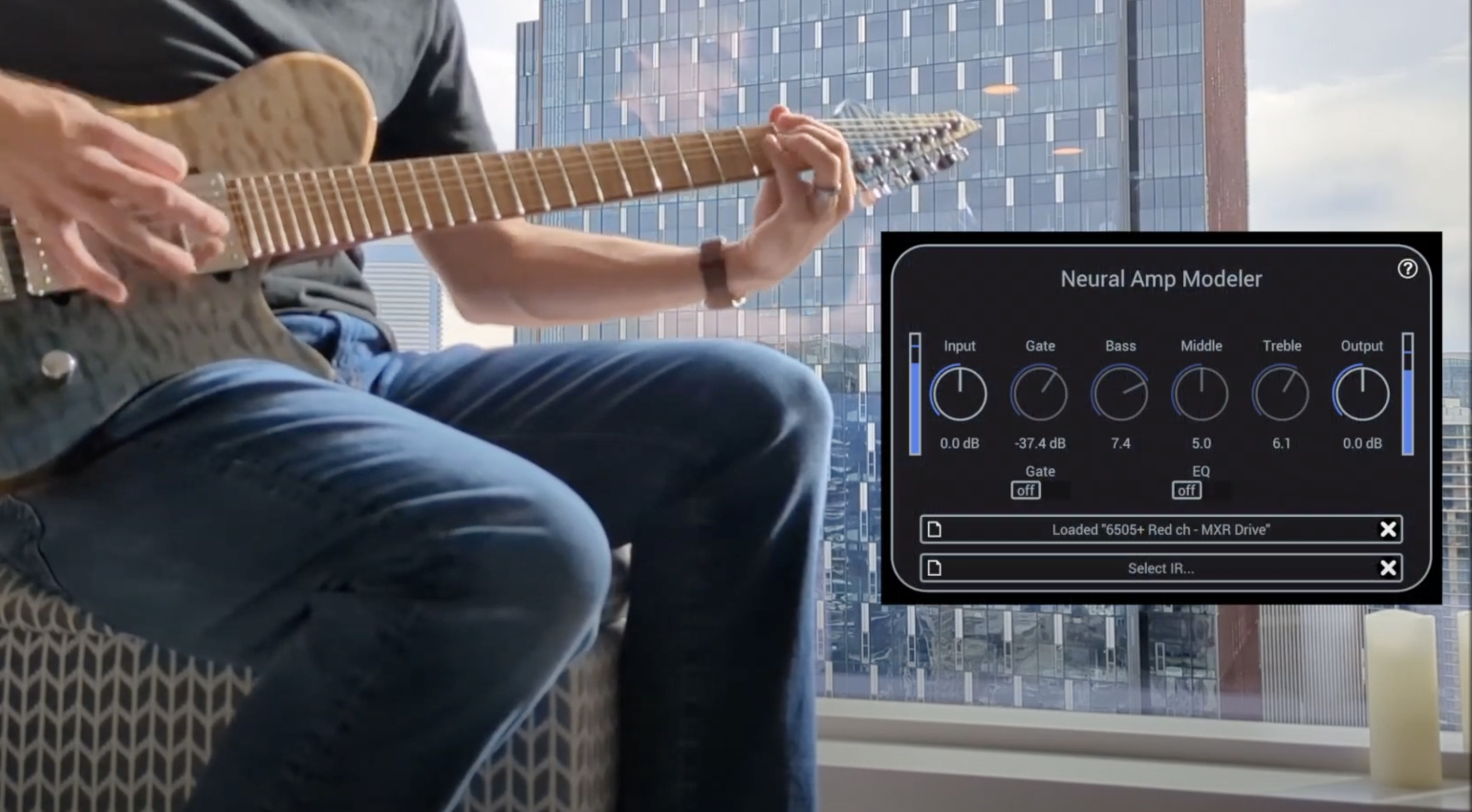
Neural Amp Modeler: Plugin, Profiles, Hardware – Our Complete Guide · Source: RunawayThumbtack / YouTube

Four years after its breakthrough, the open-source amp modeling format Neural Amp Modeler recently underwent a significant update: since June 2, 2026, Architecture 2 (A2) is the new standard. This update meant a huge jump in sound quality for captures while also significantly reducing CPU demand. What A2 does, how you switch over, which software and hardware support it, and how to make your own profiles: read on to learn everything you need to know about NAM.
Key takeaways
- Neural Amp Modeler is open source and free. The plugin and training code are available under an MIT license.
- Many Captures are free, too. TONE3000 hosts thousands of community-made free profiles of many of the most legendary amps.
- NAM A2 is the new standard since June 2026. Many modelers from Headrush, Hotone, Mooer, and Nux are already A2-compatible, with Valeton following soon.
- Better quality, less CPU: A2 beat many amp modelers in a public listening test, while needing less CPU than A1.
- Full vs. Lite: A2-Full for the DAW and powerful multi-fx, A2-Lite for pedals, budget FX, and mini-modeling amps.
- Compatibility: old plugins and firmware can’t load A2, but your old A1 profiles still work everywhere.
Everything about NAM:
What is Neural Amp Modeler?
NAM stands for Neural Amp Modeler. Basically, this is another format for digitally emulating amps (to put it very simply). In other words, you get to play amps at home (for free!) —from old Marshall or Fender amps, for example—that you could never afford. Plus it gives you more mobility, so you don’t have to lug your amps around with you once you’ve captured your amps (or entire rig).
Technically speaking, this method is less about modeling an entire amp’s circuitry and more about capturing: You basically get a very high-resolution image of one setting of your amp/rig, not a virtual recreation of an amp’s sonic behavior across all of its settings, as is the case with Neural DSP or Kemper.
In addition, both the format and the software are open source—meaning they’re free—and anyone with the necessary knowledge and motivation can contribute to its development right away. In addition to the official Gateway plugin, which is a free VST for DAWs for loading NAM profiles, there is a growing number of hardware devices that support NAM (see below).
How NAM came about
You can find the full story on the official website. In short: Steven Atkinson, an AI researcher and equally passionate guitarist, started developing the format back in 2019 and made it available on GitHub. What started as a passionate side project sounded so good, so realistic, that he couldn’t stop working on it. But then it lay dormant for three years.
In 2022, Atkinson published the first version of the NAM plugin, which enabled users to import NAM captures into their DAW. This meant that you could dive into the world of the Neural Amp Modeler without needing to know Python, a big step towards a broader audience.
Atkinson subsequently released a series of videos in which he compared the sound of NAM profiles to the sound of the likes of Kemper, Quad Cortex, and ToneX. The commercial products increasingly paled in comparison to NAM. Further improvements followed in 2023; most notably, the plugin was overhauled, including an EQ and an IR loader. Steven also improved the workflow for creating custom amp profiles.
Meanwhile, the popularity of Neural Amp Modeler grew dramatically. While the official Facebook group initially had a few hundred members, by the end of 2023 there were already over 15,000! Today (as of August 10, 2026), we’re at nearly 27,000!
What is NAM A2?
On June 2, 2026, Atkinson and the people behind TONE3000 unveiled the new generation of the Neural Amp Modeler: A2. As a result, all captures made before that were designated A1 for easier differentiation. A2 introduced a host of massive changes and improvements:
- Full and Lite. A single NAM file contains both A2-Full (maximum accuracy, for DAWs and high-performance hardware) and A2-Lite (the same capture at a lower resolution, for pedals and mini amps). You don’t need to download anything twice, the pedal or modeler automatically uses whatever its CPU can process.
- CPU Efficiency. Even A2-Full runs about 30 to 40 percent more efficiently than A1, and it sounds much better. A2-Lite runs at 50 percent CPU utilization on a 600 MHz ARM Cortex-M7, which is an extremely cost-effective CPU is found in many budget modelers. That made native NAM A2 adoption possible on a wide variety of multi-effects units all at once.
- No backward compatibility. A2 is not backward compatible. Older plugin and firmware versions cannot process A2 files. The reverse is not true, however: your old A1 profiles will continue to work everywhere, even with A2 loaders. TONE3000 has already retrained nearly its entire library to A2.
And within just the first few weeks of the announcement, the number of manufacturers (see below) who announced they were working on making at least some of their products A2-compatible through firmware updates skyrocketed. Here is a comparison of the three NAM versions once again:
| A1-Standard | A2-Full | A2-Lite | |
| Status | Legacy, still available | New standard | New standard for some hardware |
| Meant for | DAWs, a few pedals or heavily compressed | DAWs, high-performance hardware | multi-effects, budget modelers and modling amps |
| CPU Usage | Reference | Roughly 30–40% less than A1 | Fraction of A1 |
| Capture-Format | One file | One file, combined with A2-Lite | One file, combined with A2-Ful |
How good does A2 sound?
TONE3000 pitted A2 against Neural DSP Neural Capture V1 and V2, IK Multimedia ToneX V2, and Line 6 Proxy (all in their latest versions) during the beta phase of A2. In a public blind test, over 1,000 participants submitted more than 100,000 ratings during the testing phase, using the so-called MUSHRA methodology, which is also used by the BBC and EBU to assess audio quality. Participants first listened to the actual recording and then rated anonymized model versions on a scale from 0 to 100.
The results were almost unanimous. A2-Full outperformed all commercial modelers in the test, even A2-Lite in many cases. Generally speaking, that must have sent a strong message to the likes of Kemper, Neural DSP and IK Multimedia. However, strictly speaking from a scientific perspective, view these results from TONE3000 with a bit of caution.
This is not meant to downplay the significance of the second generation of Neural Amp Modeler. But because the test was conducted by the provider of the technology itself, the claim of NAM A2 outperforming all other modelers sonically should be viewed with a bit of caution. It isn’t a marketing ploy, but it isn’t an objectively proven statement either.
It is worth noting that TONE3000 has published both the test code and the raw data and has explicitly called for the test to be replicated.
Software and amp profiles
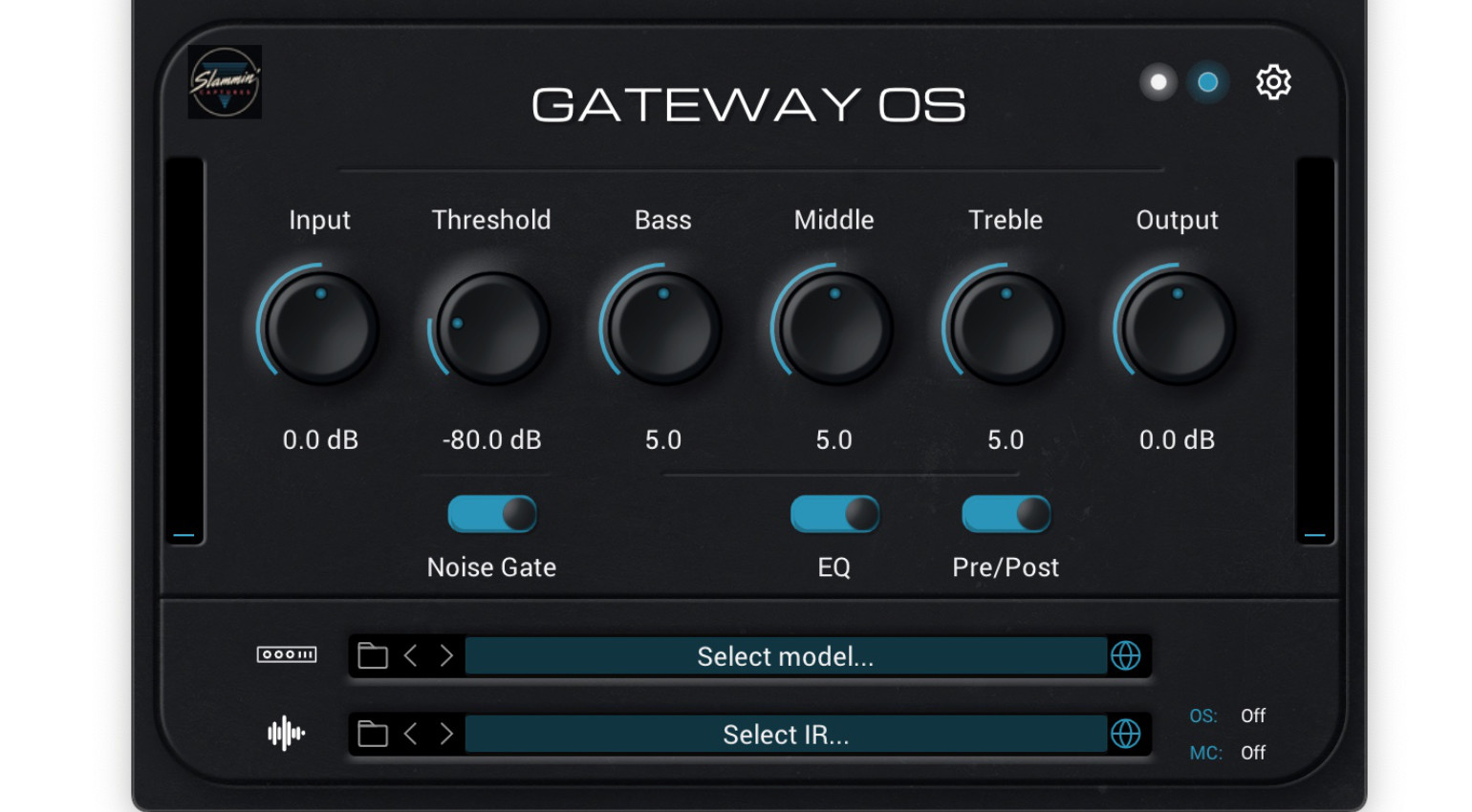
Getting started on the software side of things is still completely free. The official plugin is now called Gateway, and it’s available for free download as an AU and VST3 plugin on the Neural Amp Modeler website for Windows and Mac. Gateway loads both A1 and A2 captures. Note that if you’re still using the older version (called Neural Amp Modeler), you’ll need to download Gateway in order to use A2 files.
Once you’ve installed the plugin, head over to TONE3000 (formerly ToneHunt), the largest hub for NAM profiles. There are well over 10,000 NAM profiles here, ranging from Fender Reverb to Marshall JCM800, Vox AC15, and Roland JC 120B, even complete rigs. You can also find A2 files for distortion pedals, such as the ProCo Rat and the Boss Blues Driver.
- Go to “Browse Tones”, pick an amp (sort by most-downloaded to see which ones are popular), download the NAM file,
- Then go to “Cabinet” and choose and download an impulse response (these are WAV files).
- In your DAW, set your sample rate to 48 kHz, as all of the profiles have been created around this.
- Then load the Gateway plugin, navigate to your downloads folder, and first select the NAM file (click “Select Model…”), then the impulse response WAV file (“Select IR…”).
- Plug in your guitar into your audio interface and get ready to rock!
On an amp’s profile page on TONE3000, you’ll see which version is available by looking for the A2 badge. You can still access the older models using the search filters (Technical → “A1 – Legacy”).
How do I create my own NAM profiles?
Whether you want to be part of the community or simply don’t want to lug your expensive gear from your basement to your rehearsal space, creating your own NAM profiles is relatively easy. The workflow might not be quite as streamlined and user-friendly as with ToneX or Kemper, but with a little patience, even the tech-challenged among us can figure it out.
One way to create profiles for Neural Amp Modeler is directly via Tone3000. Go to “Create Tone” in the upper right corner and then “Capture.” Next, download the WAV file of a sine sweep. Then, set up the microphone for your amp, connect everything (i.e., from the interface’s output to the amp’s input, then the microphone in front of the amp, and the XLR cable into the interface’s input), and configure the routing in the DAW.
- In your DAW, load the sine wave sweep onto an empty audio track
- Then configure the routing so that the sine-wave sweep audio signal goes directly to the output that’s connected to your amp.
- Now create a second audio track and route the microphone signal to it.
- CAUTION: Be careful with the volume of your monitor speakers, or (even safer) disable the master output during the modeling process; otherwise, there is a pretty high risk of feedback!
- Start the recording in the DAW.
- Export the track containing the microphone signal (preferably mono, 24-bit, 48 kHz). Make sure the new audio file has exactly the same length as the sine wave sweep.
Now upload this audio file to TONE3000 in the Capture section. As an alternative to the sine sweep, you can also upload a dry/wet pair. In other words, split your guitar signal through a DI box and record both the signal before and after the amp simultaneously in your DAW.
Free and Even Offline: Creating NAM Profiles Without Tone3000
The old guide included instructions on how to create NAM profiles directly through Google Colab, without having to rely the Tone3000 workflow. While this is still possible, it’s a fairly technical and complicated process.
A still relatively new and very straightforward solution is the free app Capture Studio from Two Notes. Just download it from the website; all you need is an account.
Once you’ve connected your audio interface and set up all the mics and cables, the software will guide you through the capture process. Not only is it free, but it also runs locally! This means you can create your own NAM profiles even in your rehearsal room without a working internet connection.
Which Pedals and Multi-FX Support NAM A2?
Since A2 launched, barely a week goes by without another budget-modeler maker announcing an A2 firmware update. One thing to keep straight, though: “NAM compatible” doesn’t automatically mean “NAM A2 compatible”. In addition, among A2 devices there’s a real and sonically important difference between native A2 (Full or Lite) and converted captures that still get downscaled to the maker’s own format. Here’s where things stand (August 7, 2026):
| Device | A2 Status | Notes |
| Dimehead NAM Player | A2-full | One of the first NAM pedals on the market; among the first to run A2-Full |
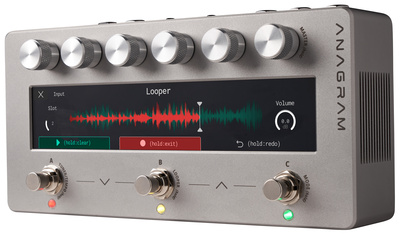
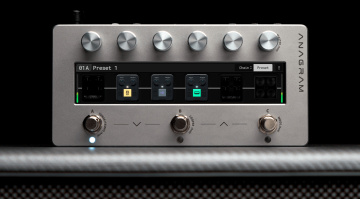
| Darkglass Anagram | A2-full | Bass multi-fx |
| Sonulab Stompstation Pro | A2-full, triple | |
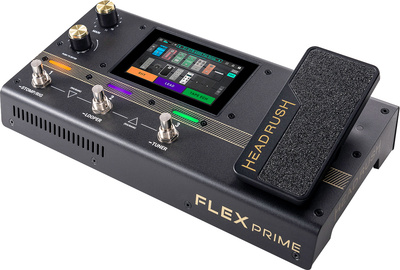
| Headrush Prime / Core / Flex Prime | A2-full (5.1 update) | 5.1 also adds direct TONE3000 browsing on device |
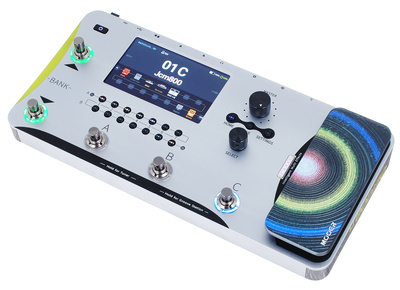
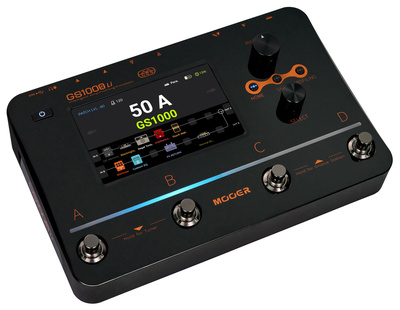
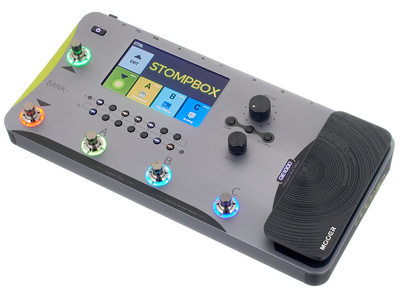
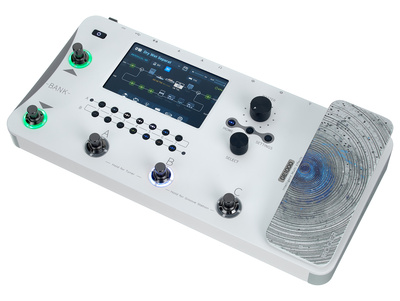
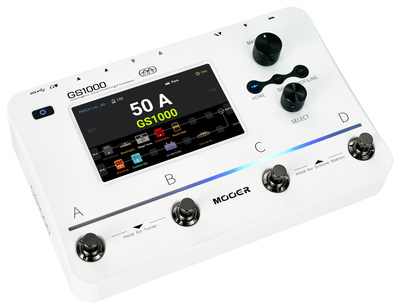
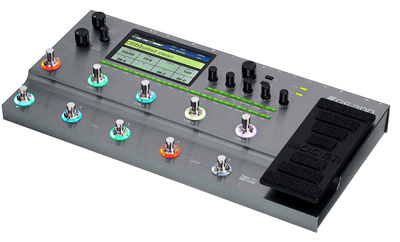
| Mooer GS1000 / GS1000 Li / GE1000 / GE1000 Li / GE300 / GE300 Lite | A2-lite (Jul 2026) | |
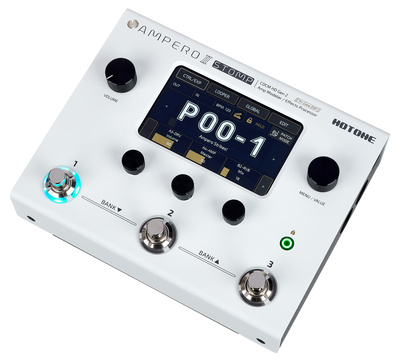
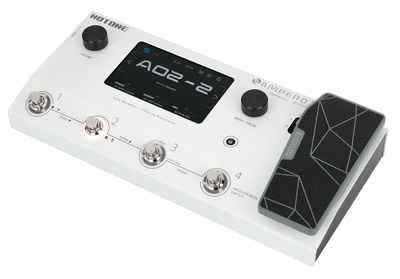
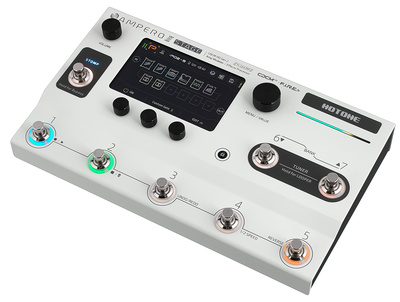
| Hotone Ampero II / II Stage / II Stomp | A2-lite (Ampero II series); other models via “conversion” | Conversion = captures re-rendered to Hotone’s own format |
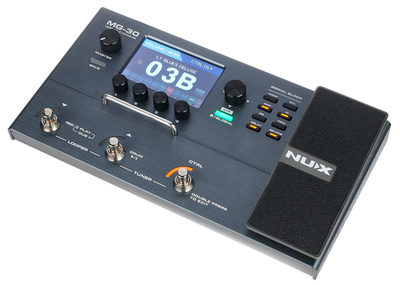
| Nux MG-30 / MG-50Li / MG-400 / MG-300 MkII | A2-lite | |
| Valeton GP-5 / GP-200 / GP-150 | A1-Standard via conversion (downscaled) | A2-lite update announced (for August 2026) for some models |
| Harley | Triple A2-Full |
We will continuously be updating the table, as more firmware updates, new products, and updates for A2 compatibility come out. At this moment, if you’re looking for pedals and multi-effects that support A2-Full, the higher resolution model, you can choose between Dimehead’s NAM Player, Sonulab Stompstation Pro, Darkglass Anagram (for bass) or the three modelers from Headrush that received the A2 update recently.



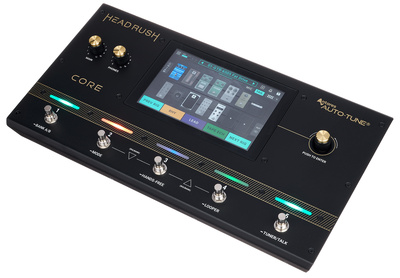
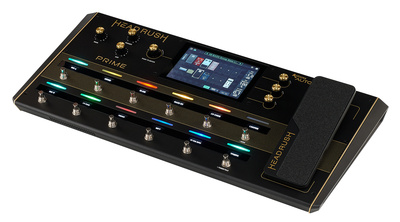
For pedals that support loading A2-lite profiles, you have a much bigger choice. For instance, Mooer has released firmware updates for its GE1000, GS1000 and GE300 models.

Hotone has started to roll out updates for NAM A2 as well; as of today, their Ampero II models support A2-lite natively. For other models like the Ampero Mini, there is an updated version of Hotone’s editor software that includes a converter. This process will downscale NAM A2 profiles so these smaller devices can load them.

And finally, Nux has released a firmware update as well for some of its all-in-one effects.

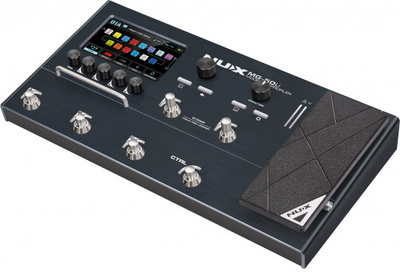
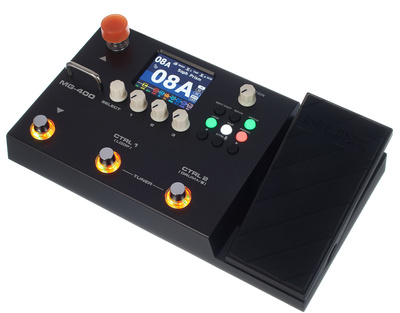
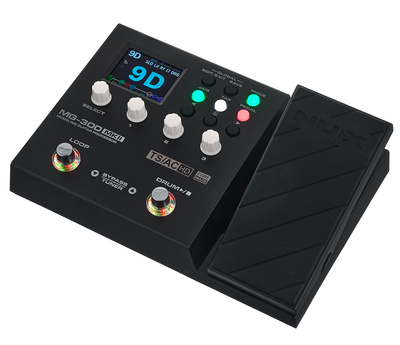
For Valeton, they have been promising a firmware update “soon” (early August 2026), for some of their budget multi-effects. If the popular GP-5 will be included remains to be seen. Until that update is published, you can still download A1-Standard profiles, convert them through Valeton’s app, and load them on their GP series. No word yet from Harley Benton.
The Future of Neural Amp Modeler
Just think about that. Neural Amp Modeler didn’t hit the scene until 2022. That was four years ago. And now we’re already talking about pedals, huge communities, and a growing number of people switching over from Kemper, QuadCore, and ToneX.
Thanks to this massive leap forward, both in terms of quality and a more simplified capture process, as well as these extremely quick firmware updates, at least ToneX (IK Multimedia), Proxy/Helix (Line 6), and Tone Master Pro (Fender) are likely to find themselves under serious pressure. If I look into my crystal ball, I predict that by the next time I referesh this guide, at least one of these major manufacturers will have released a NAM A2 update.
And then? Based on my understanding of the possibilities behind NAM, there’s massive potential here for pedal modeling as well. Imagine a NAM pedal with 6–8 slots where you can load captures of an ’80s Rat, a first-generation Big Muff, a clone, and maybe even a 1073 preamp! Exciting times!
Conclusion
And now it’s your turn! What are your experiences with NAM? Does it sound better or worse to you than other modeling formats? Let us know in the comments!
FAQ on Neural Amp Modeler A2
What is Neural Amp Modeler?
Neural Amp Modeler (NAM) is an open-source format for digitally modeling guitar amps, pedals, and even entire signal chains. The result is called a “capture” or “profile” and can be used in both software and, increasingly, in guitar hardware.
What is the difference between NAM and A2?
NAM is the overall system consisting of training and playback tools. A2 is a specific architecture within this system, and it has been the new standard NAM architecture since June 2026. Previously, A1 was the standard.
Will my old A1 profiles still work?
Yes, with any device that supports A1. The plugin Gateway plays back both architectures. TONE3000 has also retrained most of the existing library for A2, so you can download your sounds in the new version as well.
What is the difference between A2-Full and A2-Lite?
Both are two iterations of the same model, stored in a single file. A2-Full is the more precise capture for DAWs and high-performance devices, while A2-Lite is the more resource-efficient version for pedals and mini amps. The playback device usually selects the appropriate version automatically.
More about Neural Amp Modeler
*Disclaimer: This post about the Neural Amp Modeler contains affiliate links and/or widgets. When you buy a product via our affiliate partner, we receive a small commission that helps support what we do. Don’t worry, you pay the same price. Thanks for your support!

This might also interest you
One response to “NAM A2 Pedals & Software: This Gear Supports Neural Amp Modeler A2 in 2026!”

You’ve missed out the Octave HS-1.
Supports up to 10 LITE NAM A2 captures (or 5 Full).