Ableton Live 12.4: Link Audio, Effect Updates, and More – It’s Official!
The long-awaited update with many new features is free for all owners of Live 12!

 4,2 / 5,0 |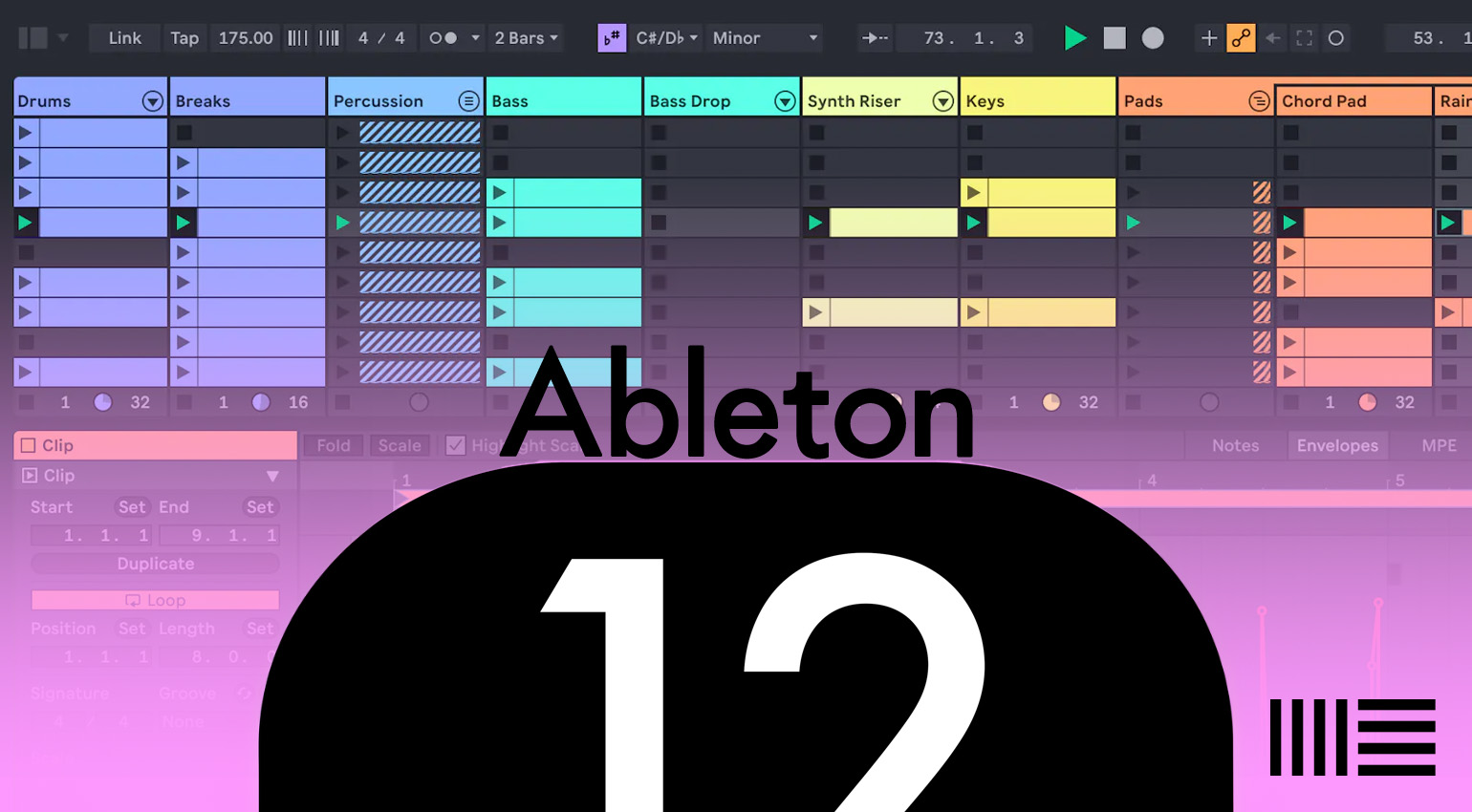
Ableton Live 12 Review: MIDI Generators, New Sounds, and more! · Source: Marcus Schmahl / Ableton

TThe public beta of Ableton Live 12.4 has been available for some time, clearly showing the direction in which Live is heading. Starting today, you can officially install the new version. Instead of spotlighting flashy one-off gimmicks, this update focuses on the areas that matter most in everyday work with Live. Version 12.4 brings new collaboration features together with tangible improvements in sound design and arrangement. Live feels more open and more immediate to use, especially when multiple apps, devices, or people are involved. The emphasis stays firmly on making music, not on technical detours or extra setup steps.
All about Ableton Live 12
Ableton Live 12.4 Now Available With Link Audio
A central addition in Ableton Live 12.4 is Link Audio, which extends the familiar Link concept to audio signals for the first time. Audio can now be streamed in real time over a local network between compatible applications and monitored or recorded directly in Live. External apps or devices show up as regular input sources, meaning fewer cables, no extra interfaces, and no manual latency correction. For jams, hybrid setups, or collaborative sessions, this results in a noticeably smoother workflow, since ideas remain instantly audible and ready to capture.
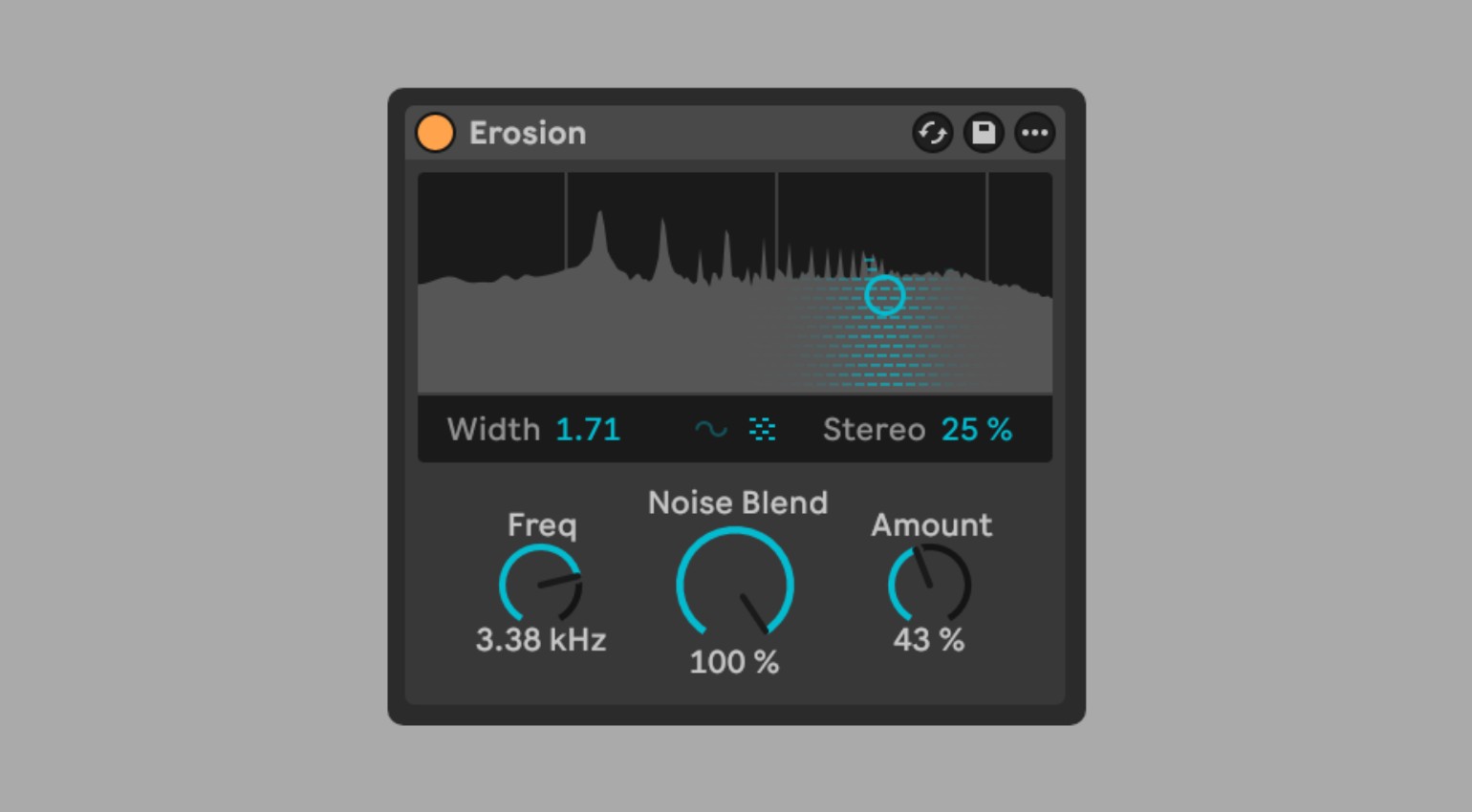
On the sonic side, Ableton Live 12.4 continues to lean into fine-tuning rather than radical change. The well-known Erosion effect has been visually refreshed and is now more precise in use. A new spectrum display makes processing easier to understand, while modulation between sine and noise can be blended continuously. This makes Erosion better suited for subtle textures that gradually work their way into a sound, instead of taking over immediately. Its availability on Move and Note underlines how consistently Ableton is bringing its platforms closer together.
Effect Updates and Improved Performance for a More Streamlined Workflow
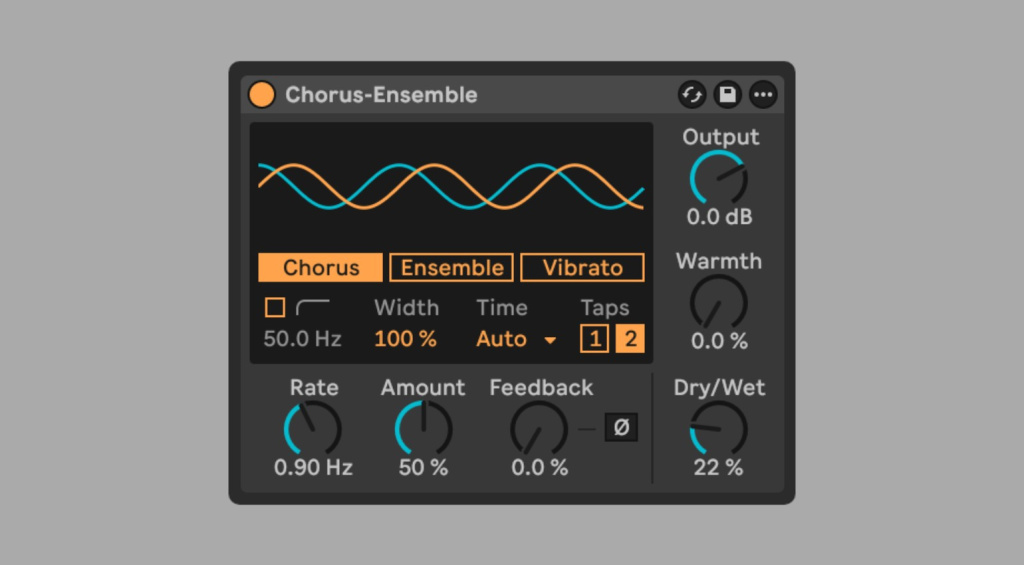
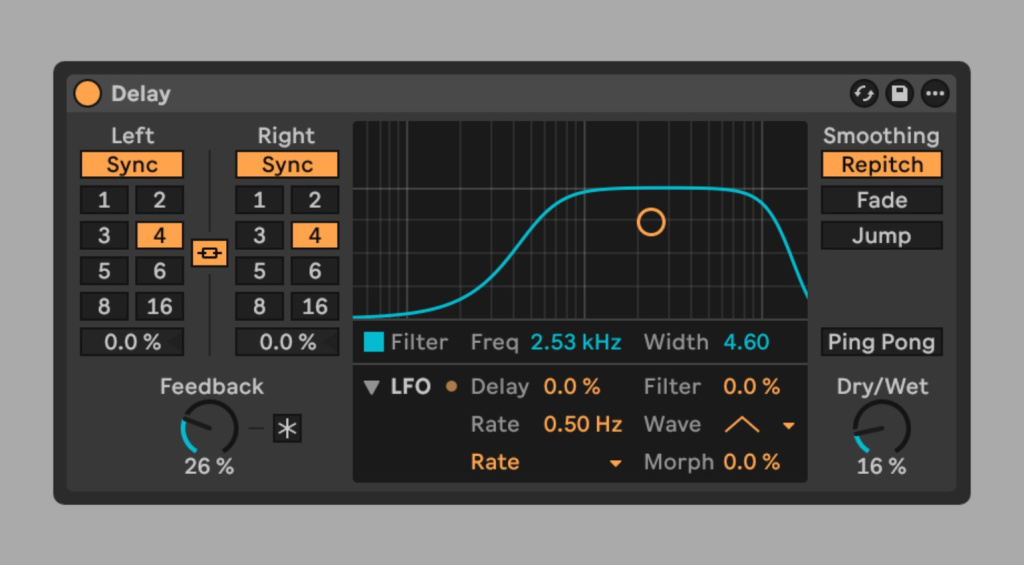
The updates to Chorus, Ensemble, and Delay follow the same practical mindset. Chorus reacts more directly to timing and structure, allowing floating movements to be shaped with greater precision. This is especially useful on guitars, basses, or wide synth pads, where spatial control really matters. Delay adds new LFO modes that enable rhythmic and uneven modulation. The result is echoes that don’t just repeat, but actively interact with the arrangement and add movement.
Progress is also clearly noticeable in stem separation. Ableton Live 12.4 speeds up the process and makes it more flexible in the Arrangement View. You can now work on specific sections instead of separating entire clips, which significantly streamlines the workflow. Separated stems can also be recombined, making it easy to remove or isolate elements like vocals without inflating the arrangement. A unified progress indicator keeps everything transparent and avoids unnecessary waiting.
How Learning Assistance Works Directly While You Work
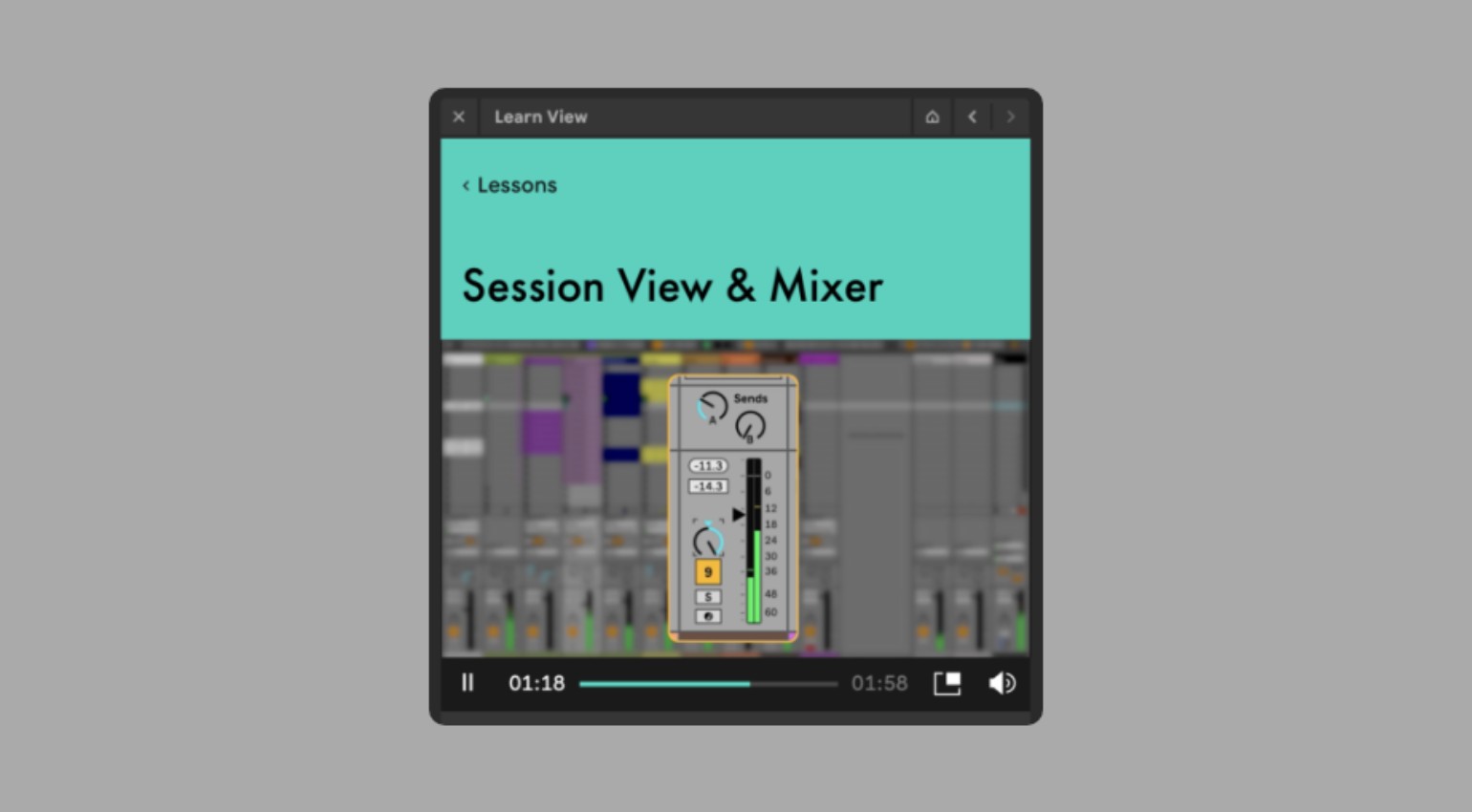
Another notable addition is the Learning View, which replaces Live’s previous help system. Instead of static text, it guides you step by step through key Ableton Live 12.4 workflows. Short videos and explanatory text run alongside your session, while progress is tracked directly inside the software. It feels less like formal instruction and more like guidance while working. This is especially useful for new users or when diving into more complex features, as it helps build a clearer understanding of Live’s structure.
All in all, Ableton Live 12.4 feels like an update that genuinely takes the day-to-day workflow seriously. Its new features are designed to work together, improving the relationship between sound, arrangement, and collaboration. Rather than pushing individual highlights, Ableton creates an environment where ideas can emerge faster and flow longer. That’s what makes this version compelling for anyone who sees Live not just as a production tool, but as a musical space.
- You can find more information about the official version here. Updates are also available for download in your account or directly through your installed Live version.
Live 12.3 – Now Available: Stems, Group Bounce, Splice & More
Ableton heads, check your downloads, because 12.3 is officially out! Ableton presents Live 12.3, the next major version of its DAW for music producers, musicians, sound designers, and live performers (get all editions here). This release also improves compatibility with the company’s Push hardware and the smaller Move.
Ableton Live 12.3 Brings Stem Separation and More – Also to Push 3!
The official version of Ableton Live 12.3 is now available, marking an exciting new chapter for users of all editions of the current Live version. This update includes a number of notable new features, such as an enhanced workflow with bounce functions and Splice integration, as well as the introduction of stem separation directly in the software. Push 3 also offers several new possibilities, such as more expressive layouts and gesture control. This update makes Ableton Live 12 more versatile and opens up new creative avenues in production.
A particular highlight is the Stem Separation feature, which is available in Live 12 Suite and Push Standalone. Thanks to our close collaboration with Music.AI, you can now extract vocals, drums, bass and other components from any audio file directly in the Arrangement or Session View. This feature, which was previously only available via specialised tools, is now accessible directly in Ableton Live 12 and can even be used via the browser. This opens up completely new possibilities, especially for remixers and mashup artists. The results are really impressive!
Splice Integration Allows You to Access Samples Directly in the Browser
At the same time, sample matching has become much more convenient thanks to deep Splice integration. You can now not only access the library directly via the browser, but also use the “Search with Sound” function to automatically prescan material for rhythmic and harmonic matches.
Further improvements concern the handling of groups and bounce functions, which have been part of the system since version 12.2. Now, entire groups can be bounced directly on the spot, eliminating the need for additional steps. You can also render individual clip selections as audio and copy them specifically to other tracks or takes. The sound itself has also been enhanced. The revised Auto Pan Tremolo features a new interface and additional modulation options, and is now available in Live Lite, Note and Move for the first time. At the same time, two new tools for quick MIDI generation are being released: Sting and Patterns. These further simplify the process of working with basslines and percussive elements.
Ableton Live 12.3 Makes Velocity Editing on Push Incredibly Easy
Push 3 owners will find Ableton Live 12.3 even more interesting, especially in standalone mode. The new XYZ pad responds to finger movements across three axes, enabling more dynamic manipulation of racks and effects. Drum racks now feature a rhythm generator layout with four vertical sliders for creating rhythmic structures. The update also introduces new possibilities for gesture-based velocity editing via the touch-sensitive pads.
With support for class-compliant audio interfaces, Push 3 Standalone becomes a fully-fledged production and performance station, eliminating the need for an additional computer connection. You’ll find more about the Push 3 update here. This update impressively demonstrates how Ableton Live 12 brings DAW, hardware, and mobile music production closer together. If you already have a license, you should download the update either via an automatic download after starting the DAW or via your own Ableton account on the manufacturer’s website to experience all this live.
Further information about the update can be found here.
Live 12.2 – Out now with updated Browser, Bounce-to-Track & more
[11 June 2025] The wait will finally be over on June 11, 2025, when Live 12.2 is officially released.
Live 12.2 Now Available in Public Beta
[12 March 2025] The latest version of Ableton Live delivers significant improvements and exciting new features for all users. Ableton Live 12.2 makes producing and performing even more flexible, intuitive and creative. The focus is on new workflow options, expanded sound design tools and improved integration with Push. Additional filter and effect options open up new sonic possibilities, while redesigned browser features make navigation more efficient. The new public beta offers a sneak peek at the upcoming features, which will be available to all Ableton Live 12 owners as a free update once the testing period is complete.
New Features, Enhanced Creativity and Improved Performance
One of the most exciting new features is Bounce to New Track, which allows you to bounce individual clips or entire tracks, including all effects, directly to a new track as an audio file. This is a great way to quickly turn creative ideas into audio, optimize your mix, or reduce CPU load. Ableton Live 12.2 also offers new and revised filter types for the Auto Filter device. These include creative options such as a DJ Filter that switches between high and low pass with a single control, and a Vowel Filter that adds vowel-like overtones to sounds.
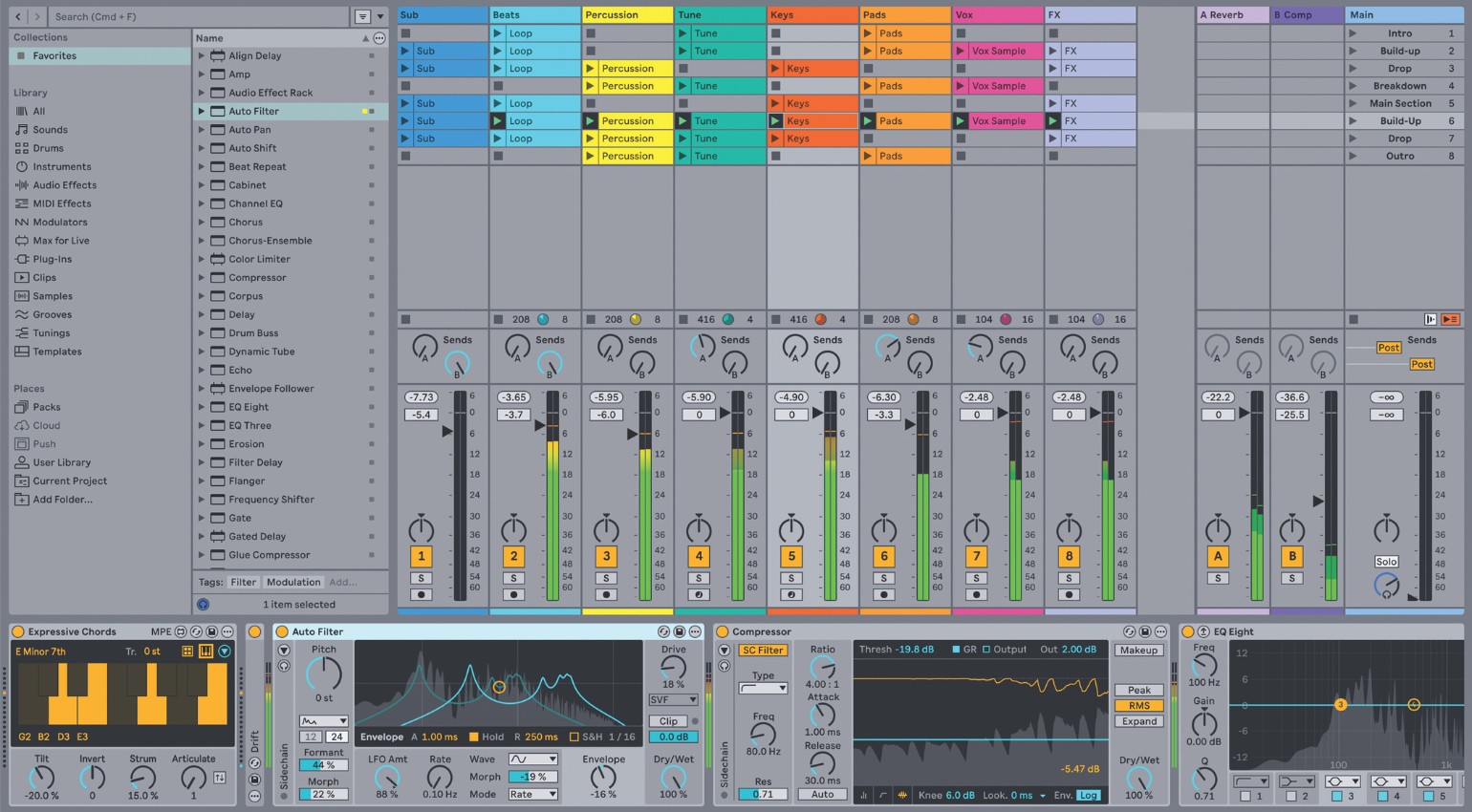
Other new filters, such as the comb filter for flanger effects and the variable-slope morph filter, open up new possibilities for unique sound design. The updated filter circuits are based on legendary analog models such as the MS2, inspired by a famous Japanese monosynth, and the PRD, based on the filter of an iconic American synthesizer.
Expressive Chords, an Optimized Browser and More for Push
Ableton Live 12.2 also introduces Expressive Chords, a new MPE (MIDI Polyphonic Expression)-based Max for Live device that lets you intuitively play complex chords with a single keystroke. The update also adds a new chord oscillator and scrambler LFO effect to Meld, and new routing options and external audio and MIDI sidechain support to Roar. Most exciting of all is the integration of Auto Filter into Move and Note, bringing direct filter modulation to these platforms for the first time. This opens up even more creative possibilities for mobile productions and performances.
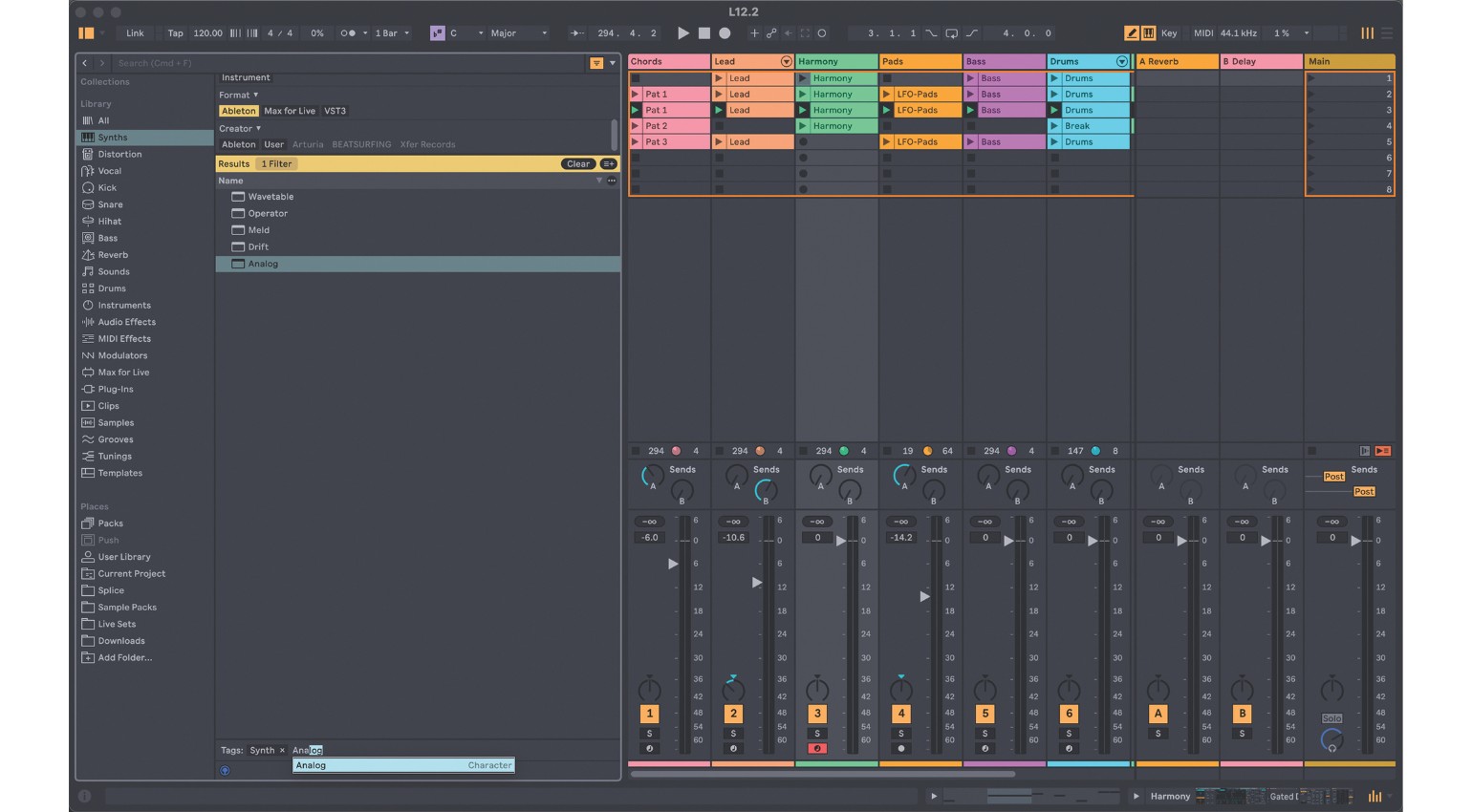
An improved browser system streamlines the management of sounds, effects and projects. Quick Tags make organizing and searching content faster, while an optimized filter view simplifies navigation. Ableton Push also gets a host of new features, including Expressive 16 Pitches, which lets you melodically play Drum Rack samples using MPE-compatible pads for even finer control. Features such as Follow Actions, the tuning system from Live 12 and full use of the Groove Pool have also been integrated into Push. In addition, the External Audio Effect Device can now be used directly from within Push, allowing external hardware effects to be seamlessly integrated into the production process.
With all of these new features, Ableton Live 12.2 remains one of the most innovative updates in recent years. If you already own an Ableton Live 12 license, you can test the new version through the beta program and get an early look at the new features – and provide feedback. After the beta period, the update will be available as a free download. Read more about the new features here.
Ableton Live 12.1 adds Auto Shift, Drum Sampler, and more
12.1 adds Auto Shift, so we’ll finally get a native vocal tuning tool, an updated limiter and much more!
[08.10.2024] Alongside its new standalone controller Move, Ableton announces Live 12.1, the latest version of Ableton Live. The free update to Ableton’s music production and performance software brings major new features and enhancements to all versions of Ableton Live 12, including Live Lite and Push (standalone).
Here are the new features: Ableton Live 12.1 introduces automatic tagging, making finding the right sounds and plugins in the User Library easier. New tags are automatically assigned to all samples in your library that are less than one minute in length, as well as all VST3 and AU plugins.
Auto Shift, Live’s new pitch-correction and harmonization tool, lets you extract and manipulate vocal harmonies in real-time. In addition, simply select a key for the instrument, and it will create harmonies from any monophonic signal that you record live or feed into the designated sidechain input.
New Instruments in Ableton Live 12.1 and Push updates
The new Drum Sampler, Live’s compact sample player, makes it easy to edit and enhance drum sounds. Limiter and Saturator have been redesigned, and the MIDI Editor now lets you filter and select notes by time, pitch, or other criteria. Two new MPE-specific MIDI transformations – Glissando and LFO – let you create curves for the MPE parameters of selected notes.
Ableton Live 12.1 also brings updates to Push. Push 2 and 3 allow you to assign macros, try macro variations, organize sets more efficiently, and use Live 12’s browser filters. Push 3 lets you instantly add groove to all MIDI clips in a set by simply turning the encoder, while Push 3 also supports Live’s new automatic sample tagging in standalone mode.
The wait is over: Ableton Live 12 is now officially available!
[March 5, 2024] Ableton Live 12 is finally here. The new version just launched. In addition to the overhauled browser, sound similarity search, the bi-timbral Meld synth, the multi-band distortion beast Roar and generative MIDI capabilities, loads of new sounds are included in the final version.
A new sound pack called “Lost and Found” is included in the update, as is a completely redesigned version of Granulator. Additionally, all existing packs have been updated to work with sound similarity search. Get Ableton 12 now at Thomann*. If you own a Push 3, there will be a significant update soon with many features of Live 12 added.
Highlights
- Generative MIDI: have Live 12 create melodies, rhythms, and chords for you
- Global tuning: set the key globally and have all clips and devices follow it
- Microtuning and non-western scales
- New devices: Morphing bi-timbral synth Meld and multi-band distortion Roar
- GUI overhauled: view arrangement, mixer, devices, and clips simultaneously
- New browser workflow: search with tags
- Find new sounds quickly through similarity search
Ableton Live 12 Review – how did we get here?
It’s been an exciting but somewhat rocky year for Ableton. In spring, they released Ableton Live 11.3 with a new software synthesizer and MPE capabilities for just about every included instrument. All that came to fruition with the release of Push 3 in May.
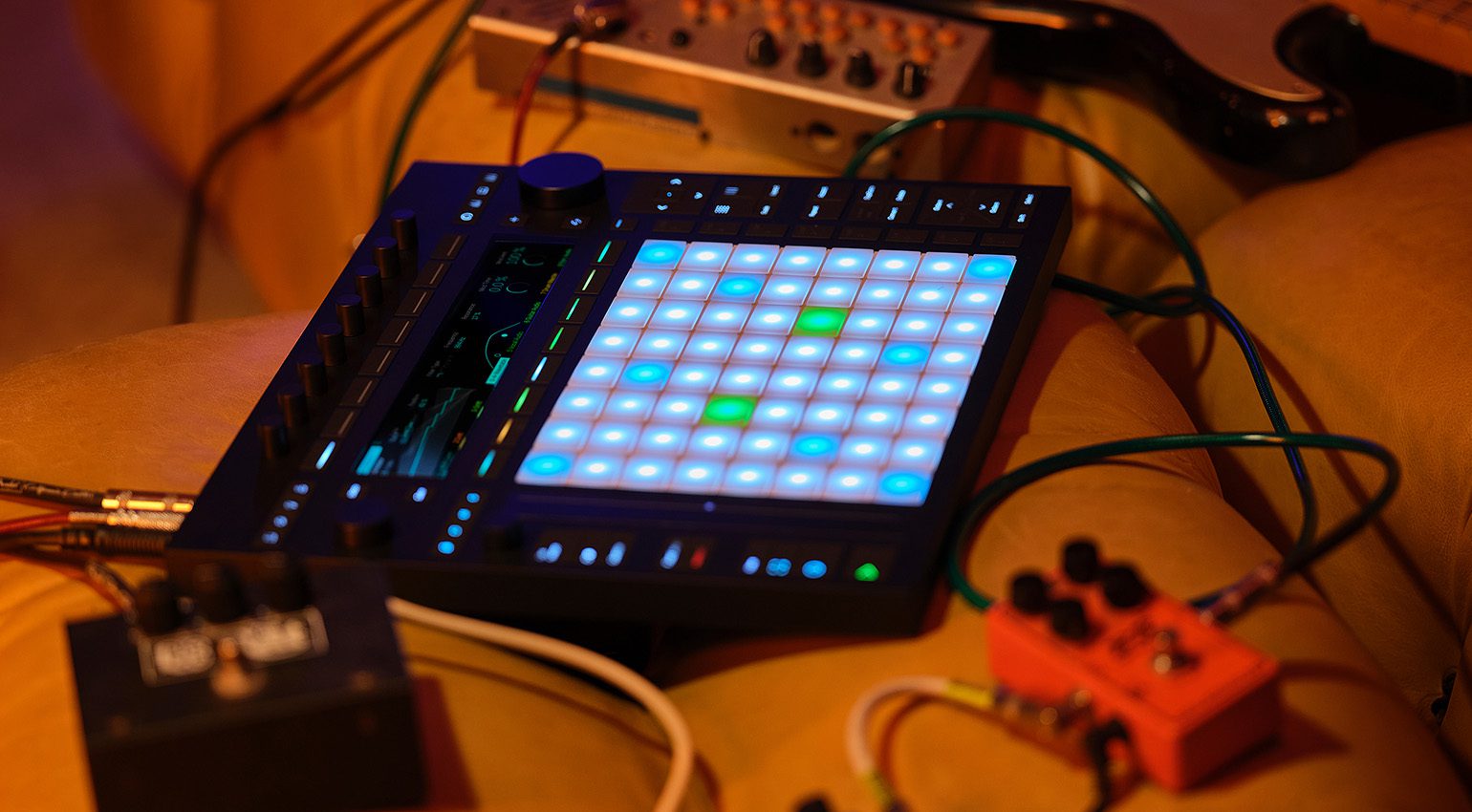
But it seems not every Ableton fan was happy to go for a two-thousand-dollar standalone version of Ableton. One that, to some, seemed a bit unfinished. That seems to have passed, but with the hardware out of the way, all eyes turn to Live.
And the Berliners are a bit under pressure here. Almost every DAW maker has released a significant update this year. With FL Studio adding stem separation and cloud connectivity, Logic Pro adding a mastering assistant and a powerful granular sampler, and Bitwig finally fulfilling Community wishes with the new MSEG module and a new browser, it was clear: Ableton needs to step up their game. Let’s see if they did in this Ableton Live 12 review!
Ableton Live 12 makes music for you (if you want)
As AI is all the rage these days, it’s no surprise DAW makers start including it in some form. While it is not exactly artificial intelligence, Ableton now brings four tools to generate MIDI notes for you. Create new drum grooves with the click of a button, endless melodies and glissandos, and even chord progressions through Ableton’s new generative MIDI tools.
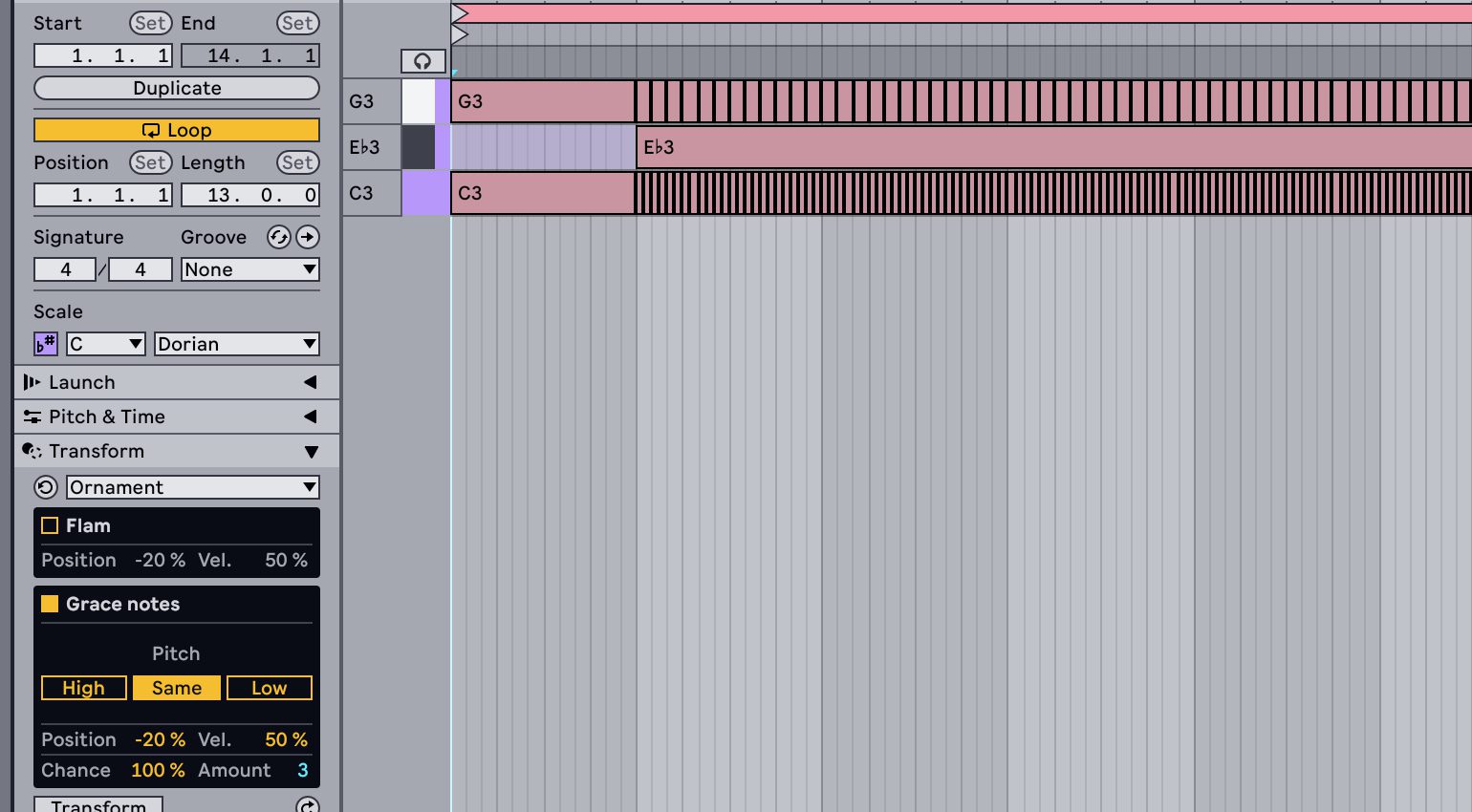
While we’re at it, some neat additions to the piano roll have been introduced as well. You can now split and multiply notes, just like in FL Studio, whose piano roll is among the DAW game’s most powerful ones. There are also various tools to transform your existing notes, similar to what FL offers.
Existing MIDI chords can be arpeggiated and strummed; melodies can be extended and spruced up with legatos, frills, and even grace notes. These tools all take a moment to fully understand, even if you’re a seasoned Ableton veteran. It took me a few tries to grasp which notes to select and how to generate and change things. But once the penny dropped, I spent hours generating and manipulating melodies and chord progressions. This has been one of the highlights of my Ableton Live 12 review.
Find more better quicker – the new browser search
It’s one of the first things you see in the new update: the added „Filter“ section in the browser. Live’s search has historically been a bit limited when it comes to quickly finding that one VST or sample you always use. Now it works with tags. So, if I’m looking for „Serum“ or „drumbeat_128_splicepack“, it’s not an additional dozens of clicks and folders anymore. Just select the tag.
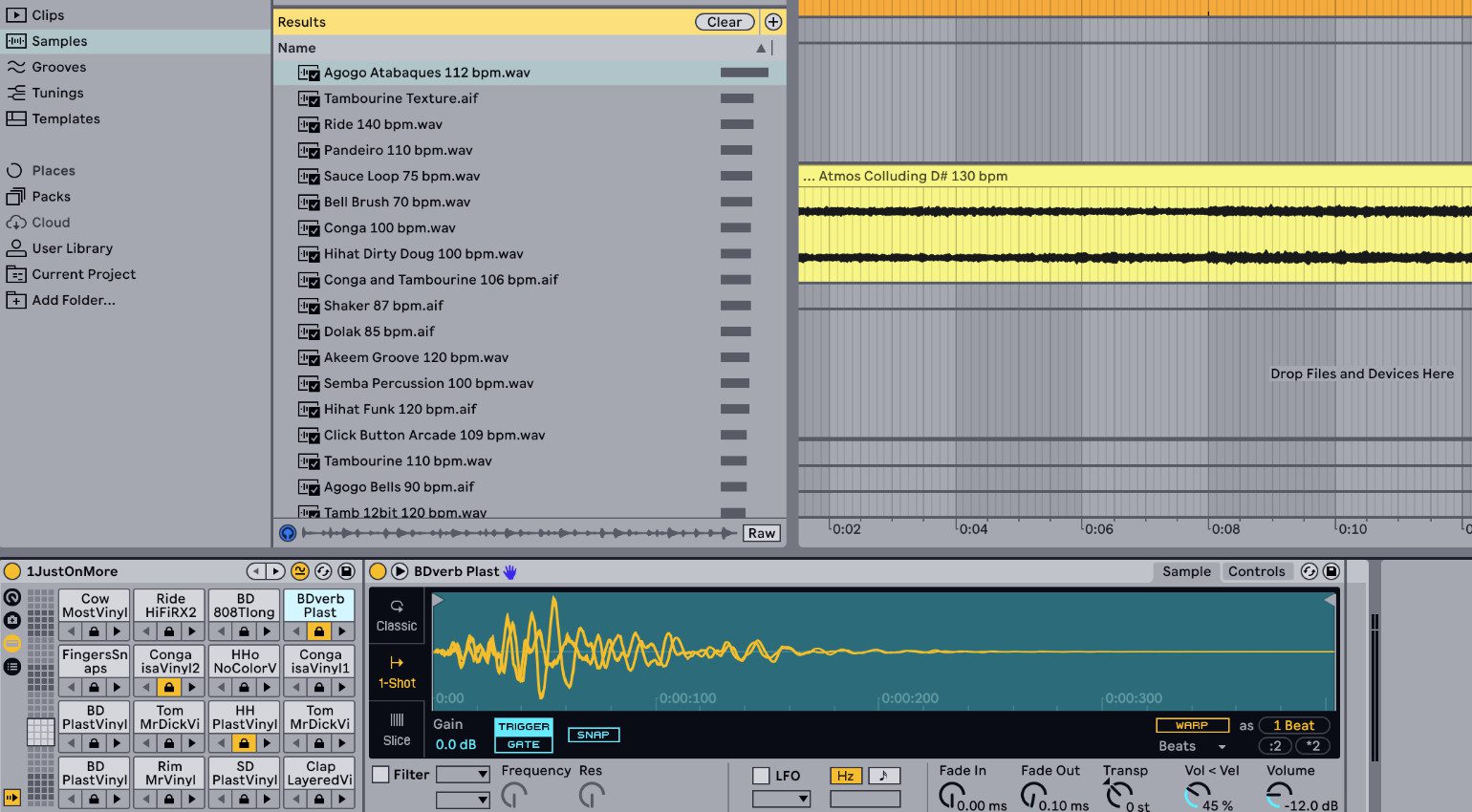
If there are plugins, Ableton devices, or presets that you always reach for, you can even save a browser search as a one-click search. This helps gloss over the fact that, unfortunately, we don’t get any additional „Collections“ in this update. Because seven just isn’t enough.
The most powerful addition to both the browser and drums racks is similarity search. It’s a new tiny button that appears next to any Ableton instrument preset, any one-shot or loop. The DAW instantly shows you similar sounds you can replace it with. And in Drum Racks, you can even replace every sound in your drum kit with similar sounds with the click of a button. Brilliant! Let’s move on with our Ableton Live 12 review.
Global tuning with microtonal and non-western scales
This falls under the category „Finally, because most other DAWs have had it for YEARS. “ You can set a global key in DAWs like Logic Pro or Cubase. Depending on the DAW and your workflow, new MIDI (and sometimes even audio) clips are automatically set to it. This is now integrated into Live 12. But Ableton being Ableton, it goes further.
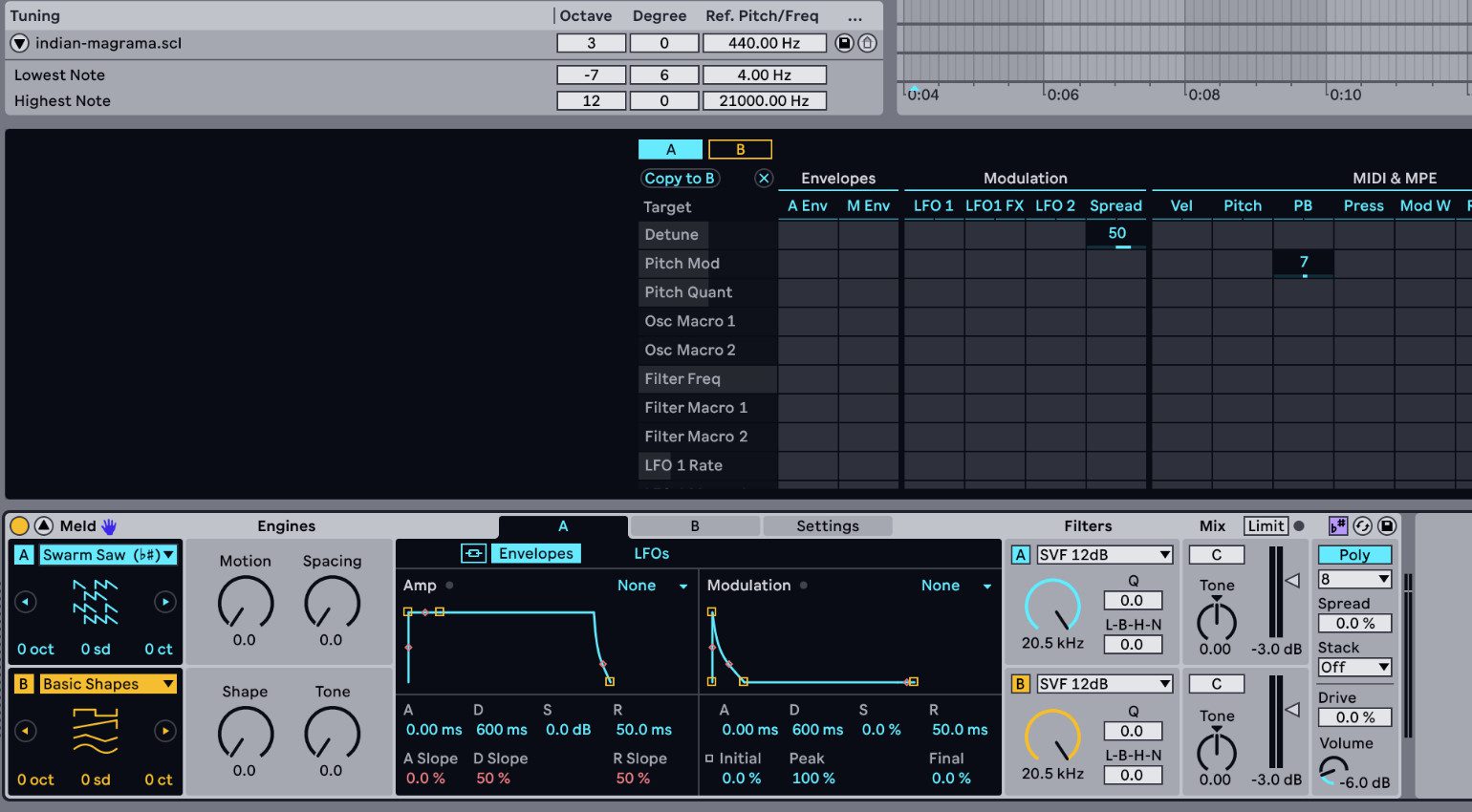
Not only can you import any scl-file and have the DAW conform to any microtonal or non-western scale you desire and the DAW applies this scale to all MIDI clips in your project. It also applies the scale to the new software synthesizer Meld, where overtones matter. That’s not something I have ever seen anywhere else – and it helps a lot in sound design.
Ableton 12 review: new and updated devices
Meld is a two-oscillator polyphonic synth with 14 different oscillator types, ranging from VA to wavetable for various types of FM to unusual sound sources like „Bitgrunge“ „Tarp, “or „Bubble. “ And with some of these types, you see a little (b#). That indicates the overtones in this oscillator will be tuned according to the globally set scale. Neat.
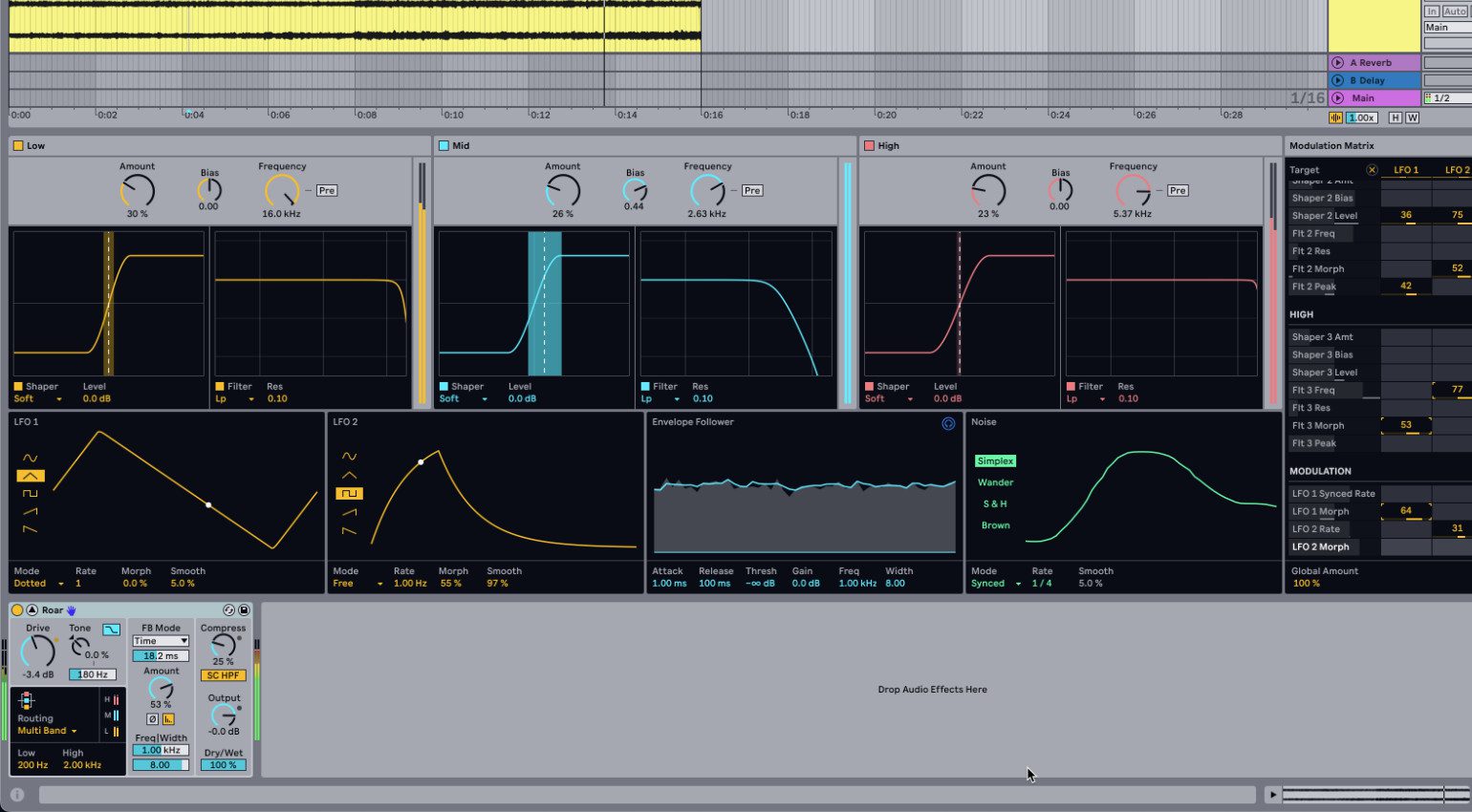
They have also added Roar, another highlight for me in this Ableton Live 12 review. It’s a multi-band distortion effect. It does feedback, even in M/S. And that feedback can sound so gnarly, so sexy… Whem I combined it with some of Meld’s more aggressive sounds, I got some of the most evil sounds out of Live I have ever heard.
Not many devices have been updated. Granulator III, from Ableton’s own Robert Henke, has been rewritten from the ground up and is now much easier to use for live granular shenanigans. Live’s arpeggiator and chord devices have been slightly changed to fit into the new global scale option. But that’s about it. If you were hoping for changes in Operator, Sampler, or Auto-Filter, you have to be patient.
Fulfilling community wishes: All-in-one screen, bounce-in-place and more
It was one of the few really big annoyances if you worked with Live on a single screen. Switching back and forth between the mixer in the session view and the arrangement view, back and forth between editing a clip and working with the effects on a track. Now you can see everything. But that comes at a price.
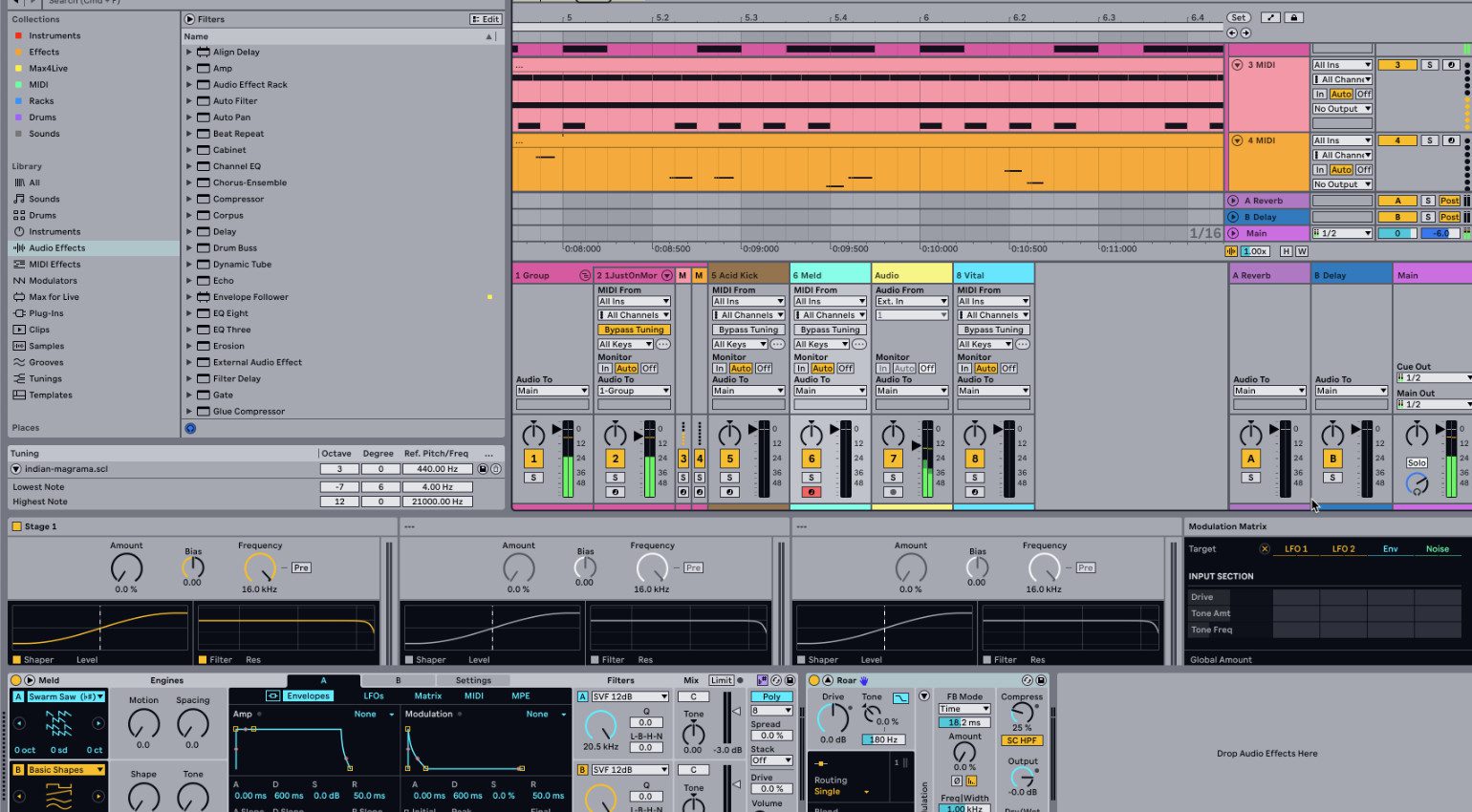
Because Ableton Live is famous for its minimalism, it does get crowded if you have a full arrangement, plenty of mixer tracks, and loads of plugins all visible at the same time. But I guess there is no way you could solve this differently. I personally appreciate it a lot. And then there is „Freeze and flatten“. You read that right. You can now bounce a track’s clips into audio with just a single click. Finally!
What’s missing? There is no support for ARA, CLAP, or the new universal DAW file format DAWproject. You still can’t freeze groups, and there is no dynamic EQ or vocal tuner. To name a few. None of these matter particularly much in the big picture, in my opinion. But if you are among those disappointed because these things are missing, I urge you to try the new beta. It’s one of the most innovative DAW updates in recent years.
Conclusion
During my Ableton Live 12 review, I couldn’t help but be transported back to when I started with the DAW around version 6 or 7. Ableton has added so many new features and has changed so many existing things; it often felt as magical as my humble Live beginnings.
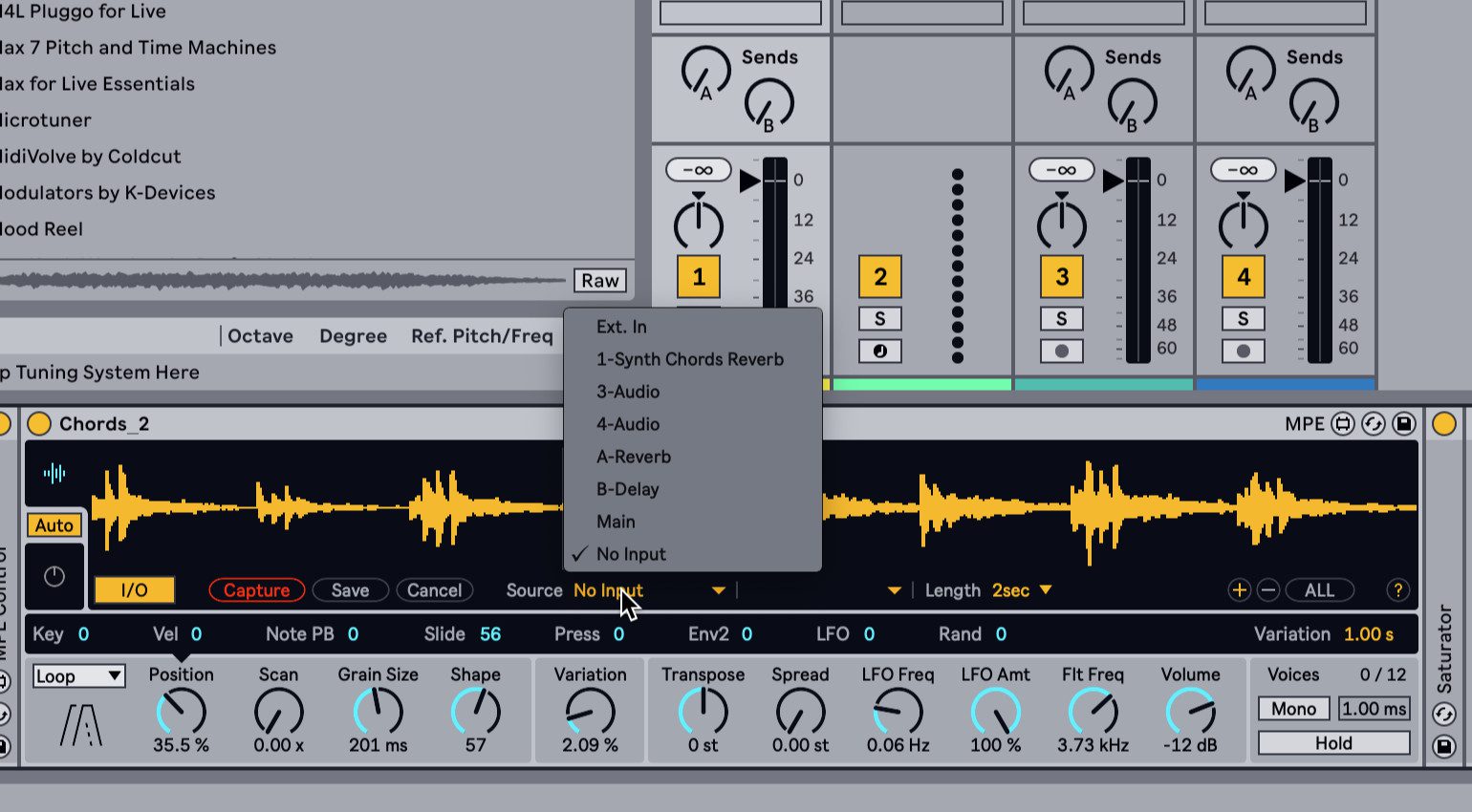
Mind you, this is the beta version we’re talking about. There are still a few bumps in the road, especially regarding the new MIDI tools. But given that we’re still 3+ months away from the final release, I’m sure Ableton will come around.
Price and Availablity
You can get Ableton Live Intro, Standard, and Suite right now over at Thomann*.
More about this Ableton Live 12 Review
Ableton Live 12 Review Pros and Cons
Pros
- MIDI tools like Transform or Generate are great creative additions
- Roar is one of the best-sounding, most versatile distortion effects on the market.
- Similarity search helps find new sounds quickly
- Bounce-in-place
- New all-in-one GUI makes everything more transparent
Cons
- DAW can become a bit cluttered with everything visible at the same time
- Plugin formats ARA and CLAP still missing
- Still only seven collections in the browser
Videos on Ableton Live 12
*This post contains affiliate links and/or widgets. When you buy a product via our affiliate partner, we receive a small commission that helps support what we do. Don’t worry, you pay the same price. Thanks for your support!

This might also interest you

17 responses to “Ableton Live 12.4: Link Audio, Effect Updates, and More – It’s Official!”
the new generate option makes me wonder if we can get to the level of something like the polyend play for rythms where it will generate a full groove dynamically. that would be useful. the video is not clear on that but still seems limited. (also the upgrade price err on the “not worth it” side)
very meager upgrade. Barely an upgrade and 229 dollars for 11 suite owners??! . fix the spikey and inefficient audio engine for a start 11.3 onwards is awful
Not sure where you get your numbers. The upgrade from Live 11 Suite to Live 12 Suite is 150 USD. 120 USD with the current pre-order offer.
Their major release cycle is about 3 years. That makes their pricing below the industry average.
I have Live 11 Suite and my upgrade price shows $229. Good thing I switched to Bitwig Studio!
Almost certainly the largest upgrade since V4…not sure what list you are looking at?
Simultaneous view of various sections. …
Mixer in Session View!
“Show Similar Files” features in the Browser and Drum Rack. (like ATLAS/XO drum but samples and pre-set!)
New effect: Roar (multiband saturator is amazing) …
New synthesizer: Meld. …
Project scale selection and microtuning
Updated Chord device with Strum
Updated Piano Roll: “Rhythm” & “Seed” MIDI Generators.
New soundpacks and drumpacks
New performance tools (3 new devices)
Loos worth 120 bucks to me…
”Still only seven collections in the browser”
You can make unlimited collection, just filter to get what you want and then press the ‘+’ key near the results and it makes a new folder in the browser with your new collection….
It’s a saved search, not a collection. Similar, but you can’t add plugins to a saved search like you can add to a collection.
Still no ARA support, one of the most requested features of the past few years. Ridiculous.
I’ve been a user since v7, but ARA has become essential to my workflow (use reaper for it) and it’s a pain in ableton. If Bitwig gets there first with it (still lagging as well) I’ll be switching.
While I do agree ARA would be wonderful, not implementing this linear plugin technology that scans the complete contents of a track into a non-linear DAW like Ableton Live (see Session View) is not impossible but very difficult to do. How would something like Melodyne work with clips in Session View?
I’m sure they are working on something, but Bitwig, equally non-linear, does have the same limitation. We’ll see!
ableton lost long time ago the primary function, to be used live, it’s buggy as hell, and every update is getting more unstable. I use it 90% live and pray to the god of electronics that something doesn’t go wrong during the show. this is Youtube bedroom DAW not a pro tool anymore. Including push 3 which on release was obsolete I use it as controller only.
While I agree that many features have been added that are more targeted at studio and home producers rather than live performers, because the market is much bigger, Live is still the No. 1 DAW when it comes to backing tracks, live performance or any other performance-oriented setting.
I’m not sure what you mean by “Youtube bedroom DAW” compared to any other DAW on the market. Care to elaborate?
I would have to agree with its instability which would lean it more to bedroom DAW or a risk taker if you’re going Live with it. I can attest to that instability ruining a live performance. A few times actually which is why I only go with hardware now and a laptop as backup. Yes, you can do pro work with Ableton but it definitely leans itself more to the casual consumer which is why there is so much content on youtube versus other DAW’s like Logic Pro or Pro tools or Studio One. Its fun and colorful, still pro, but it leans itself more to the casual user just messing around or the guy who only makes youtube content and not music.
The samplers still can’t auto detect and split over keys of an imported sample. lol
Pathetic for a DAW that was pioneering warping and pitchshifting..
I don’t hate it
Does anyone get it? The fact that MOST if not ALL other DAWS feature to cost ratio absolutely OBLITERATE Ableton. It’s cash grab after desperate cash grab. Give me a break. Ableton is DEAD to me. Stop simping & giving these people your money for MIDI generators 🤣 NEVER AGAIN. LONG LIVE 9/10
This is hilarious. Updates are SUPPOSED to be free and Ableton is spinning it like this is some new concept. A paid upgrade hasn’t been justified since Live NINE. Adding bloated features and useless hardware for insane prices, as I said before and I’ll say it again…Ableton HATES their user base.
Ableton take it slow. But what a software. Seriously. 12.4 is low-key amazing.
You are currently viewing a placeholder content from Facebook. To access the actual content, click the button below. Please note that doing so will share data with third-party providers.
More InformationYou are currently viewing a placeholder content from Instagram. To access the actual content, click the button below. Please note that doing so will share data with third-party providers.
More InformationYou are currently viewing a placeholder content from X. To access the actual content, click the button below. Please note that doing so will share data with third-party providers.
More Information