Noisquito: SINEE’s New Noise-FM Filter Brings Movement to Sterile Hi-Hats and Basslines
Instead of Adding a Noise Layer, This Plugin's Noise Modulates the Signal Itself


Noisquito: SINEE's New Noise-FM Filter Brings Movement to Sterile Hi-Hats and Basslines · Source: SINEE

SINEE, actually best known as a training platform for music producers with online courses and tutorials, just released Noisquito, a plugin that solves a problem every techno and electronic producer knows well: a sound is technically clean, sits correctly in the frequency spectrum, and still sounds lifeless. Instead of adding a second track with noise or vinyl crackle, Noisquito works directly on the filter, the noise doesn’t get added, it modulates the signal itself. After Chop Suey and Kikzilla, it’s the third plugin from the Cologne-based outfit.
SINEE Noisquito: Everything on the New Noise-FM Filter Plugin for Texture and Sound Design
Why a Clean Sound Always Sounds Boring
Noisquito’s approach differs fundamentally from classic noise-layering tricks. Instead of stacking an audible second signal on top of the sound, the noise here acts as a modulator on the filter. At the low end of the scale, you get a kind of shimmer sound, something you feel more than hear, exactly the kind of restlessness that makes a digital sound feel analog. In the middle of the range, that turns into audible grain. Crank it all the way up, and the texture completely replaces the original sound, becoming a sound source in its own right.
For techno and electronic producers, this should spark plenty of use cases right away: hi-hats that sit too metallic and thin in the mix, basslines that need to hold their own against the kick without getting louder, or pads and rumbles that barely develop over eight bars otherwise. Exactly the kind of detail work that takes a track from “pretty decent” to “actually locked in.”
Easy and Pro View: Two Interfaces for Two Ways of Working
Noisquito deliberately splits its audience into two groups. The Easy view intentionally shows just the essentials: a preset and three macros, with labels that automatically update based on the loaded preset. If you’ve never worked with noise modulation before, you load a preset, turn a knob, and immediately hear something musically useful, there’s no way to set it wrong.

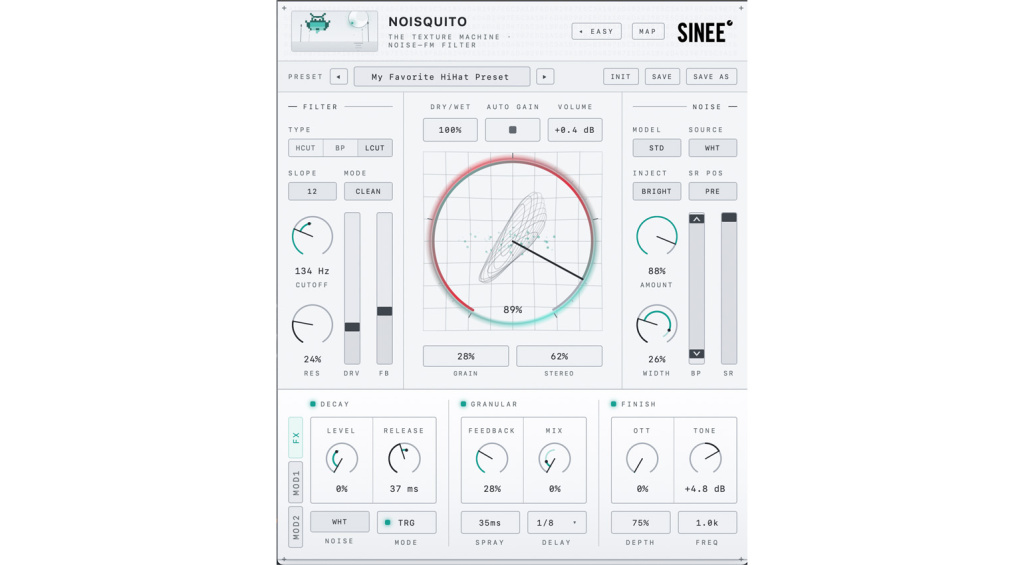
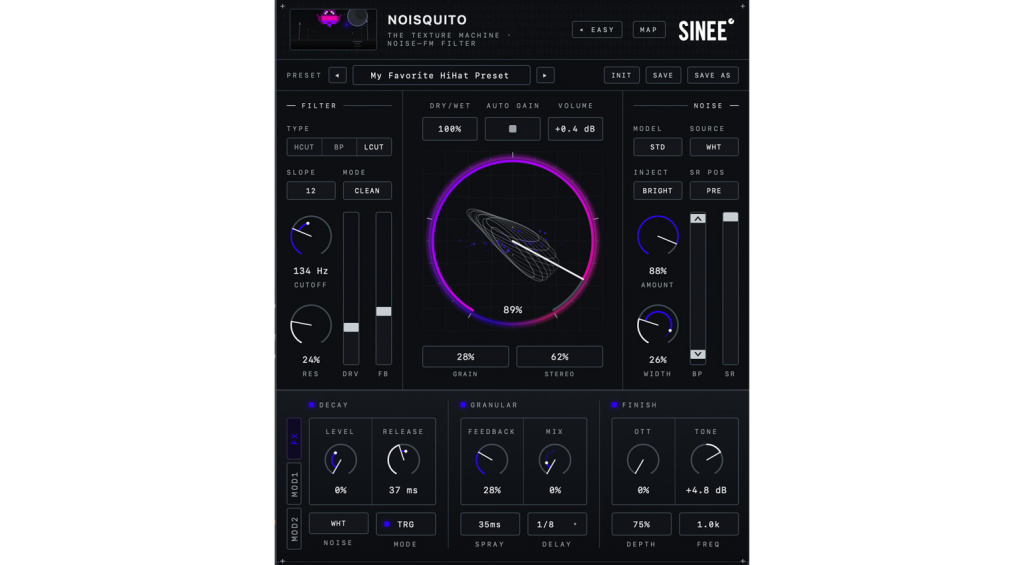
The Pro view, on the other hand, opens up the entire engine: texture character from broad noise all the way to tight grain, its frequency range, resolution, and how much bite it has on the signal, plus a sound shaper with cutoff, resonance, filter type, and drive. Both views control the same internal state, so if you start in Easy and want to dig deeper, you just switch over and keep working on the same setting.
Three Effects: Decay, Granular, and Finish
The filter engine gets rounded out by three effect sections. Decay works on the principle of a vocoder, the noise acts as the carrier, the input signal controls it, and an adjustable release determines how long it trails off. A short click turns into a hiss with a tail. Granular is a tempo-synced granular delay with spray, breaking the texture into fragments and spreading them across the beat, handy for sounds that otherwise barely move across multiple bars. Finish, finally, is a tilt EQ for balancing lows and highs ahead of OTT-style compression, keeping the texture locked in the mix without jumping out of line on transients.
For modulation, there are two LFOs, free-running or tempo-synced, plus an envelope follower, all of which can be assigned to virtually any parameter. The envelope follower turns the input signal itself into the control source, so the texture reacts directly to whatever’s being played, and a MAP mode highlights every modulatable control with a single click.
In Practice: How to Use Noisquito in Your Techno Mix
If you work in a techno or electro context, the best move is trying Noisquito on three typical problem spots right away. For thin hi-hats, a low to medium noise amount in band-pass mode, combined with a bit of Granular mix, is often enough to turn a sterile sample into something that actually cuts through the mix. For basslines that need to hold their own against the kick, putting the envelope follower on the cutoff pays off, the texture opens up exactly when the bass is actually playing and stays out of the way during the gaps.
For long pads or drones that otherwise barely evolve over eight bars, the tempo-synced Granular effect with a moderate spray value adds organic movement without any manual automation. If you’re generally unsure where to start: just check out one of the 54 presets, turn the three Easy macros, and hear what happens, that’s exactly what the Easy view is built for.
Bottom Line
Noisquito takes a genuinely original approach instead of being just another vinyl-noise plugin, and the idea of using noise as a modulator rather than a second signal makes a lot of sense for electronic music specifically. The clear split between the Easy and Pro views makes this plugin interesting for sound design beginners and experienced producers alike, the ones who know exactly what kind of texture they need. If you regularly struggle with sounds that are too clean and sterile, the 14-day trial is definitely worth checking out.
Price and Availability
SINEE Noisquito costs €39.90 including VAT at launch (regularly €49.90) and is available now through sinee.de. A fully functional 14-day trial is available at audiotools.sinee.de. The license is tied to a single user and covers up to three computers, activation happens once online, after that the plugin works offline.
Noisquito runs as VST3 and AU under macOS 10.13 or later, as well as Windows x64. On board are 54 presets, 14 UI themes including light and dark modes, switchable oversampling, and hover help in four languages.
More Information


This might also interest you