AKAI MPC Sample Review: Back in Stock Again!
Could AKAI’s tiny new sampler be all the MPC you really need?

 4,3 / 5,0 |

The AKAI MPC Sample has only been on the market for a few weeks, selling out immediately. The hardware is now back in stock, and the manufacturer is rolling out an update 1.3.0 with new features. Read our review to find out everything about the AKAI MPC Sample.
AKAI MPC Sample
Now back in stock!
You can now purchase the AKAI MPC Sample again here at Thomann*.

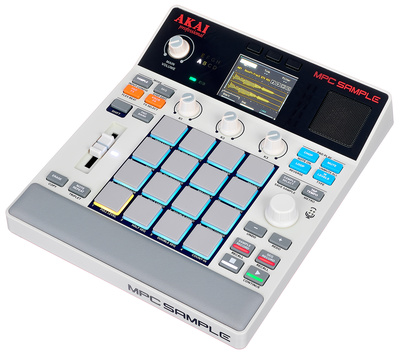

AKAI MPC Sample Firmware Update 1.3.0
[13 April 2026] When AKAI announced the MPC Sample just under three weeks ago, it quickly “broke the internet”, as my colleague Rob puts it. Few devices are met with so much excitement upon release, and few are the subject of so many heated discussions. You can find out more about the MPC Sample in our review below.
If you’re among those who already got their hands on AKAI’s new compact sampler, you’ll be delighted to hear that the manufacturer released a firmware update today. In addition to a couple of bugs, the update fixes an important issue that some users and reviewers had complained about.
Not everyone loved the fact that AKAI has opted for standard pots instead of endless encoders for the three rotary knobs, especially as there was no way to change the knob behavior. In firmware 1.3.0, you now have three knob takeover modes to choose from:
- Pickup: When you turn a knob, the parameter does not change until the knob position matches its value (this was the only option until now).
- Scaled: Parameters move in the same direction as the hardware control at a scaled rate until the position matches the value.
- Instant: As soon as you turn a knob, the value jumps to the knob position.
Furthermore, the update introduces a new Normalize Sample function that can be accessed by holding Shift in the Sample Trim screen. This allows you to quickly normalize samples to 0dB.
In addition, the update includes a number of smaller improvements and bugfixes. You’ll find a complete list on the manufacturer’s website, where you can also download the update.
The AKAI MPC Sample is available from Thomann*.
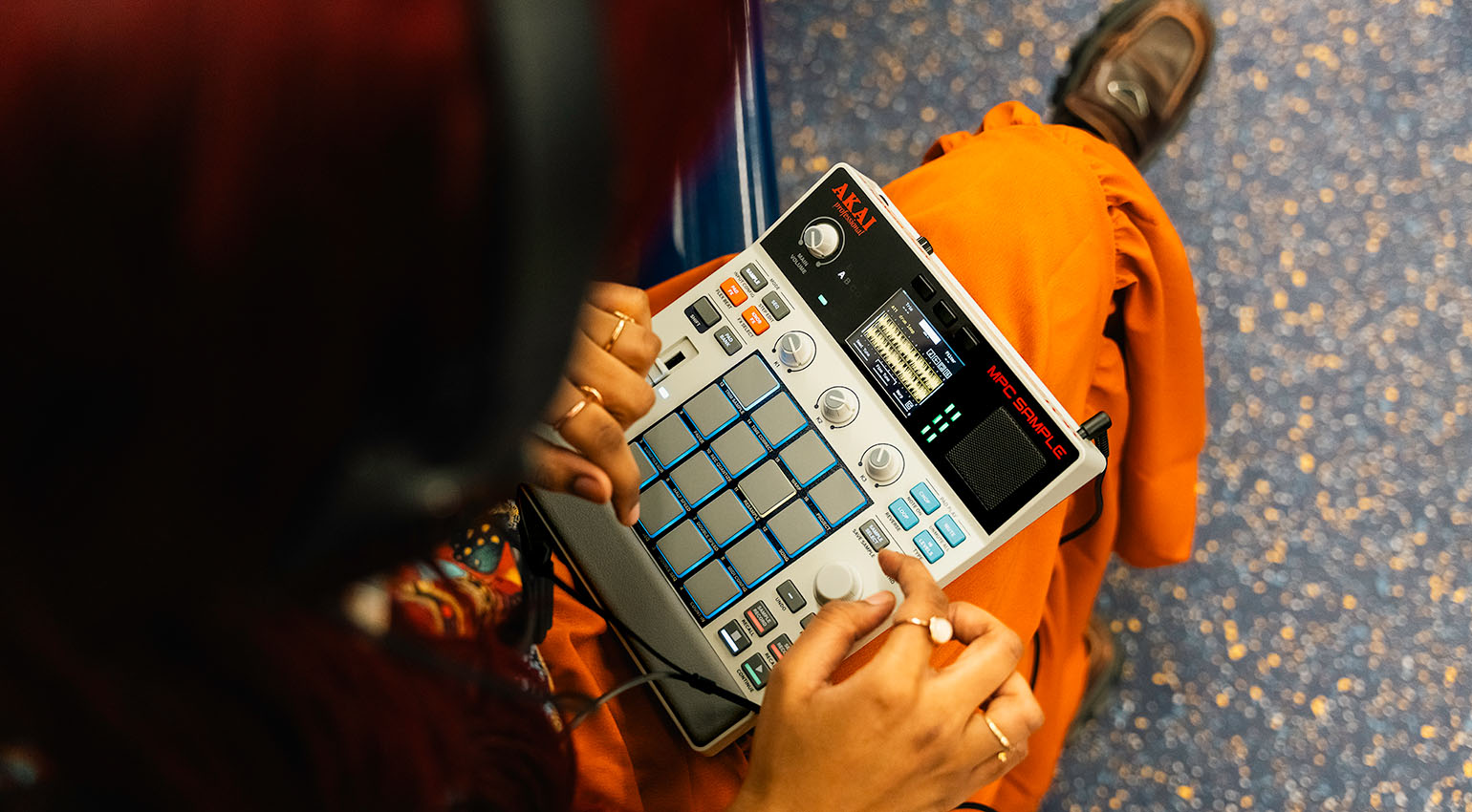
AKAI MPC Sample Review: Back to the Roots!
[24 March 2026] The AKAI MPC Sample promises to bring back the fun in beatmaking: on-the-fly sampling and sequencing without all the clutter associated with other modern MPCs. Can the MPC Sample revive the magic of the early MPC era? Find out in our review!
AKAI MPC Sample: Key Facts
- 16 pads with velocity and polyphonic aftertouch
- 2 GB RAM, 8 GB internal memory
- 32 stereo voices of polyphony with disk streaming
- Record samples from the built-in microphone, stereo input, or via USB
- Classic MPC-style sequencing
- Note Repeat, 16 levels, Chop mode
- Performance Effects: Pad FX, Knob FX, Flex Beat
- Built-in rechargeable battery with up to 5 hours of runtime
- Built-in speaker
- Projects load seamlessly into the MPC3 software
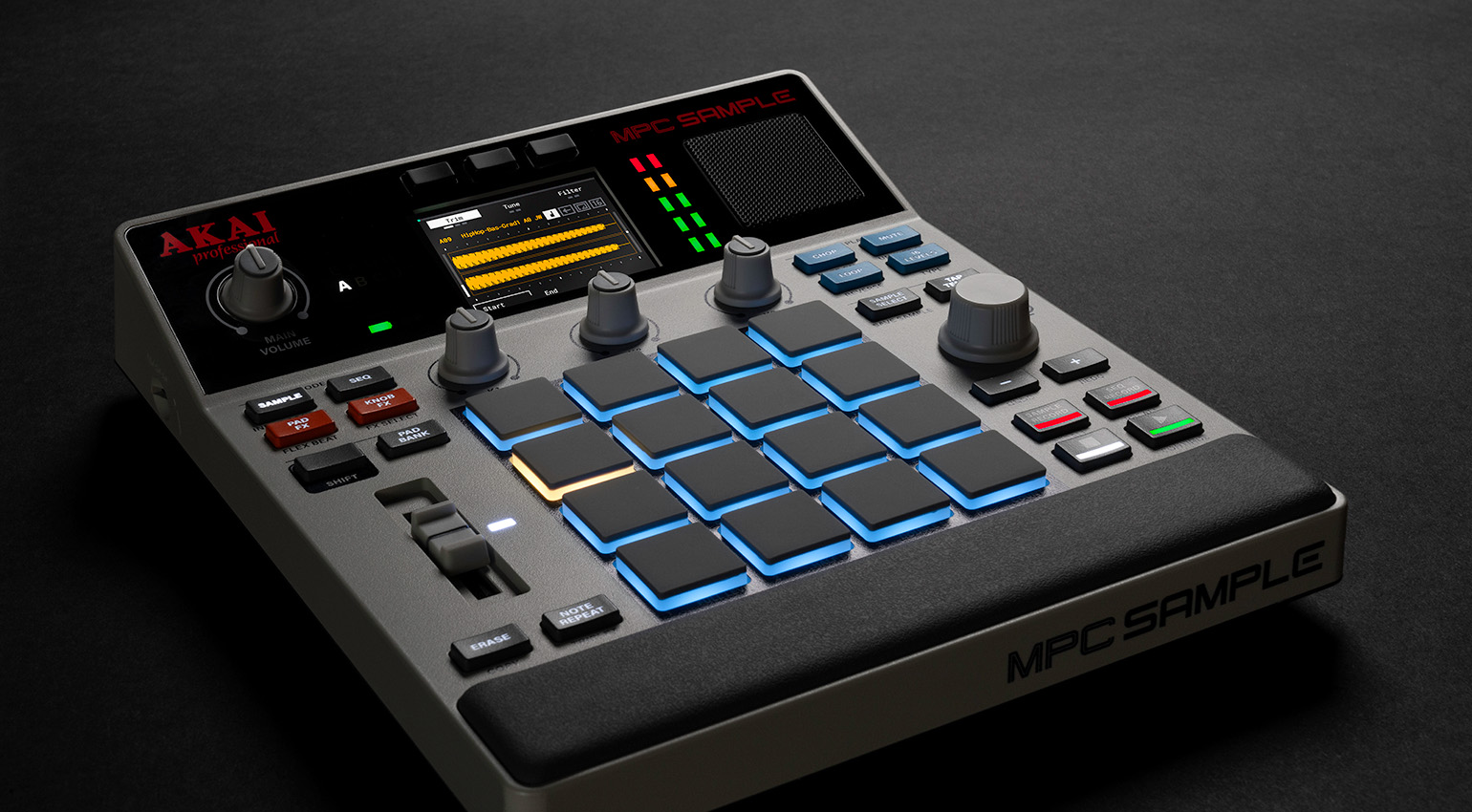
MPC Sample: Finally an MPC for Everyone?
The AKAI MPC series has been known as the quintessential DAWless workstation for decades. Anyone looking to produce beats who wants to avoid the often uninspiring workflow of a software-based workstation will almost inevitably consider the legendary pad sampler at one point or another—especially when it comes to hip hop.
The catch is that today’s “big” MPCs like the MPC Live III and the MPC XL have become so complex that their workflow doesn’t feel all that different from software anymore. After all, these powerful machines are ultimately nothing more than hardware DAWs—with similar capabilities, but also similar learning curves as their software counterparts.
That’s why many look back wistfully on the simplicity and immediacy of classic MPCs like the MPC3000, MPC2000(XL), or even the little MPC1000. While they couldn’t do nearly as much as today’s machines, they also offered far fewer opportunities to get lost in unnecessary details or confusing menus. Their enduring popularity is the best proof that today’s MPCs are simply too complicated and overloaded with features for many people—especially if all you want to do is sample and make beats.
If that’s your game, you now have a bunch of interesting alternatives. Besides the classic Roland SP-404, newer contenders such as the Teenage Engineering EP-133 K.O. II and the Sonicware SmplTrek also have a lot of fans. On a side note, most of these devices are also significantly more affordable than the current MPC series.
Of course, this trend hasn’t gone unnoticed by AKAI Professional. With the new MPC Sample, the manufacturer aims to bring back what the MPC series once stood for: straightforward sampling and beatmaking with a simple, intuitive, and inspiring workflow. Let’s find out if they succeeded!
AKAI MPC Sample: The Hardware
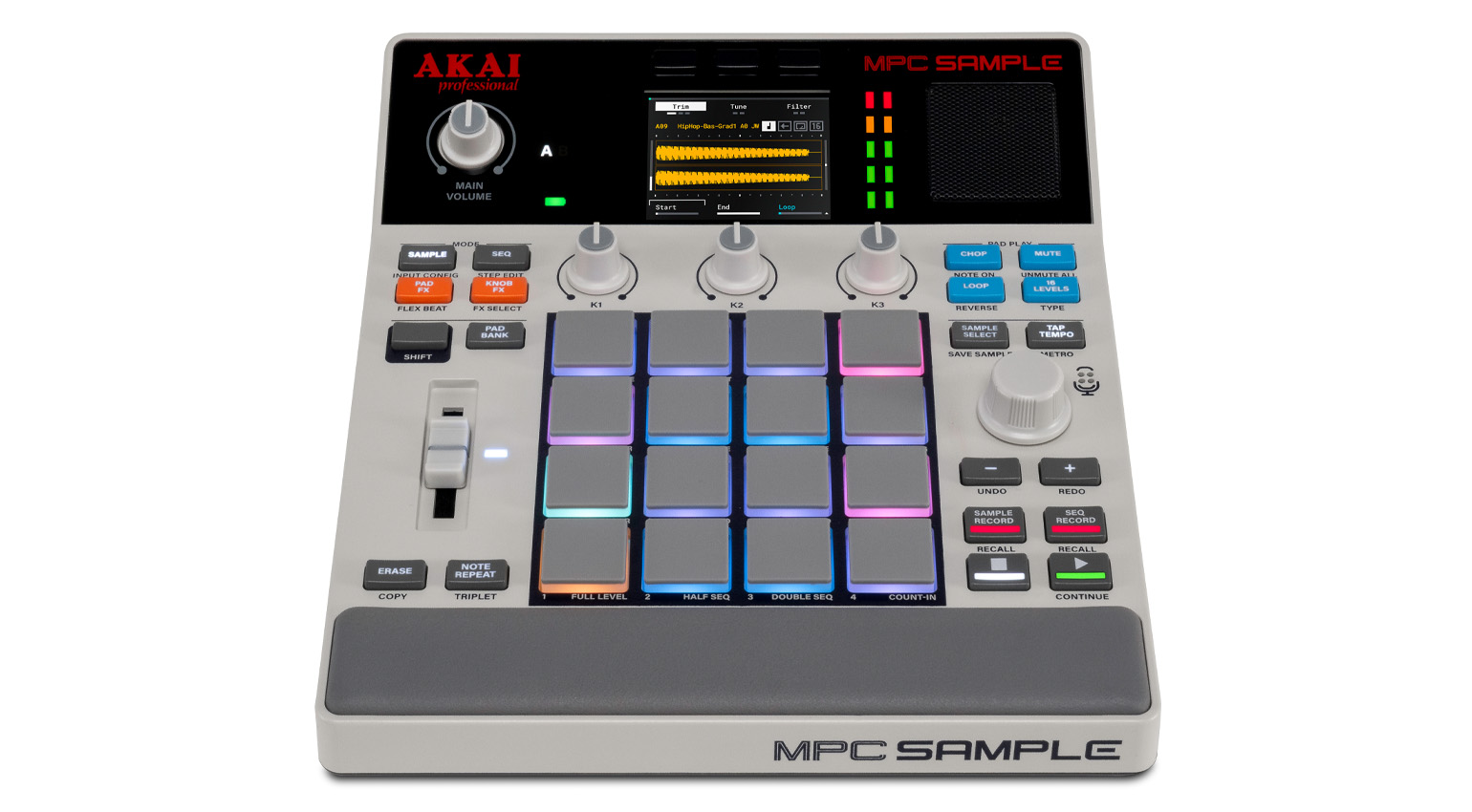
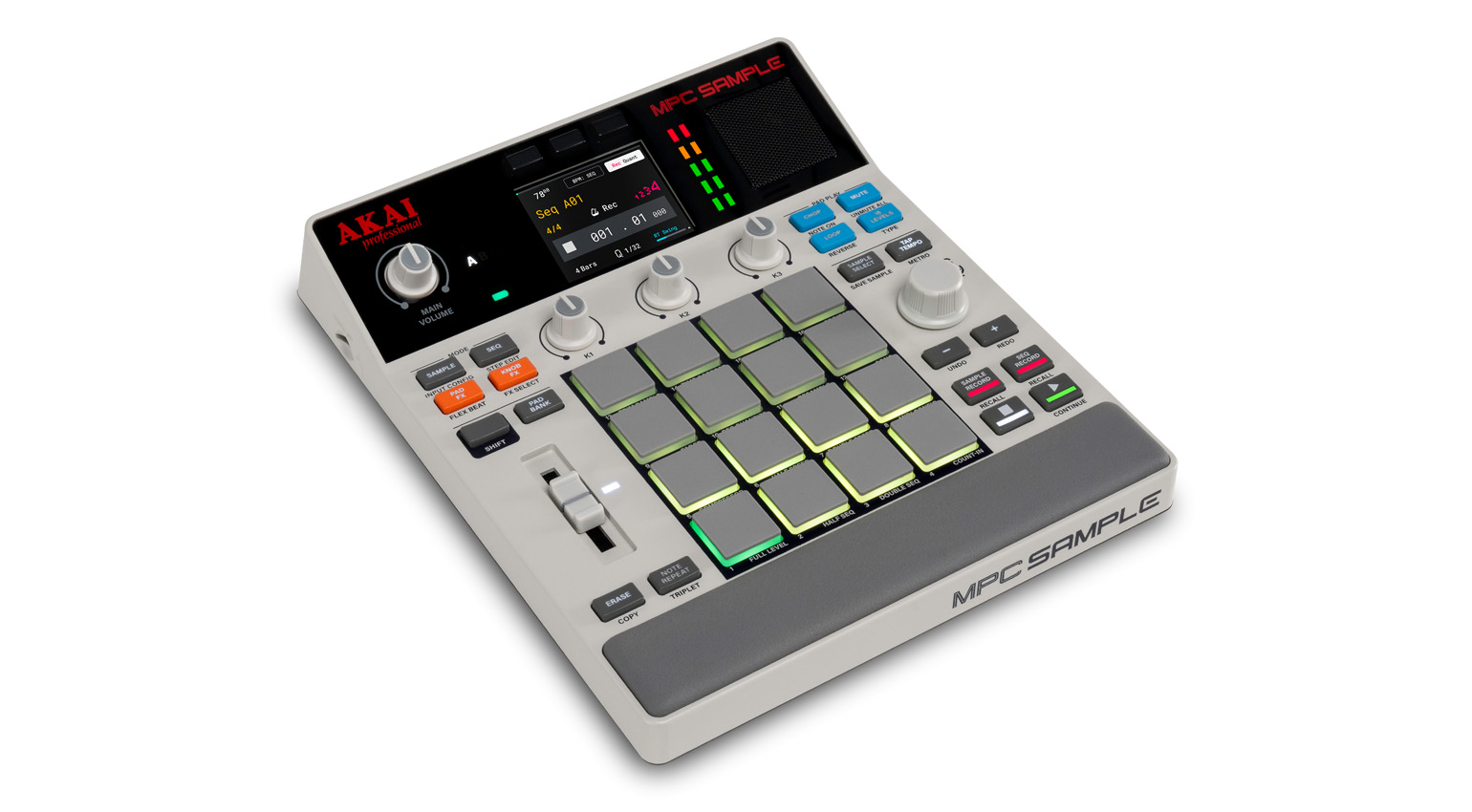
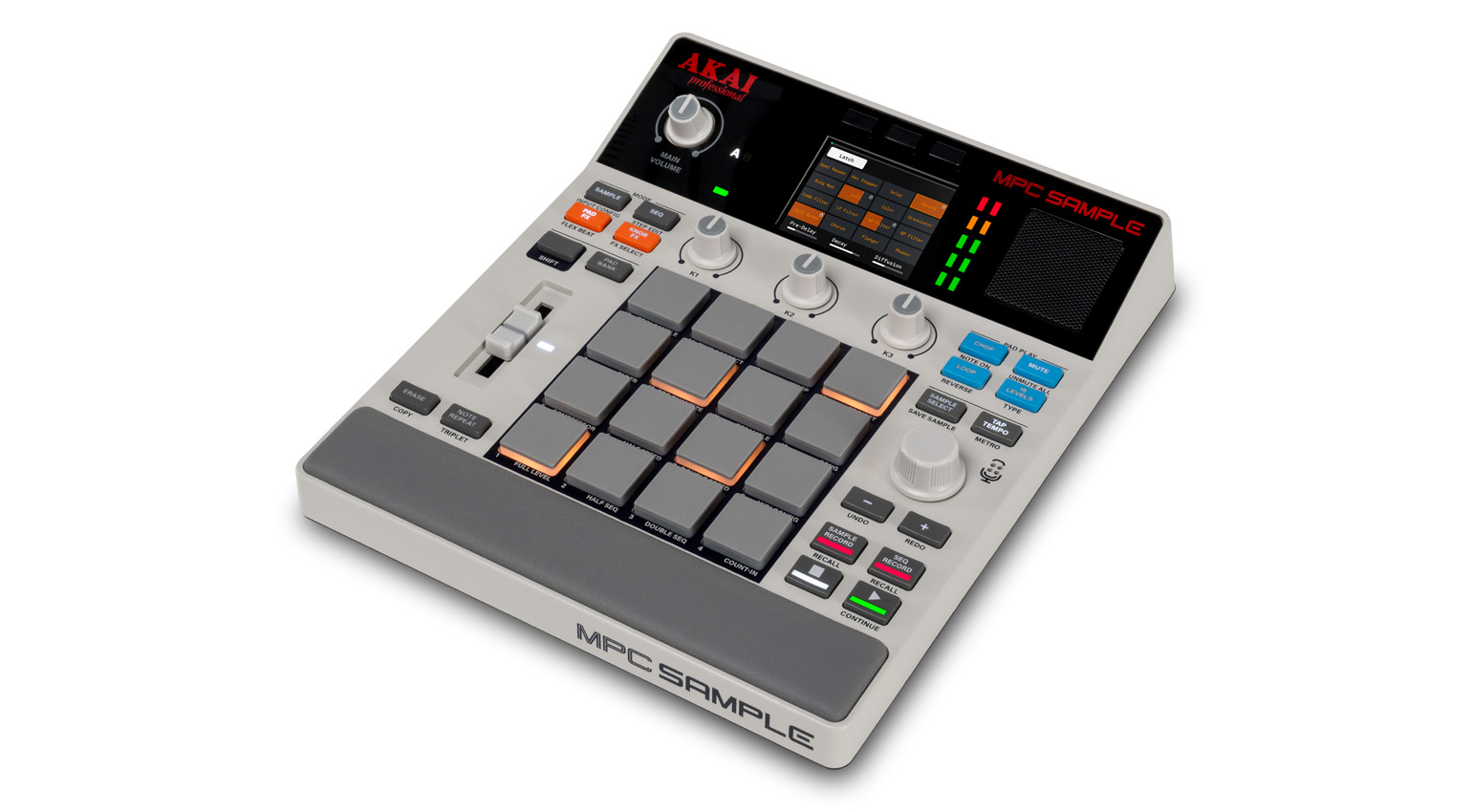
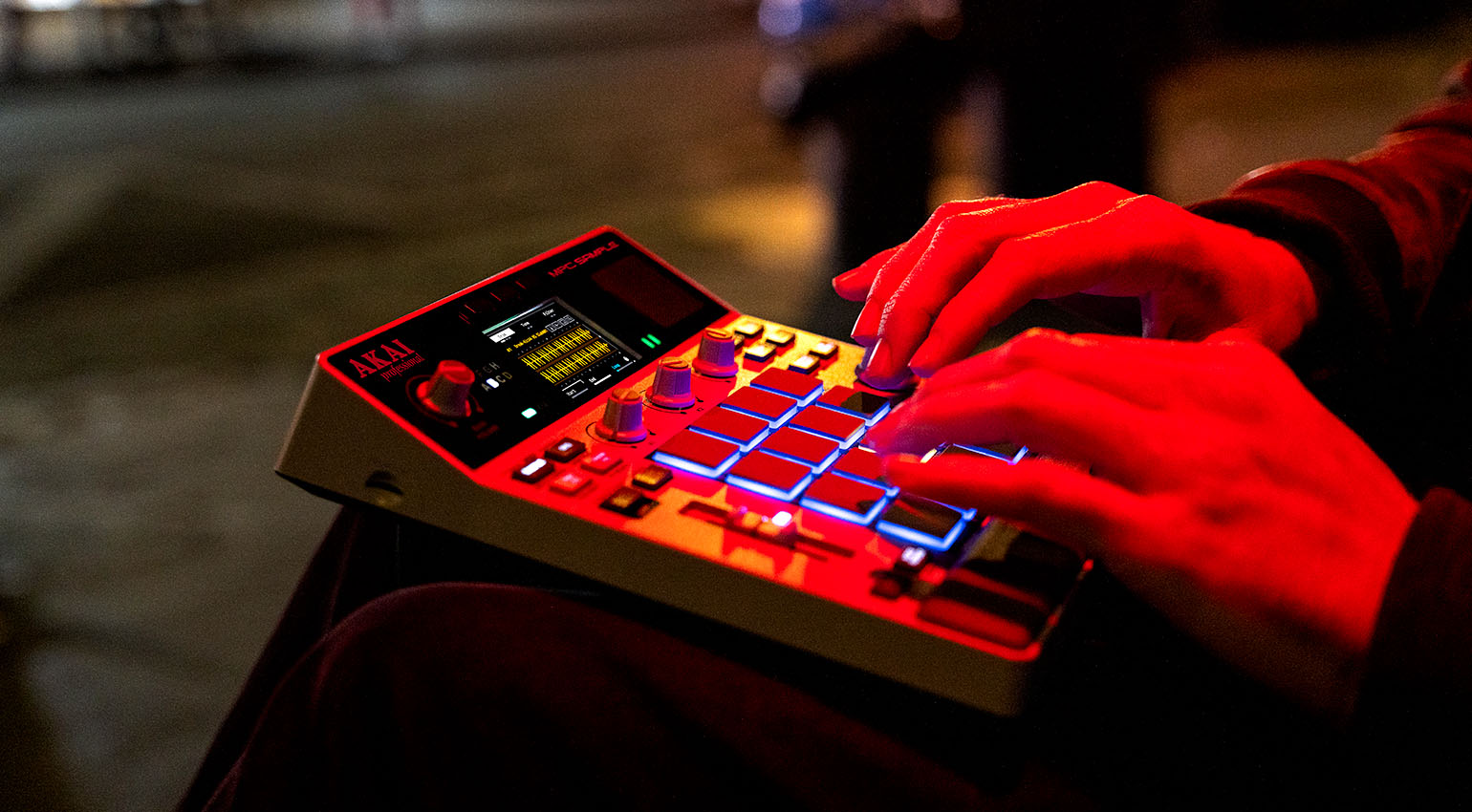
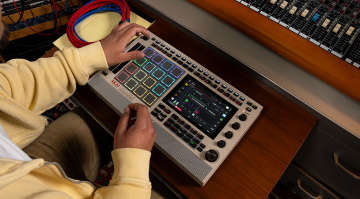
It comes as no surprise that the MPC Sample is much smaller and lighter than other standalone MPCs. Although made entirely of plastic, the housing feels sufficiently sturdy. The top section is slightly angled, making the LCD screen easy to read.
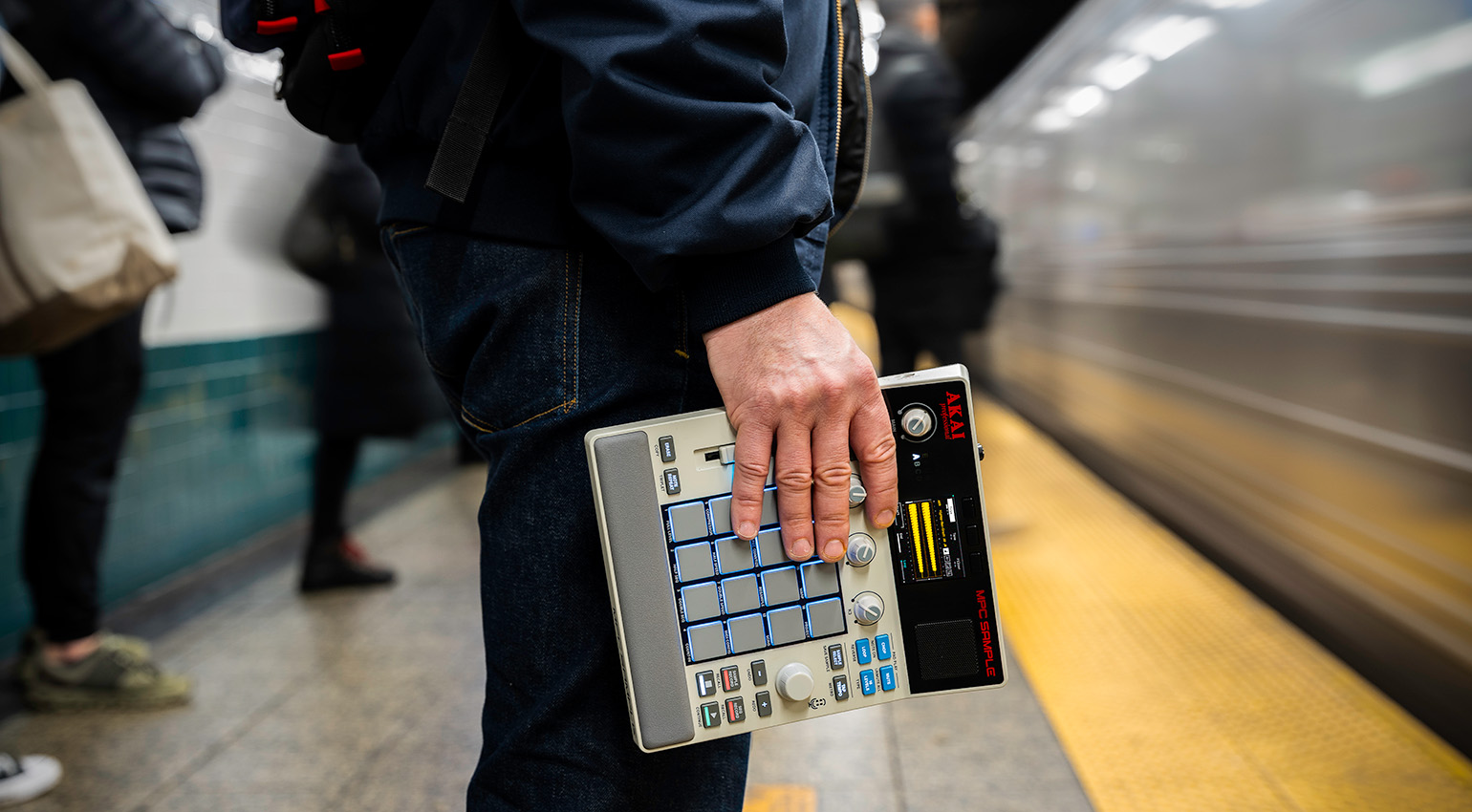
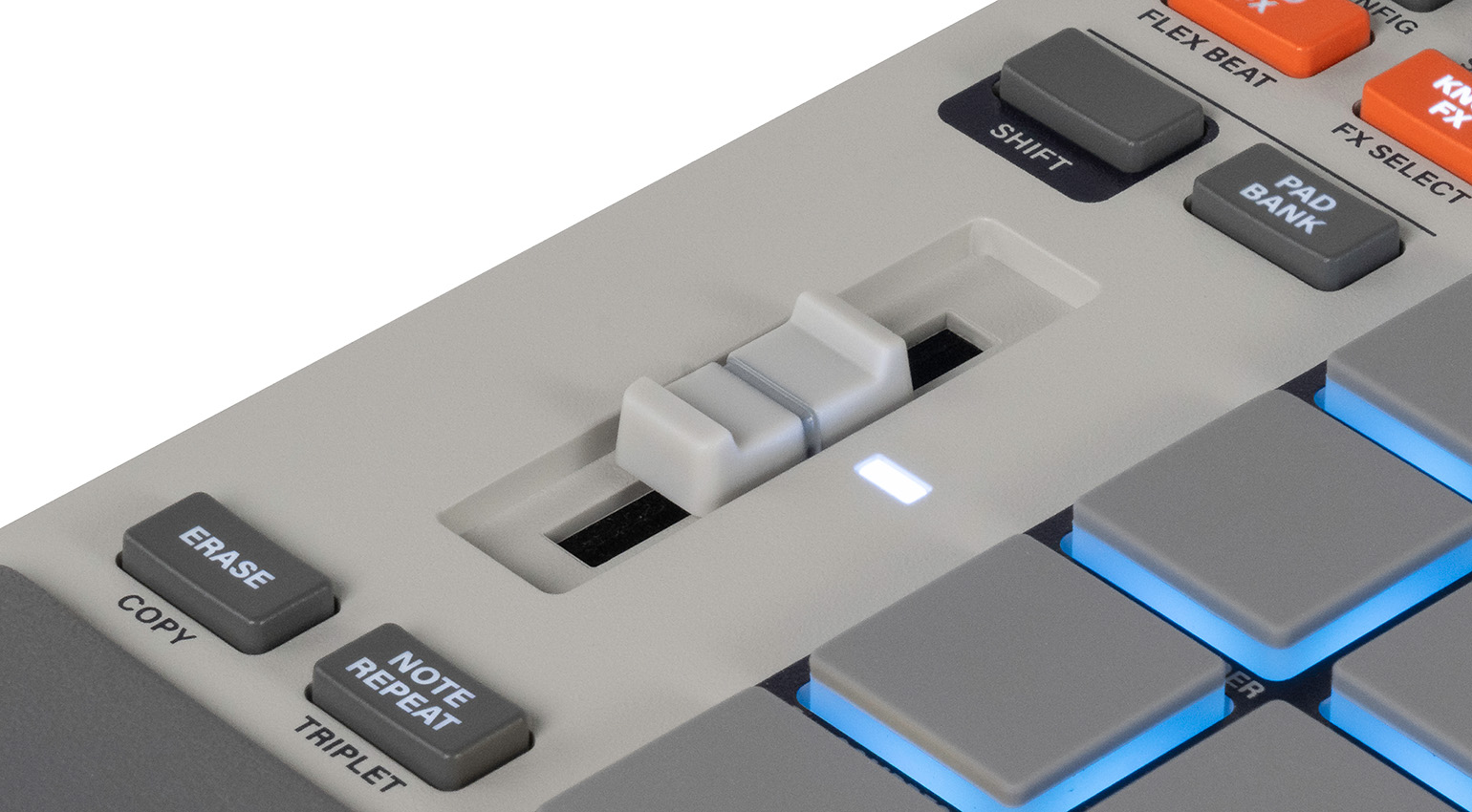
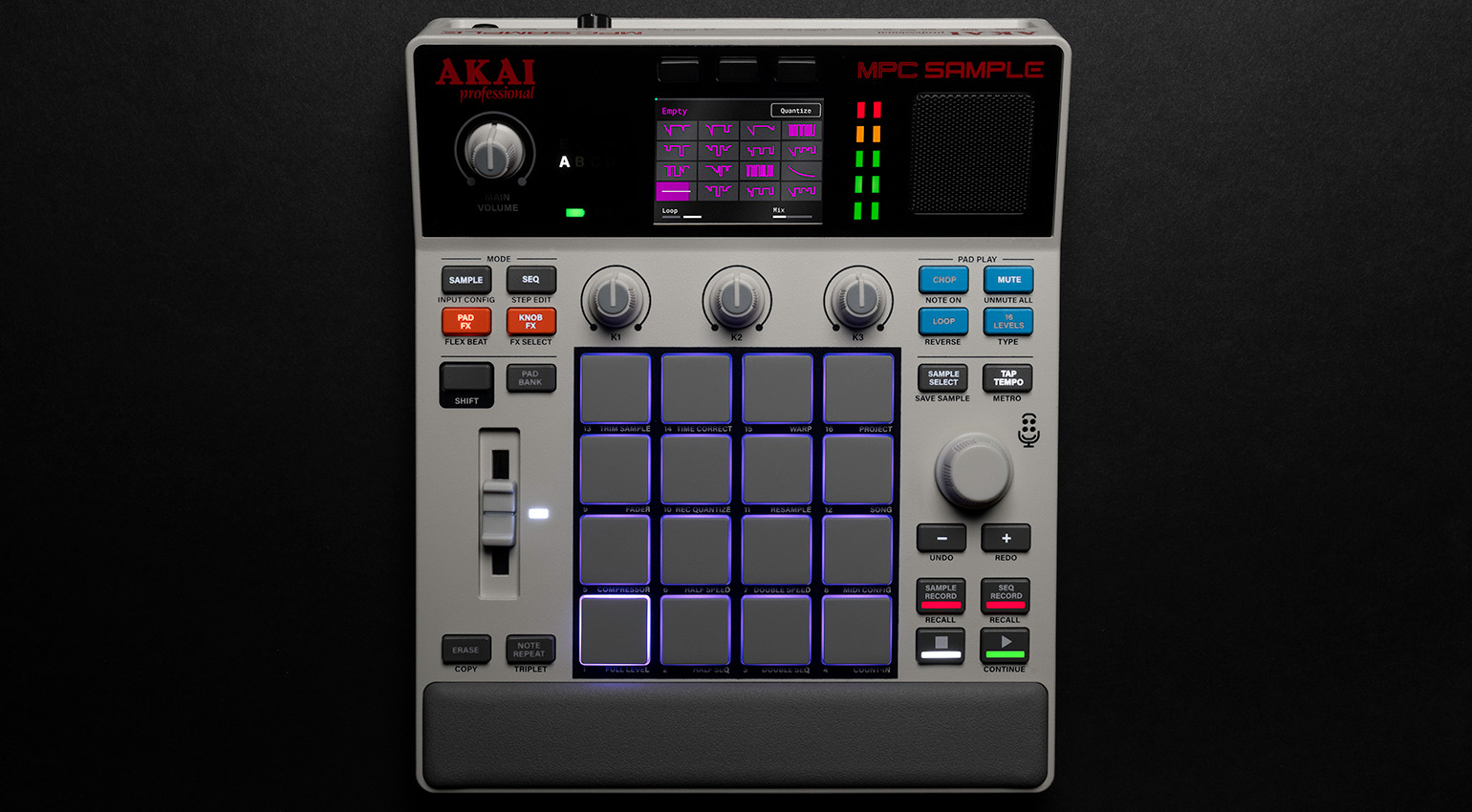
The 16 velocity-sensitive RGB pads with polyphonic aftertouch are also significantly smaller than on other MPCs, but they play just as well. To their left, you’ll find the classic MPC-style parameter slider, while a rotary encoder and the transport buttons are located on the right.
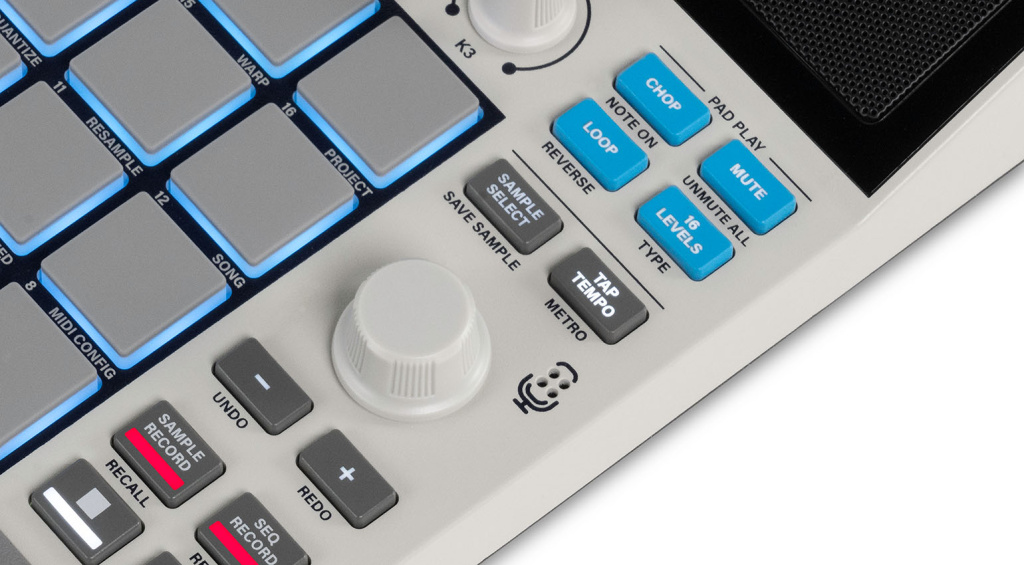
Many buttons will look familiar if you’ve used an MPC before. Among other things, you’ll find buttons for the Sample and Sequence modes, the Pad Banks (8 banks for up to 128 pads), Note Repeat, 16 Levels, Mute, Loop, Chop, Tap Tempo, and various effects (Pad FX, Knob FX, Flex Beat). Additional functions are accessible by pressing Shift along with other buttons or pads.
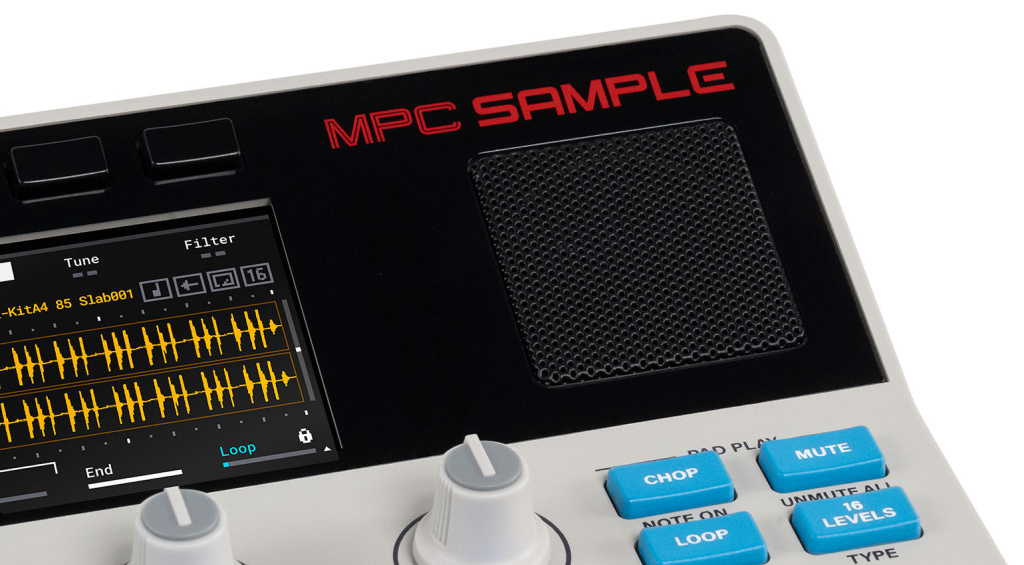
The 2.4” color LCD is easy enough to read, although the resolution can’t compete with the level of detail offered by OLED displays. It’s still very helpful for editing samples, sequences, and effects, though. Above it are three function buttons that perform different tasks depending on the mode. The same applies to the three rotary knobs below the screen.
It goes without saying that the tiny built-in speaker isn’t a bass monster; you just can’t outsmart the laws of physics. Still, it’s a nice touch for jamming on the go. Along with a rechargeable battery that lasts for up to five hours, it makes the MPC Sample ultra-portable.
The built-in microphone is another nice addition. As with the speaker, you shouldn’t expect miracles from it. But the mic makes it super easy to sample any sound in an instant, adding to the immediacy of the device.
AKAI MPC Sample: I/O
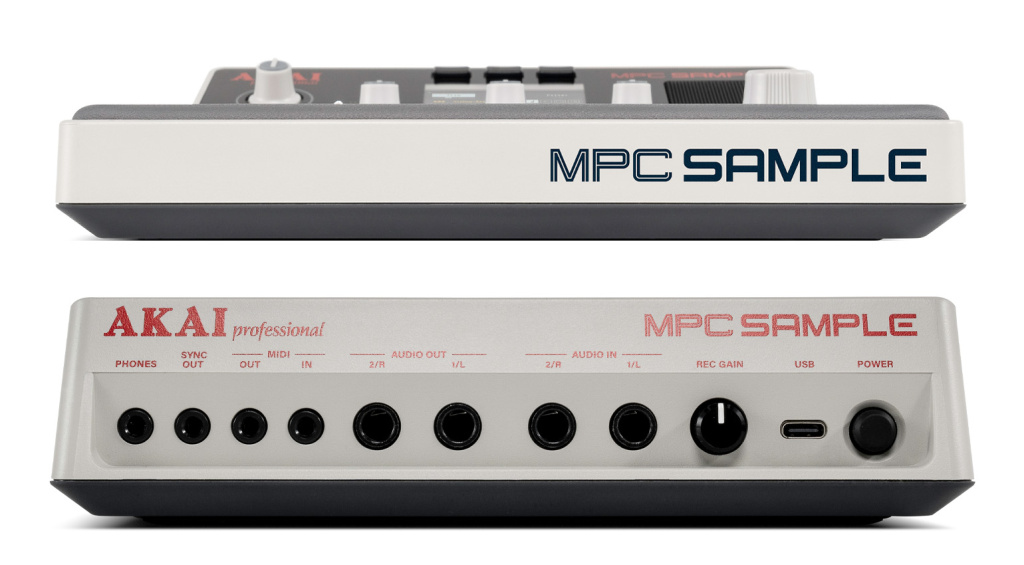
Next to the power button and a USB-C port, you’ll find a pair of audio inputs and outputs on the back of the sampler. Thankfully, AKAI opted for 1/4” sockets for the audio I/O, which sets the MPC Sample apart from some of its competitors. There’s also a gain knob for adjusting the recording level.
MIDI I/O and the analog Sync Out are on 1/8” sockets, as is the headphone output. I think that’s an acceptable compromise for an ultra-portable sampler.
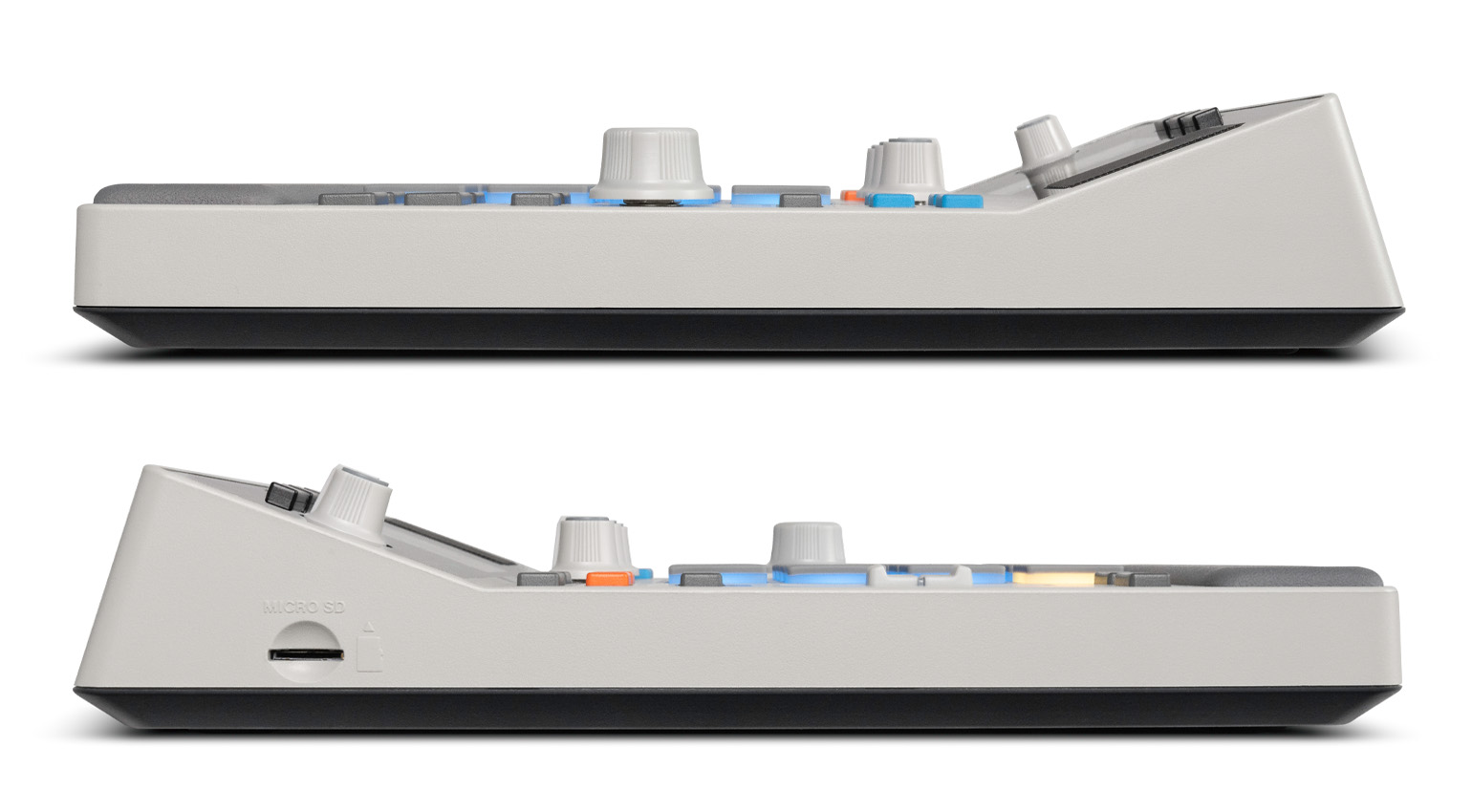
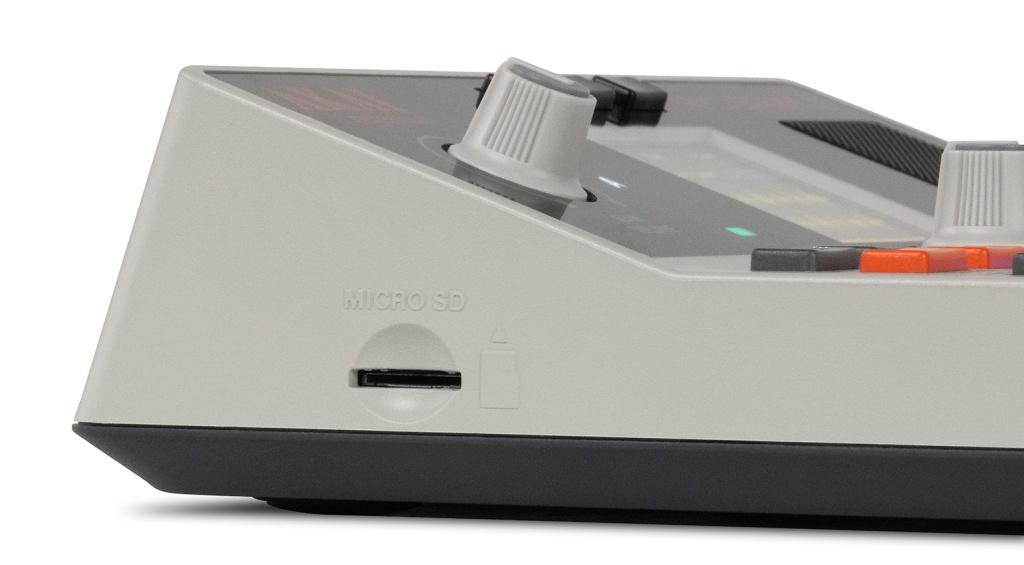
On the left side of the unit, there is a microSD card slot for memory expansion.
AKAI MPC Sample: First Impression
After pressing the power button (straight out of the box—you don’t even need any cables!), the MPC Sample greeted me with one of the included demo projects. So I pressed Play and started jamming—and I instantly had a blast. The basics (triggering samples, muting and unmuting pads, switching sequences, recording and overdubbing) are pretty much self-explanatory, even without any prior MPC experience. That said, the included quick start guide only covers a fraction of what the MPC Sample can do, so I recommend downloading the complete PDF manual.
The factory content consists of a handful of demo projects and a fairly extensive sample library with over 100 kits, so you can get started right away.
AKAI MPC Sample: Recording and Editing Samples
Although the included samples go a long way, the real fun begins when you record your own. This can be done via the built-in microphone or the stereo input on the back, which takes line, instrument, or microphone signals. In addition, you can sample from a smartphone or computer over USB-C, which worked flawlessly on my Mac.
If you’ve ever used an MPC, you already know how it works: press Sample Record, select the input and adjust the level if needed, and press any pad to start recording to it. If desired, you can set a threshold value to begin sampling automatically when the signal starts to come in.

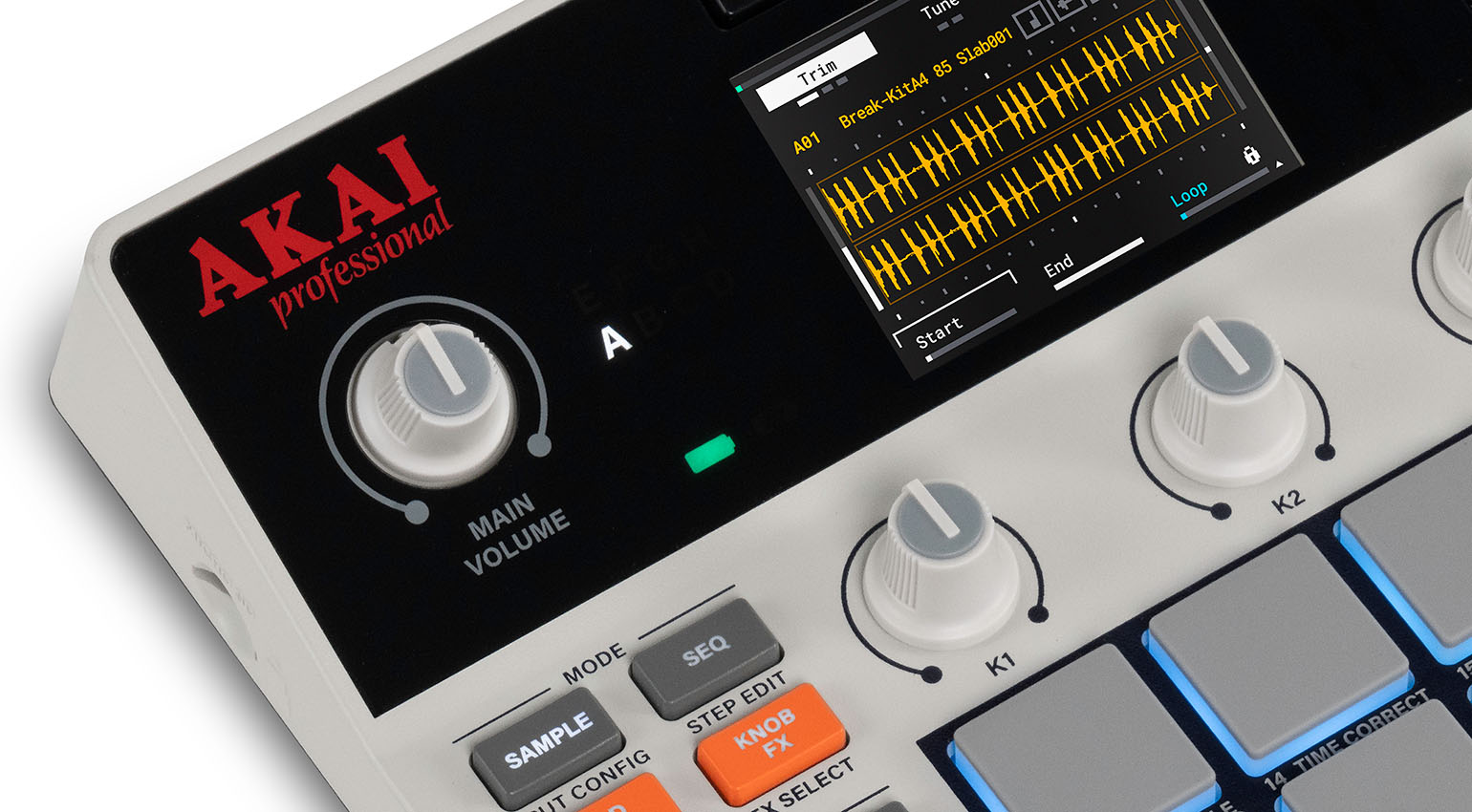
The sample is immediately playable by pressing the corresponding pad. You can now tune, trim, and loop it using the rotary knobs. This initially caused some frustration for me, as I found it to be almost impossible to hit specific points within a sample due to the rather coarse resolution of the screen and knobs. Fortunately, a glance at the manual provided a solution: there is a zoom function. For some reason, this important feature is neither printed on the panel nor mentioned in the quick start guide; you’ll only find it by downloading and reading the PDF manual (a classic case of RTFM!).
The Sample menu offers additional parameters for editing and shaping samples: Warp (time stretch and pitch shift), an amp envelope, and a multimode filter with a dedicated envelope. You can also add samples to mute groups.
On the MPC Sample, the all-important Chop function is one of the Pad Play modes, alongside features like Mute, Loop, Reverse, and 16 Levels. In Chop mode, a sample is divided into slices, which are then distributed across the pads. You can slice samples manually, by defining a threshold level for transient detection, or into 4, 8, or 16 regions of equal length. Again, the aforementioned zoom function helps with precise editing.
Unlike other MPCs, the MPC Sample unfortunately doesn’t offer an option to quickly convert a chopped sample into a new kit. However, you can extract individual slices and turn them into new samples, which are then assigned to the next available pad. This must be done manually for each slice, though, so it’s a bit more time-consuming than MPC veterans are used to.
Classic MPC-Style Sequencing
The MPC Sample offers classic MPC-style sequencing. While you won’t find the DAW-like editing features of today’s standalone MPCs (such as a piano roll editor), the basic workflow is very similar. Most importantly, this means that sequences are recorded in real time (as opposed to programming them step by step), with the option to choose between quantized and unquantized recording. You can also record the movements of the three knobs and the fader.
In Sequence Mode, you can use the pads to switch between the sequences of a project. There’s also a Song Mode, which lets you assemble a chain of sequences and export the result as an audio file. The pads and sequencer output MIDI data.
By pressing Shift and various pads, you can access a bunch of handy shortcuts for editing sequences. For example, you can halve or double the length or tempo of the sequence in a flash, save the entire sequence as a new sample (resampling), or adjust the quantization options.
The Step Edit menu lets you edit individual events in a sequence, such as the timing or velocity of notes. I particularly enjoyed manipulating the micro timing of beats using the slider—the MPC Sample can absolutely do “Dilla Time”!
Inspiring Performance Effects
The MPC Sample offers no less than four different types of effects. In keeping with the spirit of the entire device, they’re mostly designed as creative performance effects and not so much for precise mixing and sound shaping.
In Pad FX mode, you can instantly access 16 effects via the pads. Four of these can be used simultaneously, and they even respond to polyphonic aftertouch – sweet! Pad FX are great for transitions and building tension during a performance. Alongside various filters and modulation effects like chorus, flanger, and phaser, the Pad FX include a ring modulator, LoFi and granulator effects, Beat Repeat, and more.
While the Pad FX always affect the entire sequence, the Knob FX can be applied to the pads of your choice. This allows you, for example, to add a delay or chorus to specific samples while others remain unaffected. In this mode, the pads remain free for playing samples or selecting sequences. There are a total of 28 Knob FX, ranging from various delays, reverbs, and filters to compressors, limiters, an amp simulation, and even vinyl and tape effects. Unfortunately, only one of them can be used at a time.
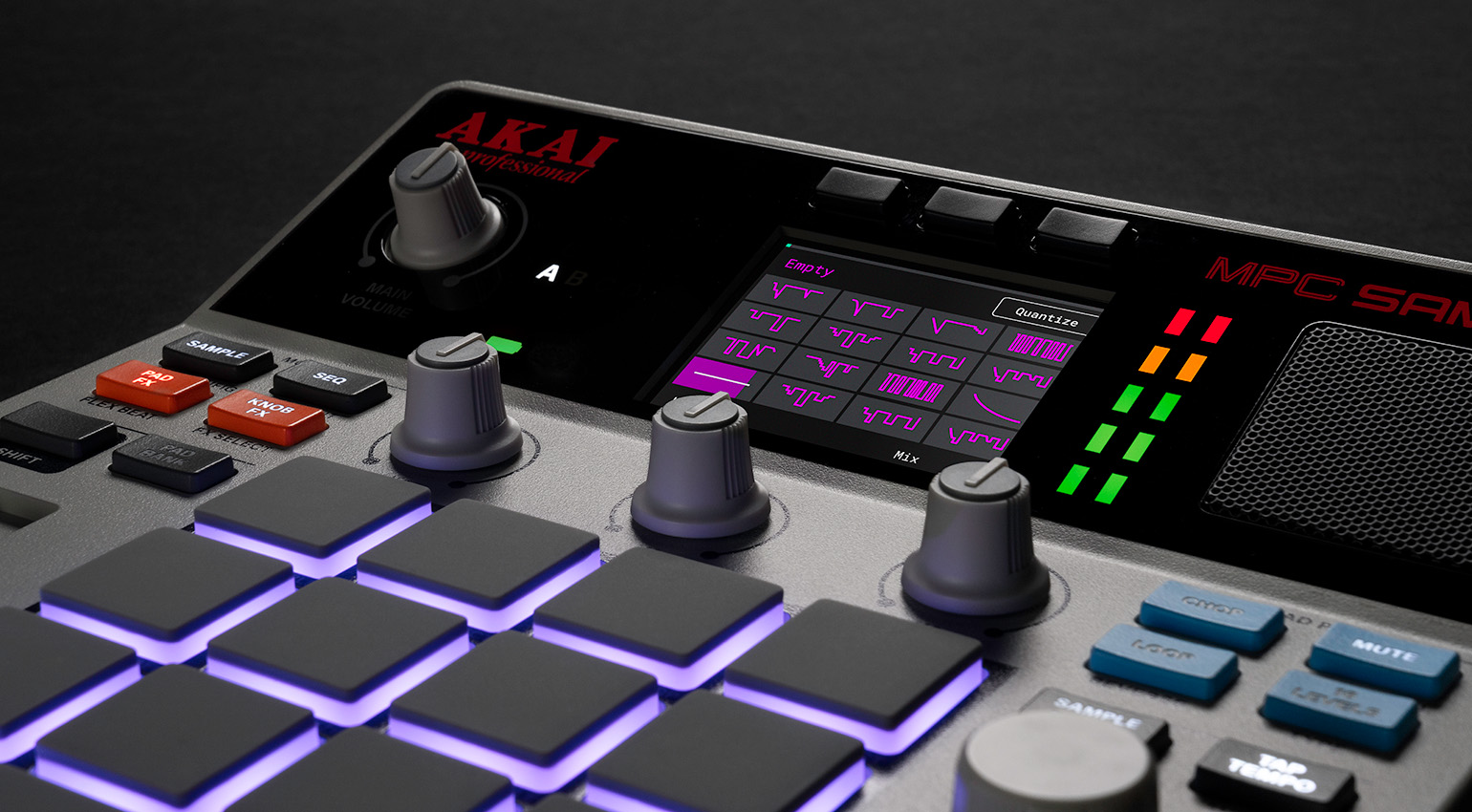
Flex Beat mode offers DJ-style effects that affect the playback of a sequence, such as Beat Chop, Trance Gate, and more. They’re also accessed via the pads, with the corresponding menu page providing a visual idea of what they sound like.
And finally, the MPC Sample offers a Master Compressor. As a “color compressor”, it is primarily intended as a clearly audible effect (e.g. for sidechain-style pumping effects), but it can also be applied subtly to control the dynamics of a sequence.
What is the MPC Sample—and what is it not?
Even during my first jams, I had a big grin on my face. This thing is a blast! The workflow is fast, intuitive, inspiring, and free from distractions caused by unnecessarily complicated features. You’ll know everything you need to know within half an hour at the latest. No other modern MPC delivers this much instantaneous fun.
In that respect, the MPC Sample absolutely hits the mark: it really does bring back a lot of the fun that the MPC series has somehow lost over the years. It can do a lot, but not too much, which makes it an endlessly inspiring “idea machine”—and a perfect gateway drug for novice beatmakers.
So is the MPC Sample the only instrument you need to produce complete tracks? Despite its many strengths, I don’t think so. That’s because there’s one key limitation that sets the MPC Sample apart from its larger siblings: While those have multiple tracks that can be used for drums, bass, and other instruments, the MPC Sample essentially corresponds to one track of a conventional MPC.
Here’s an example: Let’s say you load up a drum kit and start building a beat. Next, you’ll probably need a bass. Normally, you’d switch to the next track, load a bass instrument or a kit with bass samples, and start laying down a bass line. Unfortunately, it’s not that simple with the MPC Sample.
Since it only has one track, it’s not possible to load another kit in addition to one that’s already loaded. Of course, you can always add individual samples one by one (as long as you have free pads available), but not a complete kit for a bass or another instrument. If your bass (or whatever else you want to add) consists of multiple samples, this can be quite tedious.
So the MPC Sample isn’t a full-fledged replacement for one of the “big” MPCs—but it doesn’t claim to be. What it does really well is sampling on the fly, quickly laying down ideas, and simply having a blast. MPC Sample projects can be opened in the MPC software and on current “full-size” standalone MPCs, so you can easily move the project to the platform of your choice to finish producing it there.
AKAI MPC Sample: Conclusion
I believe the MPC Sample could very well be the sampler many have long been hoping for from AKAI. While the “big” standalone MPCs are becoming increasingly complex and now feel very much like DAW software in a hardware shell, the MPC Sample really does bring back some of the magic of the early MPC era. Of course, you can’t expect it to do everything its bigger siblings can—and that’s exactly the point. Instead, it delivers instant, intuitive sampling and beatmaking, and, most importantly, a whole lot of fun. AKAI may be a bit late to the party when it comes to compact performance samplers, but I think the MPC Sample will have no trouble establishing itself as a strong alternative to the competition in this price range.
Pros and Cons
Pros
- Intuitive, quick workflow without the “baggage” of the larger MPCs
- Inspiring performance effects
- Pads with polyphonic aftertouch
- Classic MPC sequencer with parameter automation
- Built-in battery, speakers, and microphone
- Classic MPC functions such as Note Repeat, 16 Levels, and Chop
- Projects can be opened in the MPC software
- Extensive factory library with over 100 kits
Cons
- No conversion of chopped samples into kits
- No option to add another kit to one that’s already loaded
Price and Availability
The AKAI MPC Sample is now in stock at Thomann* for $375 / £342 / €389.
More Information
*This post contains affiliate links and/or widgets. When you buy a product via our affiliate partner, we receive a small commission that helps support what we do. Don’t worry, you pay the same price. Thanks for your support!

This might also interest you
6 responses to “AKAI MPC Sample Review: Back in Stock Again!”

You are currently viewing a placeholder content from Facebook. To access the actual content, click the button below. Please note that doing so will share data with third-party providers.
More InformationYou are currently viewing a placeholder content from Instagram. To access the actual content, click the button below. Please note that doing so will share data with third-party providers.
More InformationYou are currently viewing a placeholder content from X. To access the actual content, click the button below. Please note that doing so will share data with third-party providers.
More Information
Back to what roots??
MPC stands for MIDI Production Center, and I don’t see any midi production tools at all in this unit, not even a midi sequencer…
Cool gadget, wrong name.
It was changed back in 2012 with the MPC Renaissance to stand for “Music Production Center.”
Same with MPK, MPD, etc etc etc.
“Of course, you can’t expect it to do everything its bigger siblings can—and that’s exactly the point.”
“But why not? How hard would it have been to make it just as good? We are talking about 40-year-old technology here—come on! It’s not like they are reinventing the wheel.
Imagine how much better it would’ve been if the pitch was: ‘Guys, this finally brings back that classic feel.’ Everyone would have bought one! It’s honestly depressing when a new piece of gear comes out and all you read is: ‘It’s not bad, but it’s nowhere near the original.’ It just kills the excitement completely.
What’s the reason behind this anyway? Would it really cost an extra 100 euros? Or are they only targeting absolute beginners? I don’t even get it. Whatever, I guess. Just another piece of gear that’s ‘okay,’ but not quite there.”
Why not ? Because they think they wouldn’t sell bigger and more expensive units if this MPC was able to do the same stuff as the bigger ones. They think they must put software limitations so that new customers will be hooked on the tiny MPC and buy the big one at 3 times the price. But what they don’t understand is that the main appeal of such a device is the form factor, and that they should target MPC users and confirmed musicians instead.
Same problem with other brands such as Roland, Ableton, Pioneer, etc. For some reason they will never do a small and fully functional nomad version of their big hardware. They remove key features or put some software limitation on purpose, thinking their “small” device will be a gateway to their bigger device, forgetting “small” is a huge selling point.
They already make a small, battery-powered, full-featured MPC. It’s the Live III. This is intended for different purposes, situations, and for some different users. I have an MPC Key 37. I recently bought an Ableton Move, because I wished there were a small, very simple, ‘immediate’ MPC, and that didn’t exist until now. I sometimes don’t want to deal with the full, almost-a-DAW-but-in-a-tight-window full-fledged MPC OS. Just want to get in, do things quickly… and more than that, I want to want to use it. Which means I don’t want the mental hurdle of being overly ambitious which is how I feel when I switch on the Key 37… and wait for it to boot.
I do enjoy the sample, I just don’t understand why they scaled back on certain aspects. The MPC 2000xl had less than 2gb of ram and managed to give adequate functionality and the birth of our current workflows. The could have literally mimicked the 2000xl and called this the XLmini and they would have cornered the market. It’s a fun machine, but they could have added the traditional tracking system that sets the MPC above the rest.