Finally Clean MIDI Sync: Can the Rapid Flow Omniclock Plugin Replace Expensive Hardware Clock Boxes?
Stable Clock, Vintage Groove Profiles and No Sync Box Budget Required

 4,8 / 5,0 |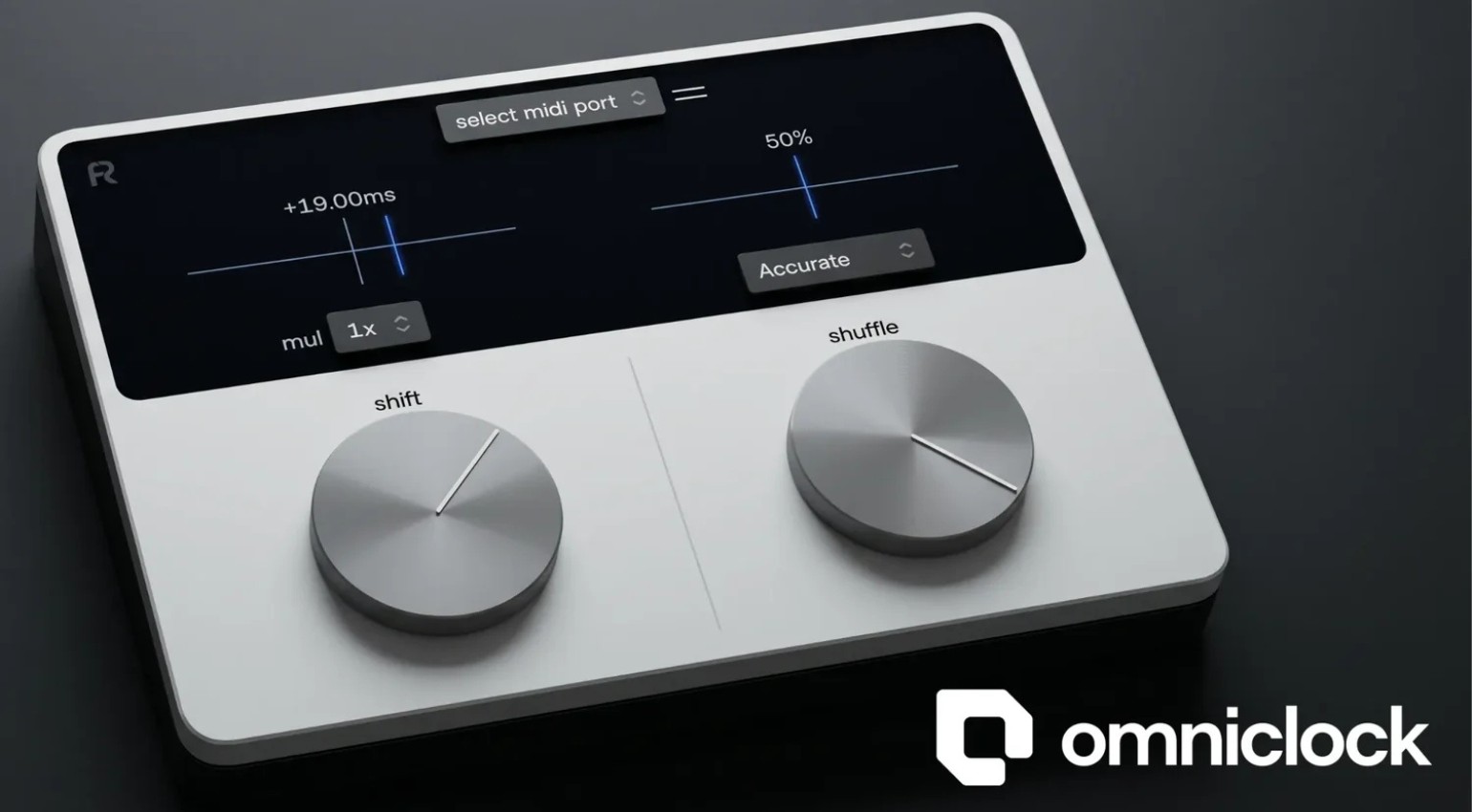
Finally Clean MIDI Sync: Can the Rapid Flow Omniclock Plugin Replace Expensive Hardware Clock Boxes? · Source: Rapid Flow

Anyone running a hybrid studio knows the frustration: the MIDI clock coming out of your DAW drifts, your hardware sequencing never quite sits in the pocket, and the standard fix has always been an expensive external clock box. Rapid Flow Omniclock wants to change that. The plugin generates its own stable MIDI clock and shifts it directly from inside your DAW with 0.25ms resolution, no extra hardware needed. Throw in shuffle profiles inspired by classic drum machines and a 45-day free trial, and this is worth checking out immediately.
Rapid Flow Omniclock: Everything You Need to Know about the MIDI Clock Plugin with Sub-Millisecond Precision, Shuffle Profiles and DAW Integration
The Problem Omniclock Actually Solves
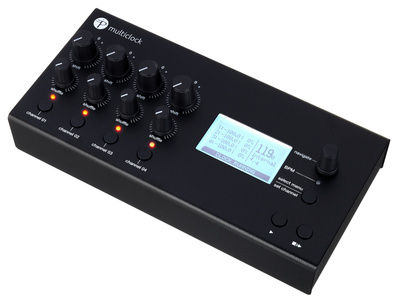
Anyone who’s tried to sync hardware synths or drum machines tightly with a DAW knows how quickly it falls apart once you load up a few CPU-hungry plugins. The MIDI clock output from most DAWs isn’t stable enough. Timing jitter and small offsets mean the groove never feels quite right. The standard solution has been a dedicated hardware clock box, something like the Floatingpoint Instruments Multiclock* (formerly E-RM) or the Sim’n Tonic Nome II*. Both deliver exactly what they promise, and both cost accordingly.



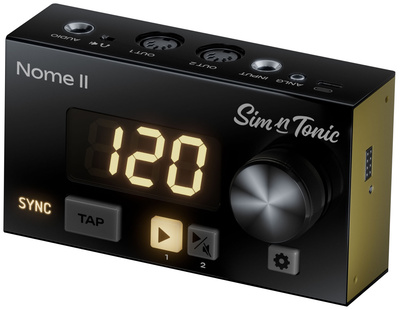
Omniclock takes the same approach in software. The plugin generates an independent, stable MIDI clock and routes it to any MIDI output your operating system can see: MIDI DIN, USB MIDI, and virtual ports. One output per instance, but multiple instances run simultaneously, so you can clock up to 24 devices at once. Elektron users running Overbridge are explicitly supported.
Clock Shift and Shuffle Profiles
The main control is the Shift parameter: it moves the clock output in 0.25ms steps, positive or negative, while the DAW is running. This compensates for the individual input latency of each device in your setup. Every instance of the plugin carries its own Shift value, so you can align different pieces of hardware independently within the same session.
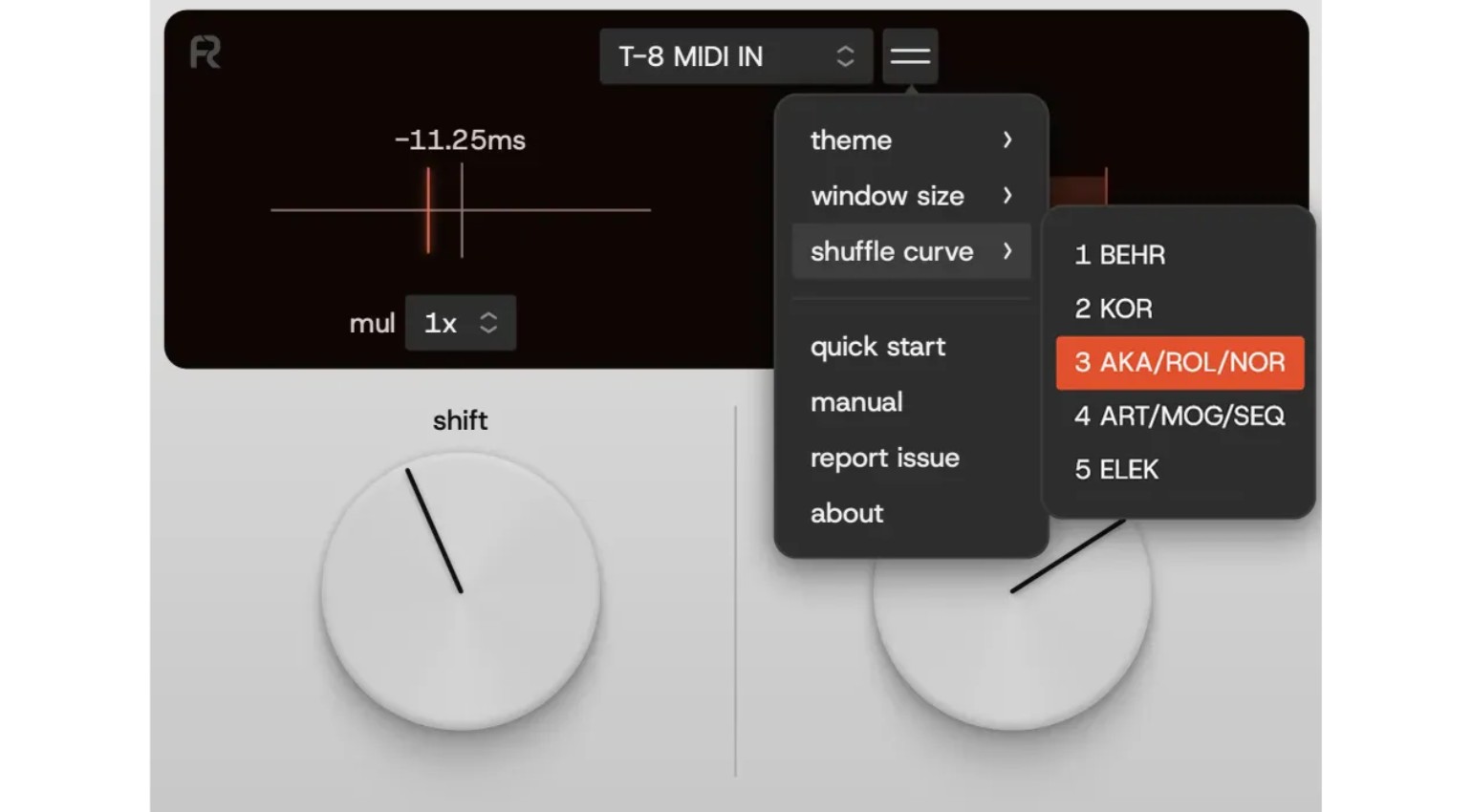
On top of that, Omniclock offers a set of shuffle profiles built from analysis of the timing characteristics of classic drum machines. Names like 9×9 Rob Acid, LN-DRM, EM-12BIT, and M60 are meant to recreate the subtle timing imperfections that give those machines their groove. An Accurate mode is also included for tight, fully quantized production. According to Rapid Flow, the profiles were developed through mathematical analysis, listening tests, and real studio evaluation.
What the Community Is Saying
Forums like Elektronauts, Mod Wiggler, and Gearspace have been discussing Omniclock heavily since launch. Early reports are promising: multiple users say their hardware sits noticeably tighter in the grid after a quick Shift adjustment. The fair skepticism is whether a software plugin can ever match the stability of dedicated clock hardware. The honest answer depends on your system, but the 45-day free trial takes that question off the table.
I tested it in my own hybrid studio and have to say: genuinely impressed. Even alongside my Multiclock, Omniclock lets me connect additional hardware sequencers and drum machines to Ableton Live without the usual sync headaches. That’s not nothing.
Price and Availability
Rapid Flow Omniclock normally costs €69, and is currently available at an intro price of €49 directly at Rapid Flow. Supported formats are VST3, AU and AAX on Mac and Windows. A free 45-day trial is available.
More Information
- Rapid Flow Omniclock: Product Page
- Omniclock Manual
- Floatingpoint Instruments Multiclock at Thomann*
- Sim’n Tonic Nome II at Thomann*
- All Software News on Gearnews
*Note: This article contains affiliate links that help us keep Gearnews running. The price for you always stays the same! If you buy something through these links, we receive a small commission. Thanks for your support!

This might also interest you