5 Affordable Plugins You Will Actually Use

 5,0 / 5,0 |

We look at affordable plugins in the under $100 price bracket that can upgrade your DAW’s capabilities and become essentials in your workflow.
In this Article:
If you look carefully at most of the DAWs available on the market these days, most of them are jam-packed with everything you need to make a track from idea to completion. In fact, it couldn’t be a better time to start your journey in music production. However, because of the sheer volume of 3rd-party plugins available, there will always be a few gems that offer something different to stock DAW plugins.
We’re going to explore a few options that can really expand the processing capabilities of any DAW. While some of these are popular plugins used throughout the industry, others perform more specialized functions, but still have the capabilities to be go-to tools for music production and mixing.
Affordable Plugins: MeldaProduction MFreeFXBundle (Pro Version)
If you’re using a free DAW like GarageBand, you can reach the stage pretty quickly where you feel slightly limited by the amount or the standard of the included plugins. This is especially true when you want to move on from getting song ideas down to mixing down more professional-sounding songs.
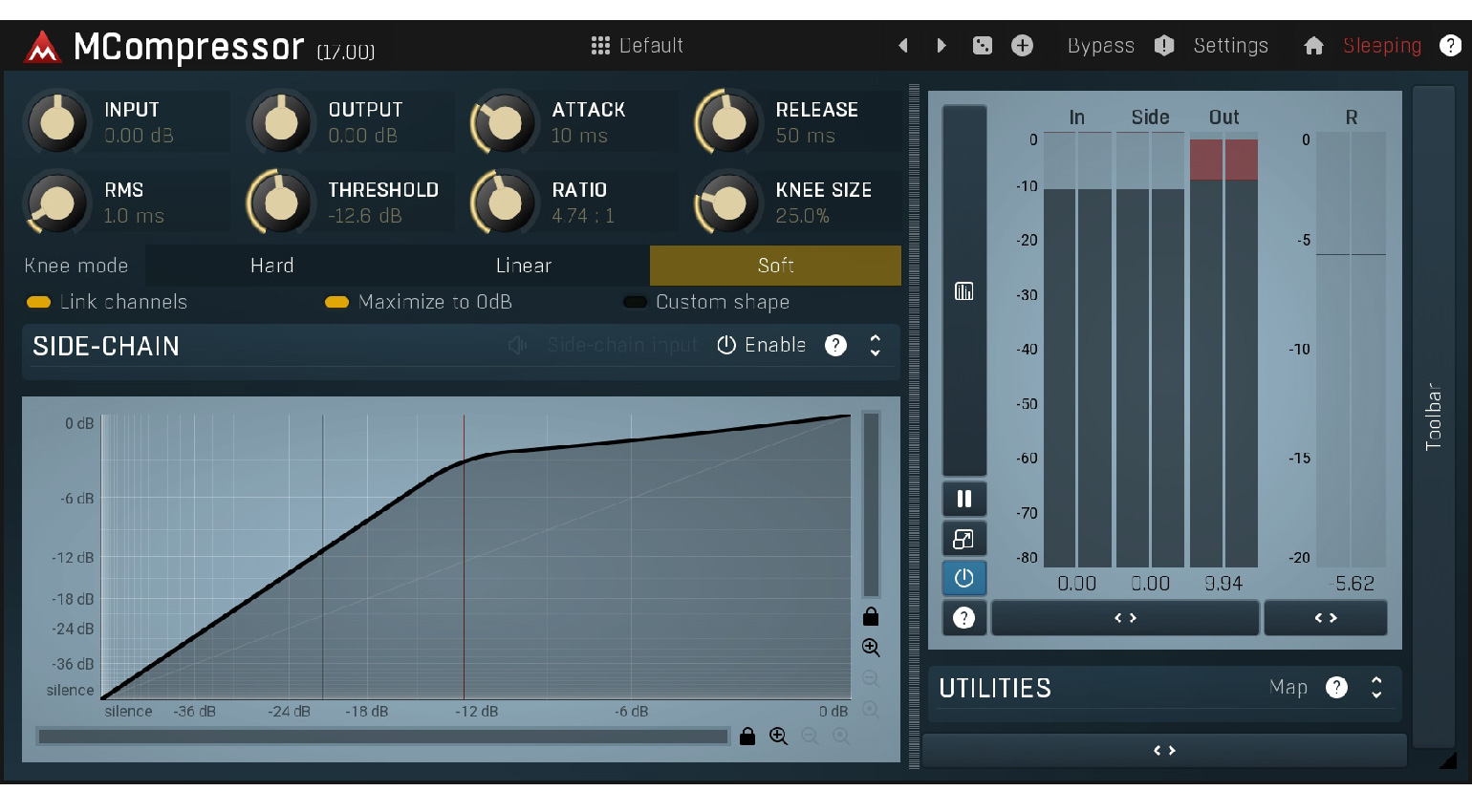
Luckily, with MeldaProduction’s MFreeFXBundle, you can get an entire suite of 38 plugins for free, including compression, EQ, pitch shifting, reverb, delay, metering, and many other options for different aspects of music production. While the free version of this bundle provides plugins with basic functionality, you can unlock the pro features by upgrading for €49.
While these plugins might not have the same slick interfaces and workflow features of some of FabFilter’s offerings, they certainly do the trick from a sound quality perspective. Overall, it’s the perfect way to upgrade your DAW for doing more specialized mixing tasks and spread your wings a little if you’re new to audio and the world of 3rd-party plugins.
Affordable Plugins: EVA Instruments Virtual Stage FX
Virtual Stage FX is a tool for finding the perfect position for different elements in the mix with an emphasis on acoustic realism. The plugin interface uses a natural-sounding room algorithm with three different size settings (small, medium, and large) and a simple virtual sound stage interface that lets you drag the position of the sound to different areas of the stereo.

This allows you to place instruments between the left and right stereo channels, but also move them forward or back in the mix. This is particularly useful when you are trying to create depth and density with your vocal layering. It’s also useful for recording situations where you might not have access to a large live room to host an ensemble of performers.
With Virtual Stage FX, you can record the instruments one by one and then simply place them in a way that reflects their intended position in the room. What’s more, the built-in reverb becomes the glue that binds each of the instruments together as if they were all recorded in the same space. For just $17, it’s a neat trick to have up your sleeve for any style of music.
Affordable Plugins: Wavesfactory Trackspacer
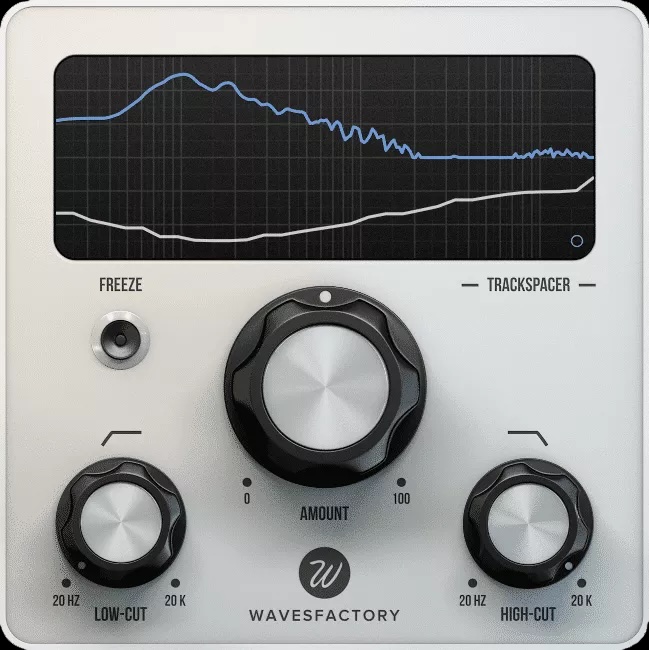
Trackspacer is an innovative processor for music production and mixing that uses a sidechain input to create separation in the mix. It works by analyzing the frequency range of the sidechain input signal and then using a 32-band EQ to process the signal in the insert path with a reversed EQ curve based on the sidechain signal.
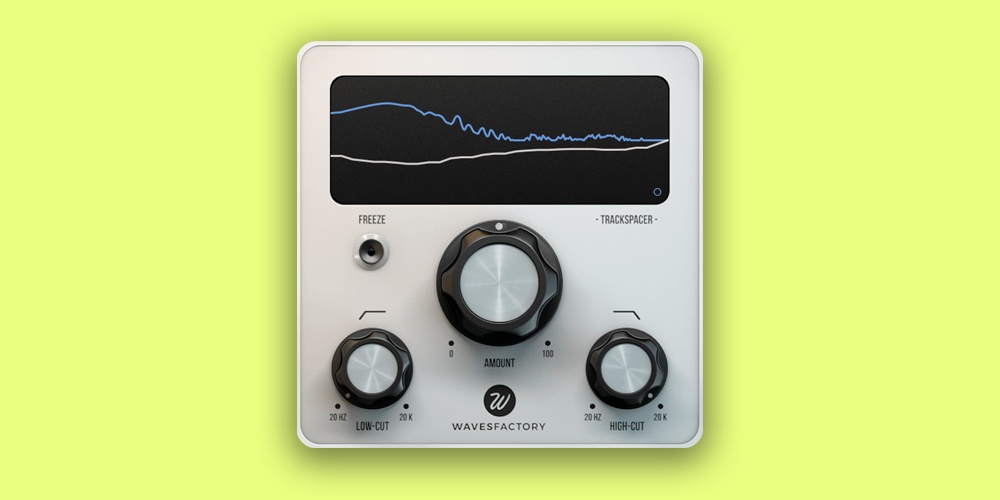
Although this process may sound like a mouthful, the Trackspacer plugin is particularly easy to use. To ensure the processing is as responsive as possible, you can solo the sidechain signal and set the frequency range using the high- and low-cut filters. The effect can then be applied across the stereo with the pan control, or you can use mid-side processing.
Finally, with the attack and release controls, you can adjust the onset of the processing in a similar way to a compressor. The key to achieving good results with Trackspacer is all in how you work with the detection signal. To get the perfect frequency-based ducking effect, the plugin needs to respond to the right frequency range with the envelope set accordingly. Get it at Plugin Boutique.*

Affordable Plugins: time off audio dime[mb]
With dime[mb] from time off audio, you get an easy-to-use utility for multiband effects processing. In short, it allows you to create an effects chain of your favourite plugins and assign each one to a different part of the frequency spectrum. Ever wanted to compress just the sub-range of an 808 bassline or add saturation to the midrange exclusively? Now you can do both.
![Affordable Plugins: time off audio dime[mb]](https://cdn.gearnews.com/wp-content/uploads/2026/04/time-off-audio-dime-mb.jpeg)
You can work with between two and five bands with up to four adjustable crossovers with 24 dB per octave slopes. The plugin lets you load up to four plugins per band, and you can access each embedded interface within dime[mb]. In addition, there are zero-latency and linear-phase modes for using IIR and FIR crossovers, respectively.
What’s more, each band has its own mute, solo, wet/dry mix, and trim controls, while there are global I/O gain and mix controls for balancing the overall parallel processing level. This is an extremely useful tool for creating your own processing workflows that can be easily recalled and used across multiple DAW projects. Get it at Plugin Boutique.*
![time off audio dime[mb]](https://cdn.gearnews.com/wp-content/uploads/2026/04/time-off-audio-dime-mb-widget.jpeg)
Affordable Plugins: Soundtoys Little AlterBoy
Soundtoys is one of the most well-known plugin developers, loved by artists, producers, and engineers for the incredible scope of sounds you can get out of each of their cleverly designed plugins. Although some of the Soundtoys plugins sit closer to the premium price range, there is a selection that start at just under $100 each, and you qualify for a discount on upgrading to the full Soundtoys suite based on the plugins you have registered in your Soundtoys account.

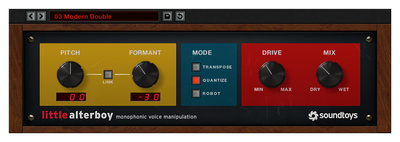
One of the most popular Soundtoys plugins is a vocal processor called Little AlterBoy, which is a versatile tool for pop vocal production. There are three distinct processing modes that let you access basic pitch shifting, AutoTune-style pitch quantization, and robotic vocoder-like effects that can work with a wide range of music styles.
The interface is extremely simple, with linkable pitch and formant controls, and a drive control for adding edge to the sound. Meanwhile, the wet/dry mix control allows you to blend in the unprocessed signal, and the pitch control can be mapped to MIDI to give you more musical control of each of the three effects. Get it at Thomann.*


More about Affordable Plugins:
*This post contains affiliate links and/or widgets. When you purchase a product through one of our affiliate partners, we receive a small commission that helps support our work. Don’t worry, you’ll pay the same price. Thanks for your support!


This might also interest you