NIMB: The No-Input Mixing Board Technique
Turn your mixer into a creative noise-making machine.

 4,9 / 5,0 |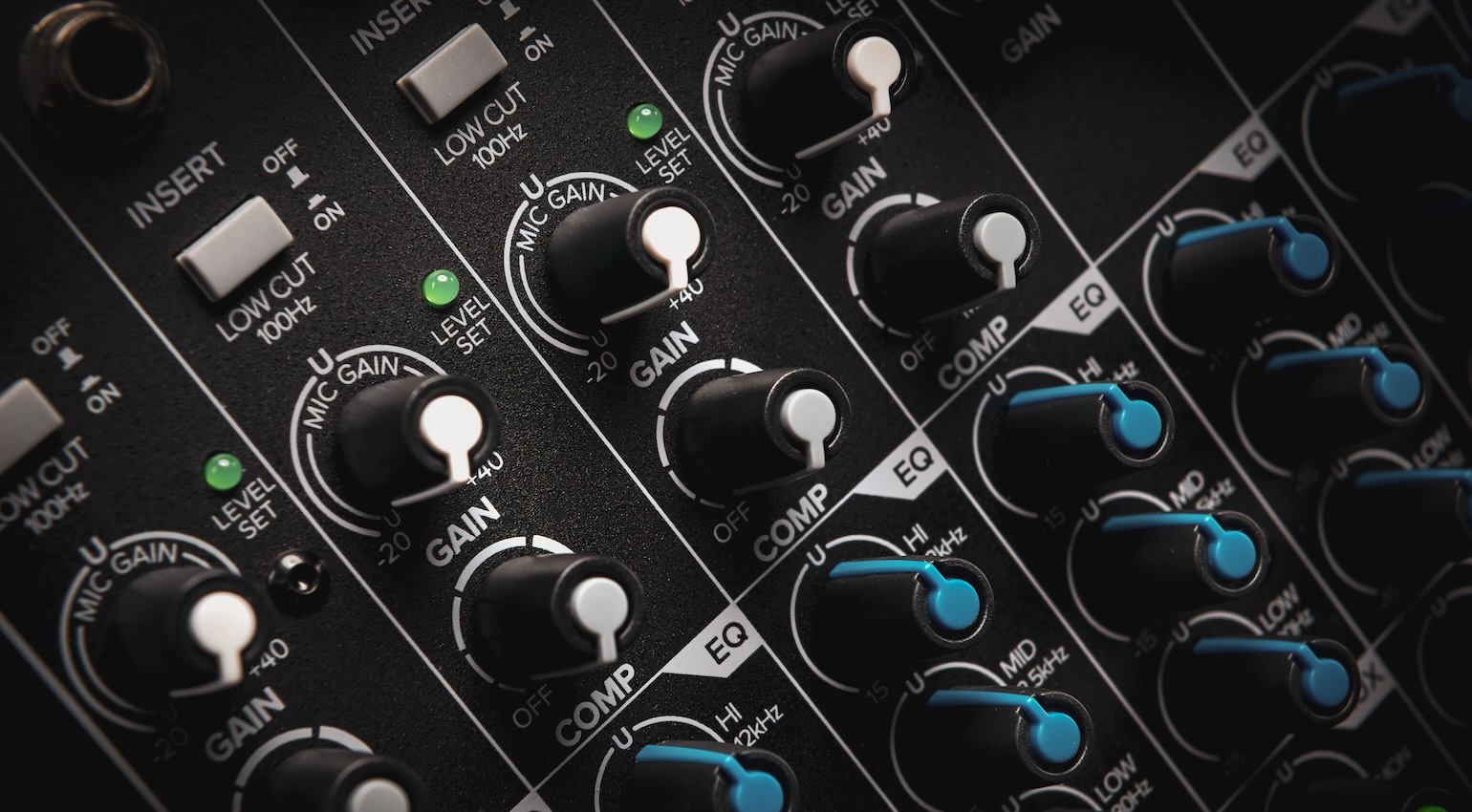

Although we generally use mixers as signal routing systems, NIMB techniques show us how they can become creative tools for sound creation.
In this Article:
The use of NIMB rose from the Onkyo noise music movement in Japan in the late 1990s, where the art of music creation is centered around minimalism, improvisation, and atmospheric, textured noise. It’s called the “no-input” technique because instead of running mics and instruments into the mixer’s channel inputs, the inserts and sends are used to create feedback loops, which are then amplified with the preamp gain controls.
This may sound outlandish, but skilled artists like Toshimaru Nakamura can use this technique to build evolving soundscapes comprised of resonant drones and unpredictable textures, which are used like a colour palette and controlled with the mixer’s EQ and faders in a performance. To start, all you need is a compact analogue mixer and a few TS patch leads like the ones used on guitar pedal boards.
NIMB: Using Feedback as a Sound Source
The foundation of the NIMB technique is feedback, a repeating signal loop that feeds the mixer’s output back into the input stage. This internal feedback loop can be amplified, producing a range of sounds from gentle sinewave-like tones to more aggressive, textured noise.
Unlike feedback in the live sound environment, NIMB occurs internally, so we can control, sculpt, and layer the signals using the mixer’s routing and tone shaping capabilities.
- Preamp gain adjusts the sensitivity and loudness, but it also lowers the pitch, the further you boost
- EQ lets you change which frequencies are resonating, giving you some synth-like fine-tuning controls
- Aux sends allow the duplication of signals, so you can use these to create additional layers
- Pan controls let you distribute the signals across the stereo for more width and space
By combining all these elements, the mixer turns into a multi-faceted sound generator with a split personality. Toshimaru Nakamura once said that you have to surrender to the machine and let it take you on a journey, which is something worth keeping in mind.


NIMB: Equipment Setup and Routing
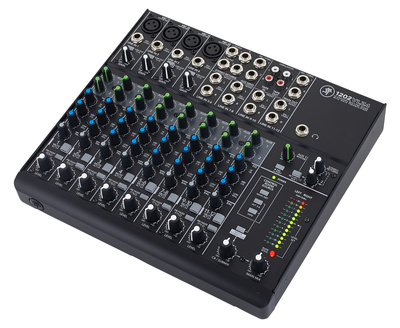
Luckily, you don’t need some high-end beast of a console to experiment with NIMB. Compact mixers are actually preferable because the interface is easier to navigate.
Recommended Equipment
- Compact analogue mixer with aux sends and inserts (2×12 channels is perfect)
- Patch cables (¼-inch TS and RCA for the tape I/O)
- A safe studio monitor chain or headphones
- Effects pedals such as loopers, delays, reverbs, or distortions
- A limiter stage to protect your speakers and ears.
Routing
- Take one of the outputs (A half-patched Insert, Main Out, or Control Room Out) and route it back into a channel input
- Start with low gain and set the channel faders to zero
- Gradually increase the gain until you hear that initial resonance and use the EQ to add variation
- To add layers, simply repeat the Insert-to-Input feedback loop on another channel, or use an aux send. This way, you can also add effects pedals into the signal path.
Layer your sounds slowly, and pull down the fader as you finish each tone. Then, bring up the faders to create a story with your performance, while using panning to separate sounds if needed.

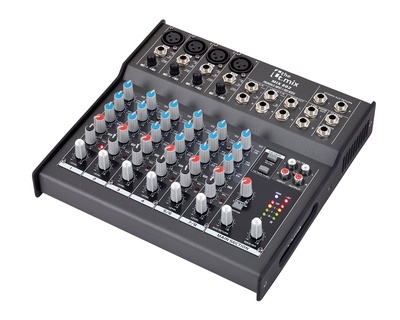
NIMB: Gain Staging Safety and Protective Measures
Using NIMB safely is essential because it can produce loud, piercing transients that could damage your monitors and ears.
Essential Safety Tips
- Always start with the gain pulled WAY back
- Use a fast, aggressive limiter on your main outputs to clamp down on any spikes
- Set your monitors and headphones (preferably closed-back) at a conservative volume
- Don’t go crazy with EQ boosts in the high-frequency range until you’re familiar with how the mixer behaves
- Always keep your mute buttons close for emergencies
Why Working with Feedback is Dangerous
Unstable feedback can potentially rise by 20 to 30 dB when certain frequencies overlap. With correct gain staging, we can reduce the possibility of random level jumps. Treat the mixer like a modular synth – volatile, delicate, and unpredictable at times.

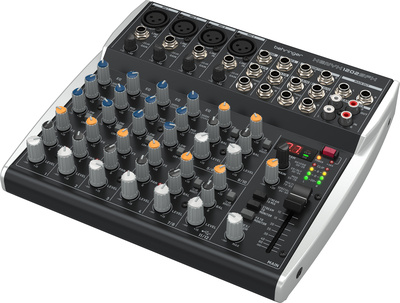
NIMB: Building Character with EQ, Filters, and Aux Sends
When you’ve learned how to create and stabilize a simple feedback loop, the mixer transforms into a creative tonal instrument.
Using EQ for Tuning
A feedback loop acts in a similar way to a resonant filter bank. This means we can change the dominant frequency range with careful EQ cuts and boosts.
- In the midrange, boosting often creates gritty voice-like resonances
- Low-frequency cuts can focus the sound, while the low-cut (or high-pass) filter button causes a measured pitch shift
- A high shelving filter can add interesting hissing textures, ripples, and sweeps
- On some mixers, there are semi- or fully parametric EQs, providing more creative control
Using Aux Sends
Aux sends can turn basic feedback loops into evolving textures.
- Using Aux-to-channel-to-aux signal routing, we can produce layers of oscillations
- A pre-fader send oscillates separately from the channel fader
- A post-fader send is a responsive and performance-orientated tool.
We can also use the Aux Sends to feed external effects like loopers, delays, or reverbs. Even with a basic delay, a static sound becomes animated and rhythmic.
Dynamics
While perhaps not as important, compressors and gates are tools that can be used for textural shaping:
- Gates can cut the feedback into percussive, rhythmic slices
- Compressors can stabilize signals and accentuate the fine details
- Distortion and overdrive pedals can introduce harmonics and additional noise.

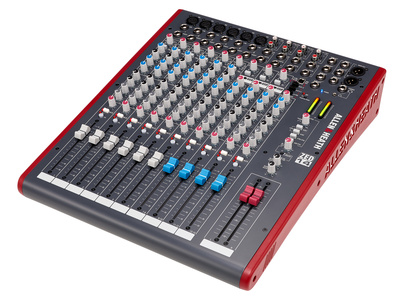
NIMB: Creating a Performance
When you’re comfortable with all the controls, you can begin to experiment with sound storytelling.
Performance Gestures
When using NIMB, even slight adjustments can produce major sonic shifts. Here are some common performance techniques:
- Physically tapping or rubbing the mixer casing to excite the feedback loop
- Gradual EQ sweeps allow tonal gliding effects
- Use the fader to create dynamics like crescendos and fades
- Altering aux routing creates a sudden change in sonic character while performing
- Certain artists use the mixer as a guitar pedal board, introducing effects processing on the fly
Creating Musical Elements
With NIMB, we can create:
- Drones
- Rising and falling sweeping tones
- Feedback stabs and hits
- Bursts of noise
- Gradually-evolving ambient layers
- Rhythm-based pulses and delays
Like traditional music, we can use tension and release to structure our performance by morphing between the stable and unstable states of feedback.
NIMB as a Music Production Tool
Using NIMB isn’t exclusively a live performance art form; you can also use its sound generation process to create textures for other musical applications:
- Sound design for film, TV, or video games
- Atmospheric layers for electronic music production
- Noise elements for industrial or experimental styles of music
- Transitional effects and risers
- Percussive one-shots generated from gated feedback stabs
Once the signal is inside our DAW, NIMB sounds can be sampled, looped, sliced up, granularized, or processed in other ways.

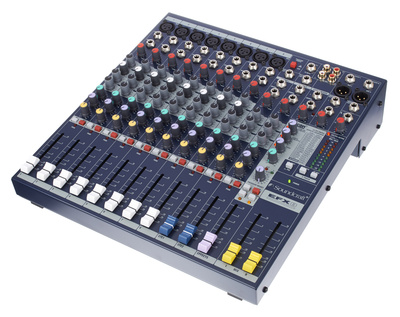
NIMB: Creative Signal Routing and Experimentation
Here are some creative techniques to take your sound creation further:
Stereo Cross-Feedback
Feed the mixer’s main left output into channel 1, and the right into channel 2, panned hard each way. Now add an aux send to each with the return panned on the opposite side to introduce a swirling motion across the stereo.
Feedback FX Processing
Add a looper, delay, or reverb pedal into the signal path, then feed the effect’s output onto a separate channel. This creates an infinitely evolving soundscape.
Multiband Feedback
Layer each channel in a different frequency range using EQ to introduce resonant bands like an additive synth
Hybrid NIMB and External Input
Use a live instrument or a field-recorded signal on one channel and build your feedback loops around it for unique textures.
More about NIMB:
*Note: This article contains affiliate links that help us fund our site. Don’t worry: the price for you always stays the same! We will receive a small commission if you buy something through these links. We appreciate your support!


This might also interest you