Apple macOS 27 Golden Gate: Is This Really the End of the Intel Mac Era? Update Now or Wait?
First compatibility warnings from Native Instruments and Focusrite

 2,9 / 5,0 |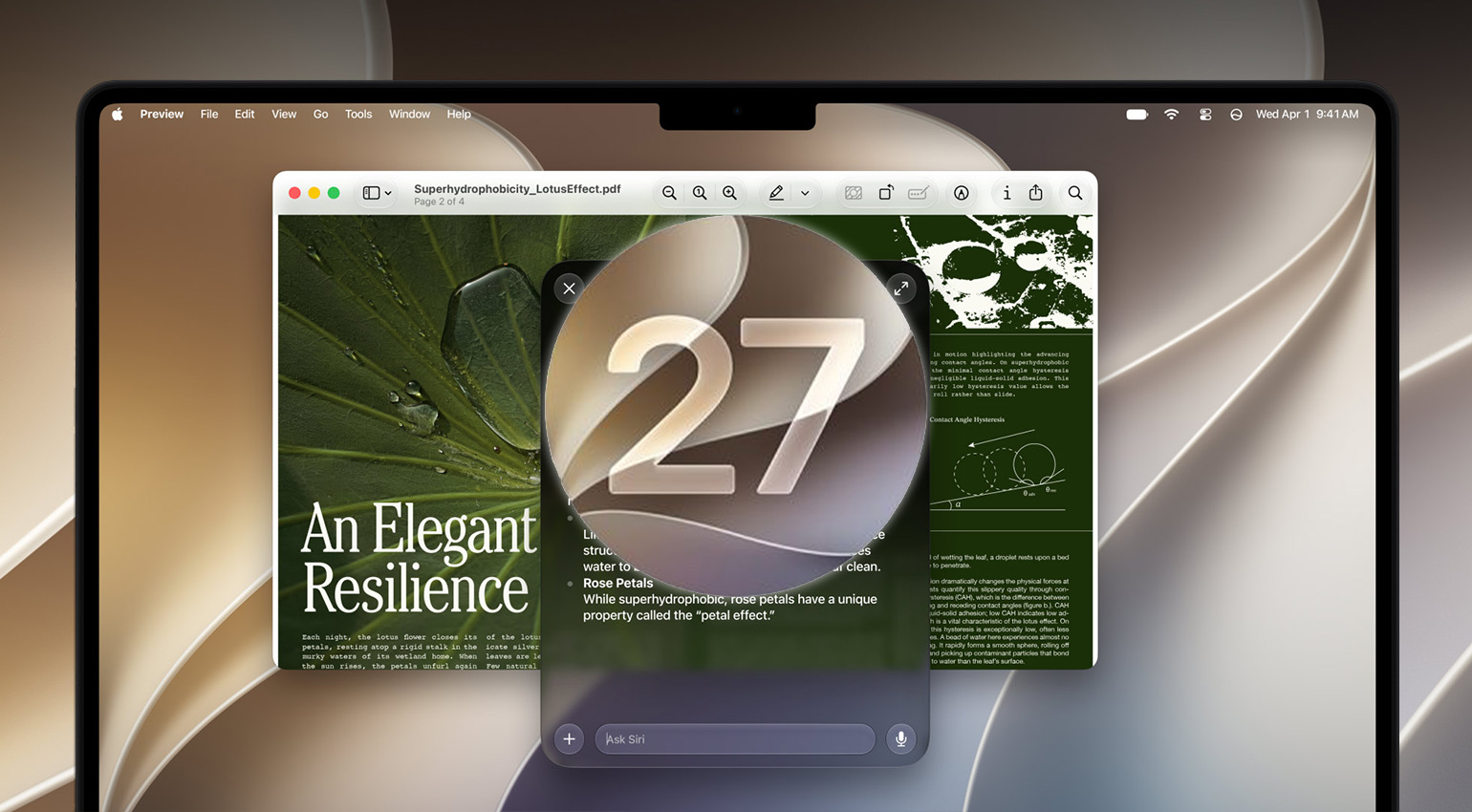
macOS 27 Golden Gate: Apple's New Operating System Officially Ends the Intel Mac Era · Source: Apple

Apple officially released macOS 27 Golden Gate last night. You can install the update right now through Software Update in System Settings. For us on the studio side of things, that raises the actually interesting question: should you?
macOS 27 Golden Gate Release: Checking Compatibility With DAWs, Plugins, and Interfaces
macOS 27 Golden Gate: Why You Should Hold Off on Updating
Quick rundown of what actually ships with the final release: Siri AI as a completely reworked, genuinely conversational assistant, Visual Intelligence coming to Mac for the first time (Cmd-Shift-Space lets it analyze whatever’s on your screen directly), further tweaks to the Liquid Glass design, and new parental control features. Nothing here really contradicts what we already covered during the beta phase. Let’s look at where things actually stand with your studio gear’s compatibility.
Compatibility: Several Major Manufacturers Are Still Saying Wait
And this is where it actually matters for us as producers: several major manufacturers are explicitly advising against updating right now. Native Instruments states plainly on its support page that its hardware and software are “not supported” on macOS 27 Golden Gate, and directly recommends holding off on updating. Focusrite is taking a similarly cautious stance. Engine DJ, from Denon, is also telling users to wait until compatibility gets officially confirmed.
The site Production Expert now runs its own continuously updated compatibility database covering DAWs, plugins, and audio hardware under macOS 27, worth checking before you update yourself. Their assessment lines up with what we’re hearing elsewhere in the industry too: Logic Pro and most major DAWs like Ableton Live, Pro Tools, and Bitwig should be natively supported from day one, but plugins are a different story. Smaller developers who’ve stopped actively maintaining their software are likely to be the real pain point here.
Rosetta 2 Isn’t Fully Gone Yet, But Old Plugins Could Still Trip You Up
As we already covered in a separate article, macOS 27 also drops built-in Rosetta 2 support, though not entirely: you can still install the environment manually if you need it. macOS 28 is reportedly where Rosetta 2 actually gets phased out for good.
That said, if you’re still running pure Intel plugins in your DAW, they’ll initially stop working right after updating, regardless of whether your DAW itself already runs natively on Apple Silicon. The tool Rosetta Check lets you check in advance which of your plugins across AU, VST3, AAX, and CLAP would actually be affected, way faster than going through everything manually. I personally use the app PluginHub for tasks like this.
Update or Not? Our Take
Our clear recommendation here: hold off on updating until manufacturers like Native Instruments and Focusrite give the green light, and definitely check beforehand which of your plugins are still running on Intel code, especially with next year in mind. Also turn off automatic updates in System Settings, so macOS 27 doesn’t install itself in the middle of a project without warning. As is almost always the case with major macOS releases, it’ll probably take several weeks to months before every relevant manufacturer actually catches up.
Do you generally wait on macOS updates until every app and plugin in your studio is confirmed compatible, or are you more the type to just update and see what breaks? Honestly, I always get a little curious myself whenever one of these big version jumps rolls around.
More Information
- Apple macOS Website
- macOS 27 Golden Gate Compatibility Database at Production Expert
- Apple Ends Rosetta 2: Which Plugins and DAWs Are Affected
- More Apple News
Golden Gate Brings Performance Instead of a Big Redesign
[20 August 2026] macOS 27 Golden Gate was unveiled at WWDC 2026 on June 8 and is currently sitting in public beta. Unlike its predecessor Tahoe with its massive Liquid Glass redesign, Apple frames Golden Gate explicitly as a stability and performance update, similar in spirit to the old Mac OS X Snow Leopard release, and honestly, that sounds pretty good. For music producers, though, the real headline sits somewhere else entirely: macOS 27 runs on Apple Silicon only, Intel Macs are completely out. Then again, who’s still running Intel at this point?
This year’s focus sits squarely on speed, stability, and battery efficiency instead of visual reinvention. Apple’s promising that Mac apps will launch around 30 percent faster thanks to preloading, that photos will show up faster in your library, and that AirDrop transfers run up to 80 percent quicker. For producers constantly jumping between sample libraries, project files, and plugins all day, that could genuinely show up in your daily workflow. We’re curious to see it in action.
Apple also went back and touched up the Liquid Glass design from macOS 26 Tahoe. A new transparency slider lets you pick between maximum see-through and a more tinted, easier-to-read version, and opacity handling got improved too, so complex content sitting behind the interface causes less visual clutter.
Siri AI: Apple’s New Conversational Assistant Lands on the Mac
The biggest actual change in Golden Gate is Siri AI, Apple’s completely rebuilt assistant. Instead of the old one-shot, isolated commands, Siri AI can now hold real conversations with context, ask follow-up questions, and take actions directly inside apps. You reach it through Spotlight: type in a request, and Siri AI takes over the conversation wherever that makes sense, an “Ask Siri” option even shows up directly in Spotlight results now.
Worth knowing for anyone curious about what’s running under the hood: Siri AI is powered in part by Google Gemini, while Apple keeps its own models running for things like Writing Tools. A new “World Knowledge” ability also pulls in answers from the web, and conversations sync across Mac, iPhone, and iPad. The new Siri features won’t roll out fully at launch, though, they’re spread out across the rest of the year. And how any of this shakes out in the EU is honestly still anyone’s guess at this point.
The End of Intel: What It Means for Studio Macs
For anyone still running Intel-based Macs, this is really the headline news: macOS 27 Golden Gate runs exclusively on Apple Silicon models (M1 and later), Intel support is gone entirely. We already flagged this coming with last year’s macOS 26 Tahoe, noting that Intel support was winding down, and now it’s actually happened. If you’re still producing on an Intel Mac, you’re stuck on macOS Tahoe going forward, Apple’s expected to keep shipping security updates for roughly two more years, but no more major feature updates after this.
Given the recent price increases on new Macs we covered not too long ago, this cutoff lands at a pretty rough time for a lot of studios. If you’re still running an older Intel Mac in your setup, it’s worth starting to plan that upgrade now, just know you’ll be paying more for it than you would have a few months back.
The Beta Timeline Ahead of the Final Release
After the June 8 announcement, the first developer beta dropped the same day, the first public beta arrived July 13, and public beta 2 followed on July 22, and so on. Beta updates are picking up speed from here on out. The final public release is still expected for September 2026, as usual.
Bottom Line
For music producers, macOS 27 Golden Gate is mostly a turning point, and less about new features than about what’s disappearing: Intel support. If you’re already producing on Apple Silicon, you’ll get real, noticeable performance gains without having to deal with any major UI overhaul. Whether the new OS actually plays nice with your current interface drivers and plugin versions, though, is something we won’t really know until after the official release.
If you’re still running an Intel Mac in your studio, start planning that switch now, there won’t be another major macOS version for that hardware. And as always in the studio: don’t rush an update before release, wait until plugin developers, interface driver teams, and DAW vendors confirm official compatibility. Never change a running system.
More Information

This might also interest you

3 responses to “Apple macOS 27 Golden Gate: Is This Really the End of the Intel Mac Era? Update Now or Wait?”

Intel Macs works just fine running Ableton Live 12, Cubase 15 Pro, or Logic Pro 12.3.1. No need to do anything. Stop stressing people out with nonsense.
It does NOT drop rosetta!
MacOS 27 Golden Gate is the last version of macOS to offer full Rosetta 2 functionality.
Just copy press releases, the subjective “know it all” in recent articles are crinching at best.
I am not sure where you got the info that Rosetta 2 is gone at MacOS 27, but this is simply not true. It is the last version to fully support Rosetta 2. Meaning all intel based plugins will continue to work on MacOS 27